




-
Recent Posts
- “My Partner Wants to Use WordPress Because 50% of the Web Uses It. Help!”
- Does EmDash Solve WordPress’s Problems, or Do You Need UltimateWB?
- How Not to Use AI: Stanford University Can Tell You
- Best Website Builder for SEO: WordPress vs. Wix vs. UltimateWB
- How to Make Sure Your Website Colors Have Enough Contrast for Accessibility
- Mobile-Friendly Website Checklist: 20 Things to Check
- Beehiiv Website Builder Review: The Problem Isn’t the Design – It’s the Lack of Control
- Elementor’s “Angie” AI Is More Than Bloat: Credits, Subscriptions, and a Growing Platform Problem
- How to Pass Google Business Profile Video Verification for Service Businesses
- The Great Deskilling: Why AI Dependence is Turning Developers into Prompt Babysitters
- The Three-Month Fuse: The Everest Forms Pro Attack and Why a Patched Plugin Can Still Put Websites at Risk
- Computer Screen Has Black Bars on the Sides: How to Fix It
- Could AI Make Humans Extinct Within the Next Decade?
- Is Weebly Getting Out of the Website-Builder Business?
- Are You “Leaking SEO” by Linking to Other Websites?
- Wix Harmony Is Now in Google Gemini. So Why Are Users Still Complaining?
- When AI Sounds Confident but Gets It Wrong: The Mount Shasta Rescue
- When AI Agents Start Working Together, Who Is Really in Control?
Categories
Tag Archives: typography
Web Design Fundamentals: A Comprehensive Guide

Introduction
Web design is always evolving, combining creativity, usability, and functionality to build websites that are not just visually appealing, but also easy to use and effective. Whether you're a beginner or an experienced designer looking to refine your skills, understanding the fundamentals of web design is crucial. In this guide, we will explore key concepts and best practices that are
... Continue reading
Posted in Website Design
Tagged accessibility, alt text, aria labels, brand identity, branding, build trust, call to action, color psychology, color scheme, color theory, colors, consistency, contrast, contrasting color, cta, digestible content, easy navigation, fast loading times, font sizes, fonts, goals, header tags, headings, line spacing, logo, mobile friendly, paragraph length, purpose, responsive, responsive app, search engine optimization, search engine ranking, seo, short paragraphs, styles manager, subheadings, target audience, typography, user engagement, user experience, user-centered design, user-friendly, ux, ux design, visual hierarchy, website goals, whitespace
Leave a comment
Web Design Fundamentals: A Beginner’s Guide

Introduction
Web design is the art and science of creating websites. It involves planning, creating, and maintaining websites. If you're interested in learning web design, this guide will provide you with the fundamental concepts and tools to get started. Click on the links for more discussion on the topic.
Core Principles of Web Design
- User Experience (UX): The focus should be on creating a seamless and intuitive experience for users.
Posted in Website Design
Tagged accessibility, adobe photoshop, atom, avoid clutter, cms, code editors, color theory, colors, content is king, create a mood, css, custom code, custom fonts, design tools, evoke emotions, Figma, fixed, fluid, fonts, grid, hierarchy, high-quality content, html, illustrator, javascript, keep it simple, keywords, layout, navigation, readability, responisve, responsive, responsive app, search engine optimization, seo, seo tips, styles manager, stylesheet, sublime text, typography, user experience, user interface, ux, visual appear, visual studio code, wcag, web content accessibility guidelines, web design trends, whitespace
Leave a comment
Top 10 Mistakes That Make Your Website Look Unprofessional

A well-designed website is essential for establishing credibility and attracting customers. However, common mistakes can quickly undermine your professional image. Here are the top 10 pitfalls to avoid:
1. Poor Visual Design:
- Outdated or inconsistent design: Ensure your website's aesthetics are modern and cohesive.
- Low-quality images: Use high-resolution images to avoid pixelation and blurriness.
- Excessive clutter: Keep your layout clean and uncluttered for easy navigation.
2. Slow Loading Times:
- Optimize images: Compress images to reduce file size.
- Minimize code: Remove
Posted in Website Design
Tagged broken links, call to action, clutter, contact information, cta, fast loading times, fast web host, font sizes, font styles, high-quality content, high-quality images, high-quality photos, inconsistent typography, minimize code, mobile friendly, modern, optimize images, outdated, responisve, responsive app, typography, unprofessional, user experience, user friendly, visual design, web design mistakes
Leave a comment
How to Design Your Own Website: A Step-by-Step Guide

You don't have to be a professional web designer or developer to design your own website. With the right website builder and a good plan, you can create the pages, layout, navigation, and overall look of your website yourself.
The key is to approach website design as a process. Before you start adding colors and images, figure out what pages you
... Continue reading
Posted in Website Design
Tagged branding, choose website builder, cms, colors, content is king, create your own website, design your own website, fonts, high-quality content, launch website, layout, navigation, responsive, search engine optimization, seo, site maintenance tool, sitemap, sitemap generator, styles manager, target audeince, test, third-party plugins, typography, update website, website images, website maintainance, website objective
Leave a comment
What is Neubrutalism in Web Design?

Ever felt the monotony of sleek, polished websites just wasn't cutting it? Enter neubrutalism – the digital rebel here to shake things up. Let's unravel the mystery of neubrutalism in web design and explore how it flips the script.
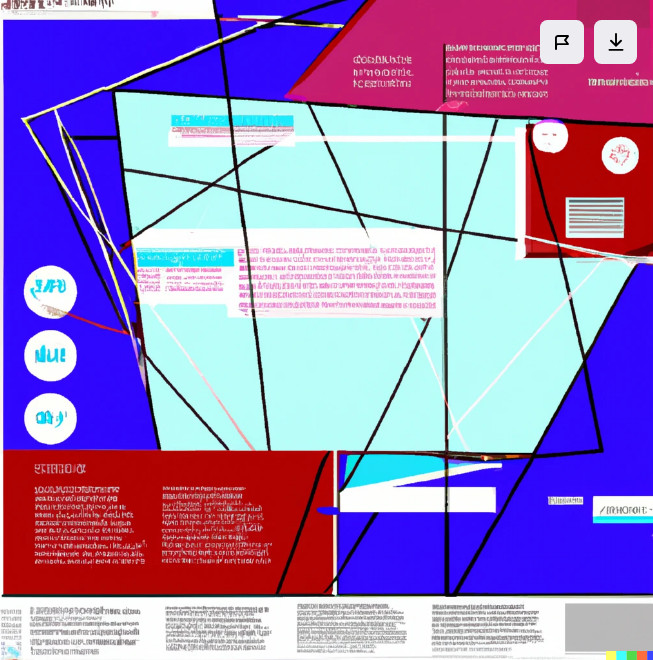
Imagine taking the rawness of Brutalist architecture (think exposed concrete and bold geometric shapes) and injecting it into the web. Add a dash of Y2K nostalgia (think glitchy visuals and funky typography) and a sprinkle of modern minimalism, and you've got
... Continue reading
Posted in Ask David!, Website Design
Tagged asymmetry, bold colors, edgy, high-contrast, imperfection, neubrutalism, rebellion, typography, unconventional, uncurated, unpolished, unpredictable
Leave a comment
How to make sure your website isn’t ugly?

"Ugly" is subjective, but a website that's visually unappealing and user-unfriendly can definitely hurt your online presence. Here are some tips to ensure your website isn't a turn-off:
Visual Design:
- Simplicity is key: Avoid clutter and overwhelming design elements. Opt for clean layouts, ample white space, and easy navigation.
- Choose a cohesive color palette: Stick to a limited number of complementary colors that create a pleasing
What makes a website modern – and good?

A modern website is one that is designed with the latest trends in web design in mind, and incorporates the principles of good web design.
Here are some of the key elements of modern website design:
Responsive design
A responsive website will adjust its layout to fit any screen size, from desktop computers to mobile phones. This is important for ensuring that users have a good experience on all devices. UltimateWB makes this easy with the built-in Responsive app
... Continue readingHow do you make a website responsive (HTML, CSS, and development)?

Make Your Website Responsive - Your Options
You can make your website responsive in several ways:
- By coding it yourself with HTML, CSS, Flexbox, Grid, and media queries.
- By using a responsive template or website builder that handles most of the work for you.
- Or with a platform like UltimateWB that has a built-in Responsive App, letting
Posted in Ask David!, Website Design
Tagged boost engagement, bounce rate, breakpoints, coding from scratch vs website builder, conversions, css, css media query, em, flexbox, flexible layouts, fonts, grid, html, load times, media queries, performance, rem, responsive, responsive app, responsive design, responsive template, responsive website, scalable, scalable media, squarespace, styles manager, typography, user experience, viewport, viewport meta tag, webflow, Wix
Leave a comment
Website Design Guide: Building a User-Friendly and Engaging Site
"What website design guide is the best strategy?"
This guide offers key principles and best practices to craft a website that excels in both user experience and visual appeal.
1. Planning and Foundation
- Define your goals: What do you want visitors to achieve on your site (e.g., contact you, make a purchase, learn more about your services)?
- Know your audience: Who are you trying to reach? Understanding their needs and online behavior is crucial.
- Content is king: Craft clear,
... Continue reading