



-
Recent Posts
- “My Partner Wants to Use WordPress Because 50% of the Web Uses It. Help!”
- Does EmDash Solve WordPress’s Problems, or Do You Need UltimateWB?
- How Not to Use AI: Stanford University Can Tell You
- Best Website Builder for SEO: WordPress vs. Wix vs. UltimateWB
- How to Make Sure Your Website Colors Have Enough Contrast for Accessibility
- Mobile-Friendly Website Checklist: 20 Things to Check
- Beehiiv Website Builder Review: The Problem Isn’t the Design – It’s the Lack of Control
- Elementor’s “Angie” AI Is More Than Bloat: Credits, Subscriptions, and a Growing Platform Problem
- How to Pass Google Business Profile Video Verification for Service Businesses
- The Great Deskilling: Why AI Dependence is Turning Developers into Prompt Babysitters
- The Three-Month Fuse: The Everest Forms Pro Attack and Why a Patched Plugin Can Still Put Websites at Risk
- Computer Screen Has Black Bars on the Sides: How to Fix It
- Could AI Make Humans Extinct Within the Next Decade?
- Is Weebly Getting Out of the Website-Builder Business?
- Are You “Leaking SEO” by Linking to Other Websites?
- Wix Harmony Is Now in Google Gemini. So Why Are Users Still Complaining?
- When AI Sounds Confident but Gets It Wrong: The Mount Shasta Rescue
- When AI Agents Start Working Together, Who Is Really in Control?
Categories
Tag Archives: page history tool
Thinking About Switching From WordPress? What Should You Consider Before You Move?

Ask David!
I'm thinking about switching from WordPress to another platform.
It's not a complicated website, but over the years, I've had to add many plugins, for SEO, security, backups, forms, page building, etc. It feels like my website is living in an old house, and we're just waiting for the roof to leak, or something to break. I've been googling for discussions about migrating away from WordPress and found UltimateWB. Most other discussions I've found are the opposite, and
Posted in Ask David!, Compare Website Builders
Tagged 301 redirects, AI website builder, cpanel, css, custom url, customizable, drag-and-drop alternative, drag-and-drop website builder, duda, easy maintenance, flexible, htaccess, html, javascript, migrating website, ownership, page history tool, redirects, responsive app, switching website builders, third-party plugins, web hosting choice, Wix, WordPress, wordpress alternative, WYSIWYG
Leave a comment
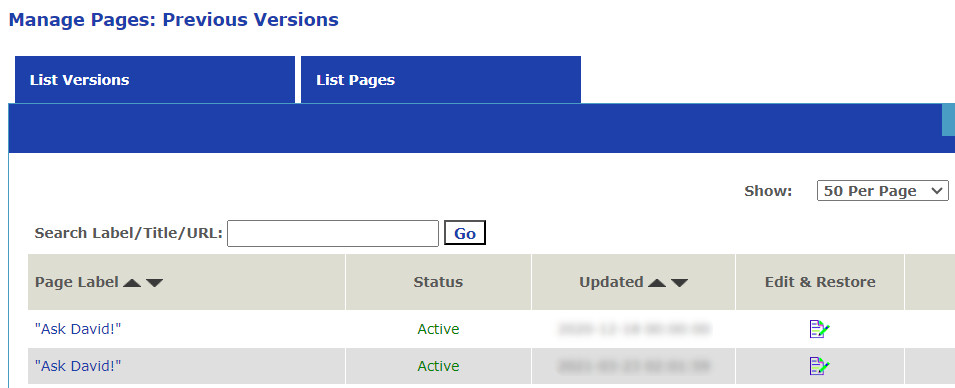
Why Webflow, WordPress, Squarespace & Wix Fall Short on Page Backups (And the UltimateWB Fix)

As a web developer, there is a distinct type of panic that sets in when your phone rings and a client says: "I was trying to update the text on the homepage, and... I think I broke something."
You open the site, and sure enough, the layout you meticulously optimized for speed, design, and user experience is completely skewed.
On many website
... Continue readingWhat are some best practices for designing a homepage that converts visitors into customers?

A homepage that converts visitors into customers should be designed with a clear understanding of your target audience and their needs. Here are some key best practices to follow:
Focus on Value Proposition:
- Clear and Concise Headline: Your headline should immediately communicate what your product or service does and its key benefit to the visitor.
- Benefit-Oriented Content: Instead of technical jargon, explain how your product or service solves the visitor's problem or improves their life.
- Visually Appealing Hero Section: The
Posted in Ask David!, Website Design
Tagged a/b testing, benefit-driven features, benefit-oriented content, call to action, clean design, clean layout, contrast, conversions, cta, fast loading times, headline, hero banner, homepage, mobile friendly, page history tool, simple layout, social proff, technical jargon, testimonials, trust signals, user experience, user friendly, value proposition
Leave a comment
What are some effective strategies for designing a user-friendly and visually appealing website?
A website can be easy to use without being particularly attractive. It can also look impressive while making visitors work too hard to figure out what they are looking at or where they should go.
Good web design brings the two together.
A visually appealing website should catch attention, communicate the personality of the site, and make the content more
... Continue reading
Posted in Ask David!, Website Design
Tagged a/b testing, accessibility, branding, cms, color, cta, fast-loading times, images, page history tool, personality, seo, storytelling, styles manager, user testing, user-friendly, user-friendly website, visual hierarchy, visual storytelling, visually appealing website, web design, web design tips, website colors, website design, website images, website layout, website typography, website usability
Leave a comment
Which CMS Is User-Friendly? WordPress, Drupal, Joomla, or UltimateWB?

A CMS can be easy to learn and still become difficult to manage.
Creating your first page may be simple. The real test comes later, when you want to customize the design, add more functionality, manage users and content, and keep everything running smoothly.
This is where the differences between WordPress, Drupal, Joomla, and UltimateWB become much more noticeable.
WordPress, Drupal, and Joomla: How Easy Are They to Use?
WordPress
WordPress is relatively easy to get started with, which is
... Continue reading
Posted in Ask David!, Compare Website Builders
Tagged beginner website builder, cms, customization, developer website builder, Drupal, drupal alternative, easy website builder, fast website, joomla, joomla alternative, maintenance, open source, page history tool, plugins, seo, styles manager, third-party plugins, user friendly cms, user-friendly, WordPress, wordpress alternative
Leave a comment
Website Design Guide: Building a User-Friendly and Engaging Site
"What website design guide is the best strategy?"
This guide offers key principles and best practices to craft a website that excels in both user experience and visual appeal.
1. Planning and Foundation
- Define your goals: What do you want visitors to achieve on your site (e.g., contact you, make a purchase, learn more about your services)?
- Know your audience: Who are you trying to reach? Understanding their needs and online behavior is crucial.
- Content is king: Craft clear,
... Continue reading