



-
Recent Posts
- “My Partner Wants to Use WordPress Because 50% of the Web Uses It. Help!”
- Does EmDash Solve WordPress’s Problems, or Do You Need UltimateWB?
- How Not to Use AI: Stanford University Can Tell You
- Best Website Builder for SEO: WordPress vs. Wix vs. UltimateWB
- How to Make Sure Your Website Colors Have Enough Contrast for Accessibility
- Mobile-Friendly Website Checklist: 20 Things to Check
- Beehiiv Website Builder Review: The Problem Isn’t the Design – It’s the Lack of Control
- Elementor’s “Angie” AI Is More Than Bloat: Credits, Subscriptions, and a Growing Platform Problem
- How to Pass Google Business Profile Video Verification for Service Businesses
- The Great Deskilling: Why AI Dependence is Turning Developers into Prompt Babysitters
- The Three-Month Fuse: The Everest Forms Pro Attack and Why a Patched Plugin Can Still Put Websites at Risk
- Computer Screen Has Black Bars on the Sides: How to Fix It
- Could AI Make Humans Extinct Within the Next Decade?
- Is Weebly Getting Out of the Website-Builder Business?
- Are You “Leaking SEO” by Linking to Other Websites?
- Wix Harmony Is Now in Google Gemini. So Why Are Users Still Complaining?
- When AI Sounds Confident but Gets It Wrong: The Mount Shasta Rescue
- When AI Agents Start Working Together, Who Is Really in Control?
Categories
Tag Archives: drag-and-drop website builder
Thinking About Switching From WordPress? What Should You Consider Before You Move?

Ask David!
I'm thinking about switching from WordPress to another platform.
It's not a complicated website, but over the years, I've had to add many plugins, for SEO, security, backups, forms, page building, etc. It feels like my website is living in an old house, and we're just waiting for the roof to leak, or something to break. I've been googling for discussions about migrating away from WordPress and found UltimateWB. Most other discussions I've found are the opposite, and
Posted in Ask David!, Compare Website Builders
Tagged 301 redirects, AI website builder, cpanel, css, custom url, customizable, drag-and-drop alternative, drag-and-drop website builder, duda, easy maintenance, flexible, htaccess, html, javascript, migrating website, ownership, page history tool, redirects, responsive app, switching website builders, third-party plugins, web hosting choice, Wix, WordPress, wordpress alternative, WYSIWYG
Leave a comment
Should You Choose a Drag-and-Drop Website Builder?

Welcome back to another edition of Ask David!, where we cut through web design marketing hype and talk about how websites actually work in the real world.
Today’s question comes from a site owner standing at a very common crossroad:
“I was thinking i
... Continue readingStop Fighting Your Website: Absolute Positioning vs. Fluid Design

If you’ve ever used the standard Wix editor, you probably know the frustration: move a button on the desktop layout, and suddenly the mobile version looks broken. That is not a glitch - it is a direct result of how many drag-and-drop website builders are designed.
The Hidden Tradeoff in Traditional Drag-and-Drop Builders
Many “easy” website builders like Wix rely heavily on absolute positioning. In simple terms, elements are assigned fixed X and Y coordinates on the page, almost like
... Continue reading
Posted in Compare Website Builders, Website Design
Tagged absolute positioning, drag-and-drop alternative, drag-and-drop website builder, flexibility, fluid design, grid layout, hosted vs self-hosted websites, hosted website builders, mobile friendly, responsive, responsive app, responsive design, rigid design, squarespace, squarespace alternative, website design, Wix, wix alternative, wix editor
Leave a comment
Are free website builders worth it for small businesses?

Or do free website builders hurt more than they help?
When you’re growing a small business, keeping expenses low feels like the only smart move. So it’s natural to try every free website builder you can find - Wix free plan, Weebly free plan, Webnode, Google Sites, you name it.
On the surface, they seem perfect:
✔ quick setup
✔ no upfront cost
✔ drag-and-drop builder
✔ decent starter templates
But here’s the real question every small business eventually
... Continue reading
Posted in Compare Website Builders
Tagged bounce rate, build trust, cookie-cutter, custom domain, drag-and-drop website builder, fast website, fast-loading times, free website builderes, generate leads, Google Sites, growth, meta tags, mobile-friendly, outdated, red flag, reliability, responsive, scalability, seo, sitemap, slow website, trust, webnode, weebly, Wix
Leave a comment
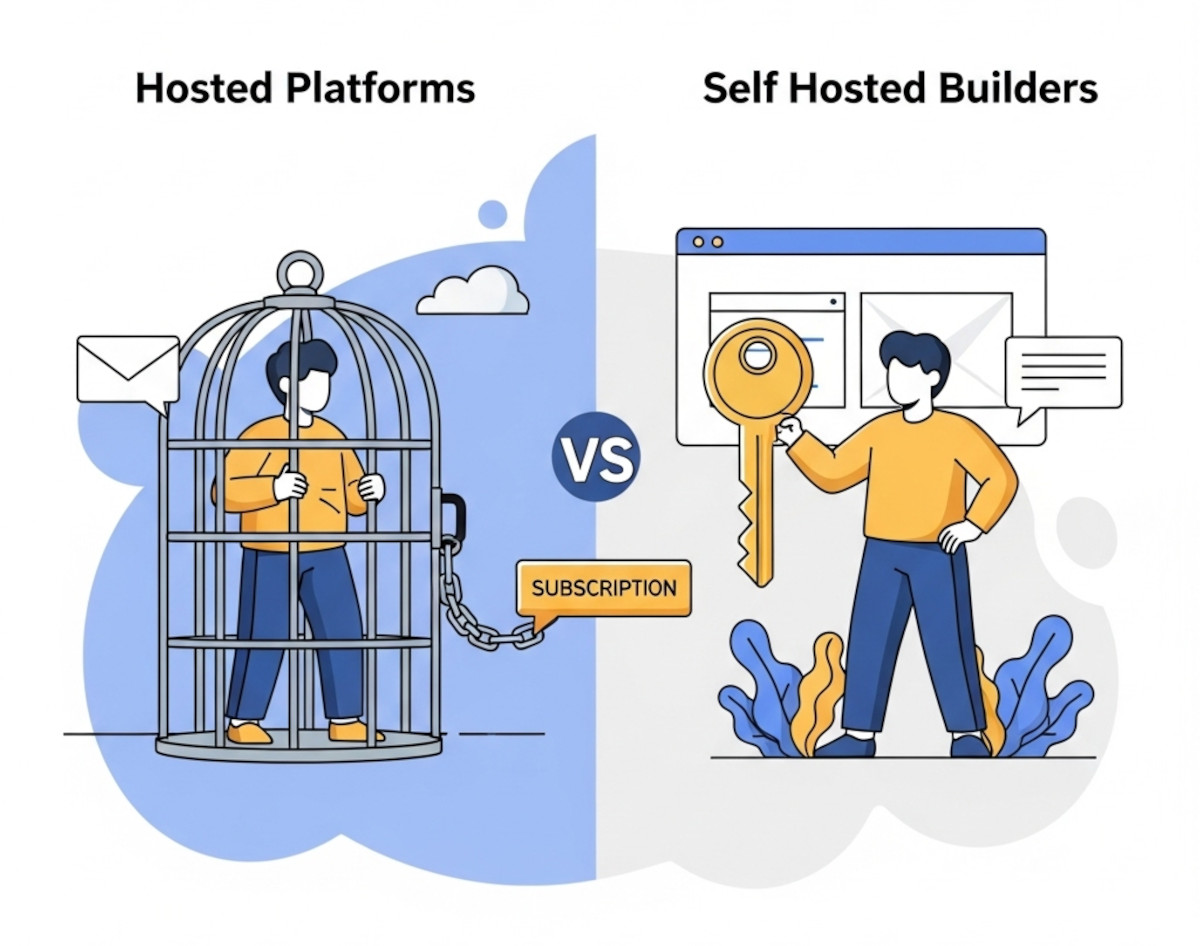
Why So Many Businesses Are Switching from Hosted Platforms to Self-Hosted Builders

Hosted website platforms like Wix, Squarespace, and Shopify have become popular for their drag-and-drop simplicity. But more and more businesses are realizing the hidden costs and limitations that come with these “easy” solutions - and making the switch to self-hosted website builders instead.
Here’s why.
1. You Don’t Really Own Your Website on Hosted Platforms
When you're on a hosted platform, your site is tied to their servers, their pricing, and their limitations. Want to move your site
... Continue reading
Posted in Compare Website Builders
Tagged bloat, clean code, drag-and-drop alternative, drag-and-drop website builder, flexibility, freedom, hosted website builder, limitations, scalability, search engine optimization, self-hosted website builder, seo, Shopify, shopify limitations, slow load times, squarespace, user experience, W3C Markup Validation Service, W3C validation, web hosting choice, website speed, Wix, wix limitations
Leave a comment
Best Website Builder for Developers – PHP/MySQL Flexibility with UltimateWB

If you're a developer, you've probably been frustrated by the limitations of most no-code website builders. They’re great for beginners, but when it comes to custom functionality - like PHP scripting, MySQL integration, or direct database access - they hit a wall fast.
Whether you're building a website for a client or launching your own project, you shouldn’t have to choose between convenience and control.
... Continue reading
Posted in Compare Website Builders
Tagged analytics, bloat, clean code, clean urls, cms, coders, css, custom code, database, drag-and-drop alternative, drag-and-drop website builder, dreamweaver, dreamweaver alternative, dreamweaver vs ultimatewb, fast loading times, fast web hosting, fast-loading website, flexibility, friendly urls, html, meta description, meta title, mobile-friendly, mysql, performance, php, plugins, request features, responsive, responsive design, scalability, schema, search engine optimization, seo, squarespace, structured data, ui, user interface, user-friendly, web developer, web hosting, web hosting choice, webflow, webp, webp converter, website speed, weebly, Wix, WordPress
Leave a comment
Best Website Builder for Customization (Without Monthly App Fees)

💡 Tired of limitations? Here’s how to truly own your website.
Drag-and-drop website builders are convenient - until you need to do something they don’t allow. Platforms like Wix, Shopify, and Squarespace promise ease, but often fall short when it comes to real customization. Want to move that button 10px to the left? Add a PHP script? Build a custom database? Good luck.
The best website builder isn’t the one that locks you
... Continue reading
Posted in Compare Website Builders
Tagged alternatives to Squarespace, alternatives to Wix, best website builder 2025, build your own website, clean code, customizable website builder, drag and drop alternative, drag-and-drop alternative, drag-and-drop website builder, fast website, fast website builder, flexibility, freedom, hosting choice, hosting option, no plugin website builder, one-time cost, one-time fee, one-time fee website builder, one-time license, performance, php website builder, recurring fees, website builder with hosting, website builder without monthly fees
Leave a comment
Drag-and-Drop Website Builders You Can Host Anywhere

"Ask David": "Can you help recommend a drag-and-drop website builder that is not hosted so I can upload HTML to any hosting service?"
Yes. If you specifically want a downloadable drag-and-drop website builder that lets you export your website and upload it to your own hosting, Mobirise and Nicepage are two options to look at. Pinegrow is another desktop option with visual, drag-and-drop editing.
But before choosing one, there’s something else I’d consider: what kind of website
... Continue reading
Posted in Ask David!
Tagged best website builder, cloud hosting, css, desktop website builder, divi, downloadable software, drag-and-drop website builder, dreamweaver, elementor, eleventy, export HTML website, hosted website builder, html, hugo, javascript, jekyll, js, page builders, pinegrow, portable website, self-hosted, self-hosted website, squarespace, static site generators, webflow, webflow alternatives, website builder comparison, weebly, Wix, WordPress, WordPress page builders
Leave a comment