


A website can be easy to use without being particularly attractive. It can also look impressive while making visitors work too hard to figure out what they are looking at or where they should go.
Good web design brings the two together.
A visually appealing website should catch attention, communicate the personality of the site, and make the content more engaging. At the same time, the design should support the visitor rather than get in the way.
Here are some effective strategies for creating a website that is both user-friendly and visually appealing.
1. Establish a Clear Visual Direction
Before choosing colors, fonts, images, and other design elements, establish an overall visual direction for the website.
Think about the mood and personality you want the website to convey, as well as its purpose and audience. A professional business website may call for a different visual approach than a creative portfolio, community website, or personal site.
Having a clear direction makes it easier to choose individual design elements that work together instead of creating a collection of unrelated choices.
For more on the fundamentals of visual web design, see Web Design Fundamentals: A Beginner’s Guide.
2. Build the Page Around Composition
Composition is the way elements are arranged on a page. Headings, images, text, navigation, buttons, and other elements should work together as a complete layout.
Think about where the eye is likely to go and how the different elements relate to each other. Give important elements enough room instead of trying to fill every available space.
A strong composition makes a page feel organized and intentional.
Read: Embracing Whitespace: The Secret Ingredient to Stunning Web Design
3. Create a Strong Visual Hierarchy
Not everything on a page should compete for attention.
Visual hierarchy helps visitors understand what is most important. Size, font weight, spacing, positioning, and contrast can all help establish a clear order.
For example, a main heading should usually stand out from supporting text, while secondary information should not overpower the primary content.
The goal is to make it easy for visitors to understand what they should notice first, second, and third.
For a deeper look at hierarchy, layout, typography, and other design fundamentals, see Web Design Fundamentals: A Comprehensive Guide.
4. Use Typography as Part of the Design
Typography affects both readability and the overall appearance of a website.
Choose fonts that fit the visual direction of the site and establish clear relationships between headings, subheadings, body text, and other elements. Different font sizes and weights can create hierarchy without requiring a large number of different typefaces.
Avoid using too many unrelated fonts. A small, well-chosen combination usually creates a more cohesive design.
Readability should always remain a priority. A font may look interesting, but if visitors have difficulty reading it, it is not doing its job.
See Choosing Website Fonts Made Easy: A Step-by-Step Guide for more on choosing and combining website fonts.
5. Use Color With a Purpose
Color can influence the mood of a website, reinforce branding, create contrast, and draw attention to important elements.
Choose a coherent color palette rather than selecting colors independently for different parts of the site. It also helps to give colors consistent roles. For example, one color might be used for links and calls to action while another is used for headings or backgrounds.
Color should also support readability. Text and important interface elements need sufficient contrast against their backgrounds.
For more on using color in web design, see How Color Psychology Affects Web Design & Conversions and How to Test the Color Contrast of Your Website for Accessibility?.
6. Choose Images as Design Elements
Images do more than provide decoration. They can affect the composition, mood, balance, and visual identity of a page.
Consider the subject, style, size, placement, and cropping of an image, as well as how it relates to the surrounding text.
A well-placed image can create a focal point or help establish a visual rhythm throughout a page. An image added simply to fill an empty space can have the opposite effect.
For more on choosing and using website visuals effectively, see How do you use visuals effectively on your website?.
7. Create Consistency Without Making Every Page Identical
A website should have a recognizable visual identity, but that does not mean every page needs to look exactly the same.
Consistent typography, colors, navigation, spacing, buttons, and other recurring elements help visitors understand that they are still within the same website.
At the same time, different types of pages may benefit from different compositions. A product page, article, homepage, and contact page do not necessarily need identical layouts.
Good design creates consistency while leaving room for variation.
If your website builder limits your ability to control these elements, see Signs Your Website Builder Isn’t as Customizable as You Think.
8. Use Balance, Contrast, and Visual Rhythm
Balance, contrast, and visual rhythm can make a design feel more polished and easier to follow.
Balance does not necessarily mean making both sides of a page identical. Different-sized elements can still create a balanced composition.
Contrast can separate important elements and prevent a page from looking flat. This can come from differences in size, color, weight, spacing, or imagery.
Visual rhythm comes from repetition and variation. Repeating certain design elements creates consistency, while changing them at appropriate points keeps the page from becoming monotonous.
9. Use Visual Storytelling
A website can communicate a story without relying entirely on paragraphs of text.
Images, typography, layout, colors, headings, and written content can work together to communicate what a business does, what a person cares about, or what makes a project different.
For example, a business website might use photography, colors, typography, and page composition to communicate a particular atmosphere before a visitor has read very much text.
The visual elements should support the message rather than compete with it.
10. Experiment With Different Design Approaches
Good design often comes from trying different approaches rather than settling on the first arrangement.
Experiment with different combinations of layouts, typography, colors, spacing, and image placement. Compare different approaches and see which one communicates the intended message most effectively.
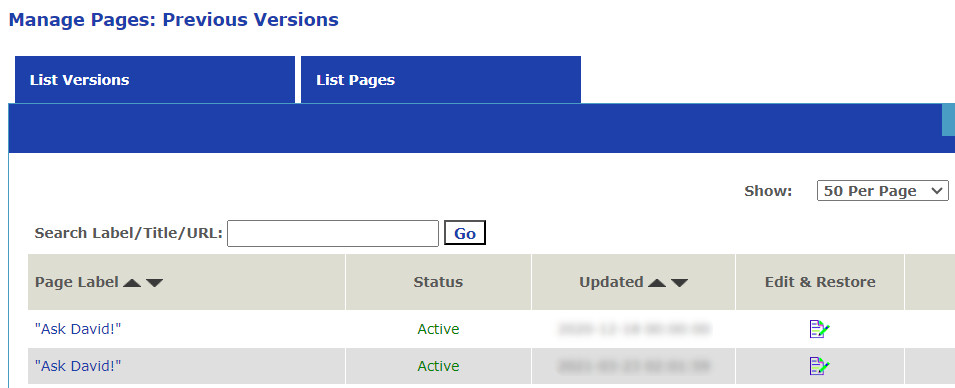
Tools such as UltimateWB’s Styles Manager and Page History tool can make it easier to refine a design and experiment with different visual approaches without having to start over.
Read: Why Webflow, WordPress, Squarespace & Wix Fall Short on Page Backups (And the UltimateWB Fix)
A Good Website Design Is More Than Decoration
A visually appealing website is not simply a collection of attractive colors, fonts, and images. The individual elements need to work together as a cohesive visual system.
Composition, hierarchy, typography, color, imagery, consistency, and storytelling can all help communicate the purpose and personality of a website while keeping the content easy to understand.
UltimateWB gives you the flexibility to create and refine your own website design, with tools such as Styles Manager, Responsive App, and Page History built into the website builder software.
Ready to design & build your own website that is user-friendly and looks good? Learn more about UltimateWB! We also offer web design packages if you would like your website designed and built for you.
Got a techy/website question? Whether it’s about UltimateWB or another website builder, web hosting, or other aspects of websites, just send in your question in the “Ask David!” form. We will email you when the answer is posted on the UltimateWB “Ask David!” section.