







-
Recent Posts
- Could AI Make Humans Extinct Within the Next Decade?
- Is Weebly Getting Out of the Website-Builder Business?
- Are You “Leaking SEO” by Linking to Other Websites?
- Wix Harmony Is Now in Google Gemini. So Why Are Users Still Complaining?
- When AI Sounds Confident but Gets It Wrong: The Mount Shasta Rescue
- When AI Agents Start Working Together, Who Is Really in Control?
- WPForms and Rank Math: Did These WordPress Plugins Create a Backdoor With Admin Access?
- AI Can Text Your Friends for You. Wait, Who Am I Talking To?
- Bill Gates Is Betting on AI to Help Healthcare – While Warning About What AI Could Do to Jobs
- Wix Says AI Website Owners Should Care About Portability. There’s Just One Problem.
- WordPress 7.1 Broke WP Rocket: The Fatal Error and the Plugin Problem
- WordPress vs. UltimateWB for an Artist Website: Which Should You Choose?
- Thinking About Switching From WordPress? What Should You Consider Before You Move?
- The Airtable Acquisition Raises a Bigger Question: Do You Really Own the Software Your Business Runs On?
- How to Use Google Search Console’s New Generative AI Data to Improve Your SEO
- How to Update the Same Website Content on Multiple Pages at Once
- Discovered vs. Crawled Not Indexed in Google Search Console: What’s the Difference and How to Fix Each
- The Small Business Guide to Auditing Google Ads and Website Costs
Categories
Tag Archives: optimize images
Essential Web Development Tips for Beginners

Whether you're launching your first website or looking to sharpen your web development skills, it's an exciting time to build online. With tools like UltimateWB, beginners have more control and flexibility than ever - without needing to rely on dozens of third-party plugins or write complex code from scratch. Here are some essential web development tips to help you start strong this year:
1. Start with a Clear Purpose
Before diving into design or features, define what your website
... Continue reading
Posted in Website Design
Tagged accessibility, alt text, clean, colors, custom coding, easy navigation, fast-loading times, flexibility, heading tags, headings, high-contrast colors, input sanitization, keywords, lazy loading, meta description, meta tags, minification, optimize images, responsive, responsive app, search engine optimization, security, seo, SEO best practices, seo tips, third-party plugins, usability, user-friendly, webp, webp converter, website speed
Leave a comment
How important is website speed for converting visitors into leads?

Website speed is critically important for converting visitors into leads. A slow-loading website can significantly impact user experience, leading to higher bounce rates and lower conversion rates.
Here's why:
- Frustrated Users: Slow-loading pages frustrate users, leading them to abandon your website and seek information elsewhere.
- Reduced User Engagement: A slow website can negatively impact user engagement metrics like time on page and page views, which are crucial for lead generation.
- Negative Impact on SEO: Google prioritizes
Posted in Ask David!, Business, Search Engine Optimization (SEO)
Tagged bloat, cdn, conversion rates, convert to webp, fast-loading times, leads, minimize code, optimize images, organic traffic, search engine optimization, seo, server response time, sleek, user engagement, user-friendly, website speed
Leave a comment
How can I start SEO on my own website?
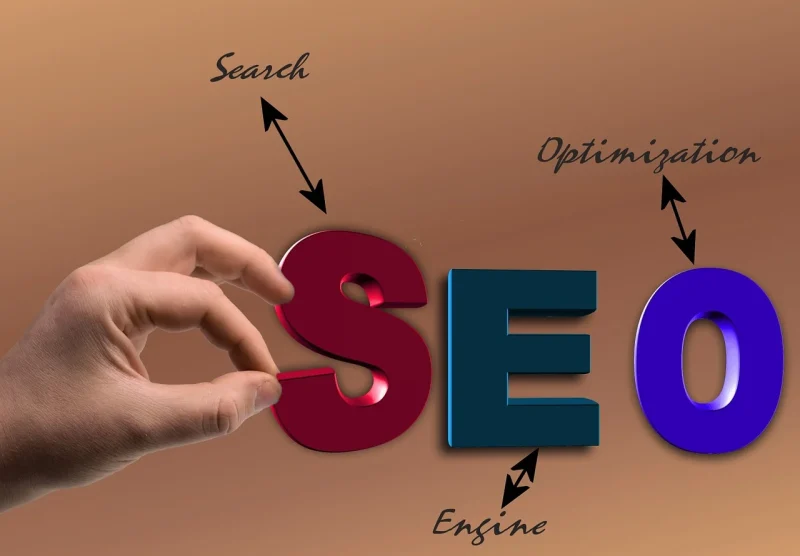
That's a good question and an important one - marketing is key to any business, and for websites a big part of it is SEO! Here is a guide we have put together...
Starting Your SEO Journey: A Beginner's Guide
SEO, or Search Engine Optimization, is the practice of improving a website's visibility and ranking in search engine results pages (SERPs) like Google. Here's a basic roadmap to get you started:
1. Keyword Research:
- Identify relevant keywords:
Posted in Ask David!, Search Engine Optimization (SEO)
Tagged alt tags, alt text, backlinks, bloat, clean code, code bloat, fast loading times, keyword research, local seo, long-tail keywords, mobile-friendly, off-page seo, on-page seo, optimize images, organic traffic, responsive, responsive app, search engine optimization, search engine optimization tips, search engine results pages, seo, serps, sitemap, sitemap generator, social media, technical seo, website traffic, xml, xml sitemap
Leave a comment
Top 10 Mistakes That Make Your Website Look Unprofessional

A well-designed website is essential for establishing credibility and attracting customers. However, common mistakes can quickly undermine your professional image. Here are the top 10 pitfalls to avoid:
1. Poor Visual Design:
- Outdated or inconsistent design: Ensure your website's aesthetics are modern and cohesive.
- Low-quality images: Use high-resolution images to avoid pixelation and blurriness.
- Excessive clutter: Keep your layout clean and uncluttered for easy navigation.
2. Slow Loading Times:
- Optimize images: Compress images to reduce file size.
- Minimize code: Remove
Posted in Website Design
Tagged broken links, call to action, clutter, contact information, cta, fast loading times, fast web host, font sizes, font styles, high-quality content, high-quality images, high-quality photos, inconsistent typography, minimize code, mobile friendly, modern, optimize images, outdated, responisve, responsive app, typography, unprofessional, user experience, user friendly, visual design, web design mistakes
Leave a comment
What are some white hat SEO tricks and tips for boosting organic traffic?

Looking to increase your website’s organic traffic without cutting corners? These white hat SEO strategies focus on long-term, sustainable growth by playing by the rules and delivering real value.
🎯 Target Long-Tail Keywords
While high-volume keywords are tempting, they’re also highly competitive. Instead, focus on long-tail keywords - more specific search phrases your target audience actually uses. These give you a better chance of ranking and attracting qualified traffic.
📝 Craft Compelling Titles & Descriptions
Your titles and meta descriptions
... Continue reading
Posted in Ask David!, Search Engine Optimization (SEO)
Tagged accessibility, alt tags, alt text, authority, backlinks, build trust, clean code, fast-loading website, google my business listing, google search results, guest blogging, HARO, help a reporter out, internal linking, internal links, link juice, local seo, long-tail keywords, meta description, mobile friendly, optimize images, organic growth, organic traffic, page speed, responsive, responsive app, rich snippets, seo strategies, seo tips, seo tool, seo tricks, share expertise, star ratings, website speed, white hat
Leave a comment
What should a great landing page have?

A great landing page is like a master salesperson in digital form: it captures attention, builds trust, and compels visitors to take a desired action. To achieve this, it needs to tick several key boxes:
1. Clear and Compelling Headline:
- Grab attention and communicate the page's value proposition within seconds.
- Use strong verbs and powerful language that resonates with your target audience.
- Highlight the benefit users will get by taking the desired action.
2. Engaging Visuals:
- Include high-quality, relevant images, videos, or infographics
How to make your website load faster?

You know it’s important. We know it’s important. So let’s get to it - here’s how to speed up your website and keep your visitors (and Google) happy.
Need for Speed: Optimizing Your Website for Lightning-Fast Loading
Your website’s loading speed can make or break your online presence. In this guide, we’ll cover the top strategies for making your website load faster - starting with choosing a sleek platform like UltimateWB, built for performance.
Why Does Website Speed Matter?
... Continue reading
Posted in Ask David!, Search Engine Optimization (SEO), Website Design
Tagged bloat, bounce rate, browser caching, clean code, content lazy loading, core web vitals, fast website, fast website builder, fast-loading times, lazy load images, lazy loading, lazy loading ads, loading time, mobile optimization, optimize images, pagespeed insights, responsive, responsive app, search engine optimization, search engine ranking, seo, timeline, webp, webp converter, website speed
Leave a comment
Mastering Website Optimization: Your Ultimate Guide to Drive, Retain, and Convert Traffic

Hey there, digital creators! These days, just having a good-looking website isn’t enough to stand out online. You need to master the art of optimization to not only attract traffic but also keep them hooked and convert them into loyal customers. Buckle up, because we're about to dive into the nitty-gritty of making your website a conversion powerhouse.
Speed Matters: Lightning-Fast Loading Times
Online, nobody likes to wait - if your site loads slowly, people are likely to leave before
... Continue reading
Posted in Website Design, Website Traffic
Tagged backlinks, boosting conversions, browser cache, browser caching, call-to-action, clear browser cache, convert traffic, drive traffic, fast-loading times, google analytics, google search console insights, high-quality content, keywords, minimize code, mobile friendly, navigation, optimize images, organic traffic, responsive, responsive app, responsive design, retain traffic, search engine optimization, search engine ranking, seo, user experience, user friendly, user-friendly, webp, webp converter, website optimization, website speed
Leave a comment