



-
Recent Posts
- “My Partner Wants to Use WordPress Because 50% of the Web Uses It. Help!”
- Does EmDash Solve WordPress’s Problems, or Do You Need UltimateWB?
- How Not to Use AI: Stanford University Can Tell You
- Best Website Builder for SEO: WordPress vs. Wix vs. UltimateWB
- How to Make Sure Your Website Colors Have Enough Contrast for Accessibility
- Mobile-Friendly Website Checklist: 20 Things to Check
- Beehiiv Website Builder Review: The Problem Isn’t the Design – It’s the Lack of Control
- Elementor’s “Angie” AI Is More Than Bloat: Credits, Subscriptions, and a Growing Platform Problem
- How to Pass Google Business Profile Video Verification for Service Businesses
- The Great Deskilling: Why AI Dependence is Turning Developers into Prompt Babysitters
- The Three-Month Fuse: The Everest Forms Pro Attack and Why a Patched Plugin Can Still Put Websites at Risk
- Computer Screen Has Black Bars on the Sides: How to Fix It
- Could AI Make Humans Extinct Within the Next Decade?
- Is Weebly Getting Out of the Website-Builder Business?
- Are You “Leaking SEO” by Linking to Other Websites?
- Wix Harmony Is Now in Google Gemini. So Why Are Users Still Complaining?
- When AI Sounds Confident but Gets It Wrong: The Mount Shasta Rescue
- When AI Agents Start Working Together, Who Is Really in Control?
Categories
Tag Archives: security risks
What is the Biggest Drawback of Wix, Squarespace, Webflow, and WordPress?

We recently received an excellent question from a reader who is trying to cut through the marketing noise to choose the right website platform:
“Ask David!” question: "I am researching which website builder I should use and found UltimateWB. Can you tell me what you think is the biggest drawback of Wix, Squarespace, Webflow, and WordPress?"
If you only read the homepages of the major website builders, everything looks flawless. They all promise fast, beautiful, and easy-to-build sites.
But as
... Continue reading
Posted in Ask David!, Compare Website Builders
Tagged absolute positioning, absolute positioning vs responsive design, bloat, css, fast website, high maintenance, html, learning curve, open-source, php, plugin, redesign website, responsive, saas, security risks, slow website, squarespace, third-party plugins, webflow, Wix, WordPress
Leave a comment
How to Audit Your Website Disk Space: A Step-by-Step Guide

If you’ve received a notification that your disk space is full - or if it seems to be filling up faster than expected - it’s time for a "digital deep clean." Most of the time, the culprit isn't the website itself, but hidden files, unoptimized media, or software "hoarding."
Here is how to find exactly what is taking up the room.
1. Get the Stats in cPanel
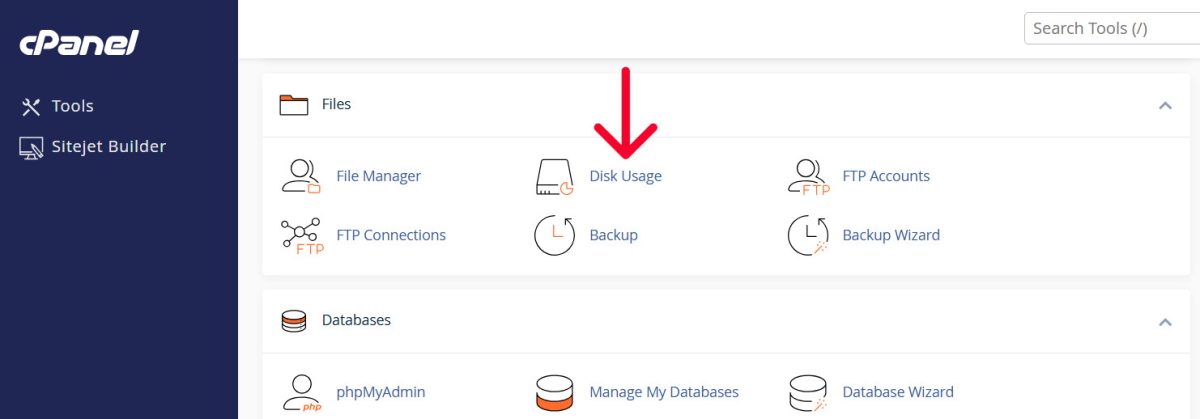
Don't guess where the space is going. Use the Disk Usage tool in
... Continue reading
Posted in Ask David!, Web Hosting
Tagged cpanel, cPanel Disk Usage tutorial, cPanel tutorial, disk space, disk space cleanup, disk usage, integrated blog vs full site, optimize website images, plugins, security, security risks, technical seo, third-party plugins, web hosting storage, website disk space, website performance optimization, WordPress bloat, WordPress storage audit
Leave a comment
The WordPress Backdoor Scandal: Why 30+ “Trusted” Plugins Just Turned Malicious

This recent security breach in the WordPress ecosystem is a massive wake-up call for website owners. A portfolio of over 30 plugins was sold to a new owner who immediately weaponized them with backdoors.
If you use UltimateWB, you are in a much safer position than the average WordPress user - and here is why.
The Attack: What Happened?
A portfolio of 30+ plugins (formerly under "WP Online Support," now "Essential Plugin") was sold on Flippa for a six-figure
... Continue readingHow to Find a Website Builder with Low Maintenance Requirements

Managing a website can be time-consuming - updating content, fixing broken links, or dealing with compatibility issues can quickly become a full-time job. Choosing a website builder that minimizes maintenance can save you hours of work each week.
The key is to look for a platform with built-in features, easy updates, responsive design, and easy content management. Platforms like UltimateWB are designed around these principles, making it easy to maintain a professional, scalable website without constant upkeep.
Here’s what
... Continue reading
Posted in Compare Website Builders
Tagged automatic updates, built-in features, built-in website features, compatibility, compatibility issues, easy website management, forms, forms builder, low maintenance, low maintenance website builder, minimal website upkeep, plugins, responsive, responsive app, responsive design, responsive website design, scalable, scalable website platform, search engine optimization, security, security risks, seo, third-party plugins, website content management
Leave a comment
What Many “Best Website Builder for SEO” Articles Get Wrong

UltimateWB is a website builder designed around SEO fundamentals: clean, crawlable code, fast performance, built-in SEO tools, and full control over hosting and server configuration.
Search for “best website builder for SEO” and you’ll usually see the same names repeated: WordPress, Wix, Webflow, Shopify, Squarespace.
That repetition isn’t accidental. Many of these lists favor platforms with strong brand recognition and large affiliate programs - factors that don’t always correlate with technical SEO quality.
This article
... Continue reading
Posted in Compare Website Builders, Search Engine Optimization (SEO)
Tagged best website builder for seo, bloat, caching, clean code, clean code SEO, clean url, core web vitals, crawlability, css, custom code, dom size, downloadable website builder, engagement, fast load times, fast website, flexibility, high-quality content, hosted platform, html, javascript, meta description, meta tags, meta title, page experience, page speed, page speed insights, performance, php, ranking factor, rankings, redirect, saas, saas platform, saas website builder, scalability, search engine optimization, search engine ranking, security risks, self-hosted website builder, seo, seo comparison, SEO fundamentals, seo mistakes, SEO tips 2025, seo-friendly urls, sitemap, sitemap generator, technical seo, third-party plugins, url structure, website builder comparison, website builder features, Website Builder SEO, website maintainance, website performance SEO, website speed
Leave a comment
The Curious Case of an Internet Explorer 11 Visitor in 2025

It’s late 2025 - you’d probably assume everyone browsing the web is on Chrome, Safari, Edge, or Firefox. And for the vast majority of sites, that is true. But recently we spotted a visitor using Internet Explorer 11 - the last major version of “IE” - and it reminded us that even discontinued browsers aren’t completely gone.
Earlier this year, we shared how someone landed on our website using IE9 - a browser from 2011! That visit
... Continue reading
Posted in Announcements
Tagged accessibility, awstats, browser compatibility, Browser usage trends, chrome, clean code, compatibility, cross browser compatibility, css, edge, fast load times, fast website, firefox, google analytics, html, ie 11, IE11 traffic, internet explorer, Internet Explorer 11, javascript, Legacy browsers, mobile-friendly, outdated browsers, polyfills, Progressive enhancement, responsive, safari, security risks, web browser, web standards, website compatibility
Leave a comment
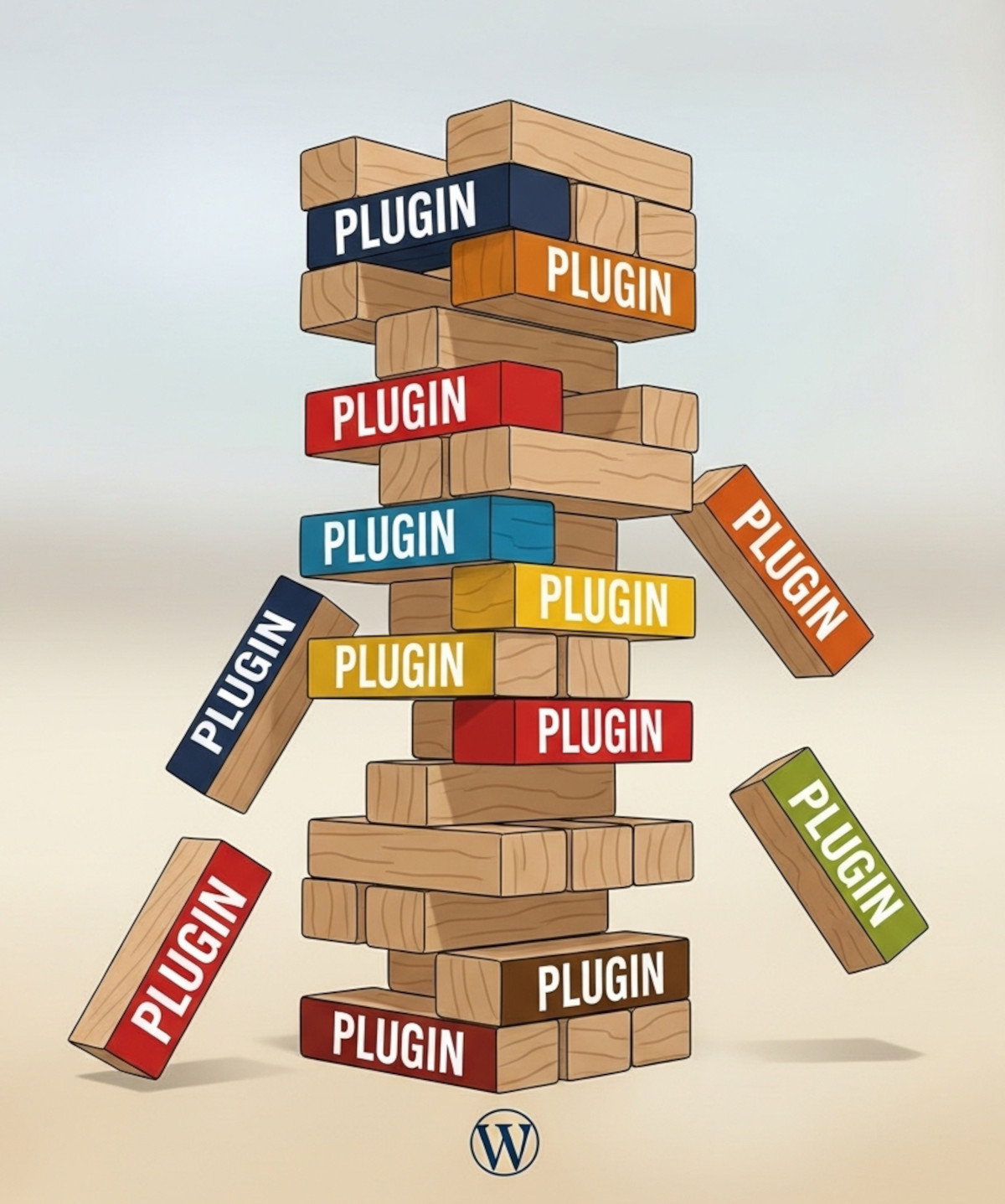
Why Relying on WordPress Plugins Can Backfire (And How to Avoid It)

Many people choose WordPress because they think “you own it” and can do whatever you want. And WordPress does offer a lot of flexibility. But there’s a hidden side to that flexibility: relying heavily on third-party plugins.
Plugins can add powerful functionality to your WordPress website, including forums, SEO tools, sliders, analytics, galleries, forms, and more. But those plugins are maintained by independent developers. That means your website’s features and stability can become dependent on someone else’s decisions.
And while
... Continue reading
Posted in Compare Website Builders
Tagged abandoned plugins, all-in-one, easy maintenance, forum plugins, plugin risks, plugin vulnerabilities, security risks, security vulnerabilities, SEO plugins, site maintenance, third-party plugins, UltimateWB vs WordPress, website builder, website maintenance, website security, WordPress, wordpress plugins, wordpress vulnerabilities
Leave a comment
How to Build a Website That Loads in Under 1 Second – Without Plugins

Achieving sub-1-second load times in 2026 is no longer about finding the right 'caching plugin' - it is about architectural elimination. The industry-standard approach of stacking third-party dependencies creates a 'dependency nightmare' that introduces bloated HTTP requests and security vulnerabilities. This guide breaks down how to achieve high-performance rendering by stripping away the
... Continue reading
Posted in Search Engine Optimization (SEO)
Tagged bloat, bulky, caching, caching without plugins, clean code, compatibility issues, css, dependencies, fast hosting, fast loading website, fastest website builder, google search engine ranking, google search results, gtmetrix, how to speed up website, image compression, image optimization, image optimizers, javascript, minifiers, no plugins, pagespeed insights, performance, plugin conflicts, plugin-free website builder, plugins, search engine optimization, security risks, seo, seo plugin, site speed tips, themes, UltimateWB speed, UltimateWB vs WordPress, web hosting, webp converter, website optimization, website speed, WordPress
Leave a comment
Why Avoiding Third-Party Plugins Makes Your Website Faster, Safer, and Easier to Manage

Many website builders - like WordPress, Shopify, and Wix - rely heavily on third-party plugins to add features and functionality. While plugins can be convenient, they often come with trade-offs in speed, security, and maintenance, which can frustrate users and hold back your website’s performance. Here’s why choosing a plugin-free platform like UltimateWB gives you an edge.
1. Plugins Can Slow Your Website Down
Every plugin adds extra code, scripts, and server requests, which increases page
... Continue reading
Posted in Compare Website Builders, Search Engine Optimization (SEO), Website Design, Website Security
Tagged bloat, clean code, easy updates, fast load times, fast website, hacked, platform architecture, plugin vulnerabilities, plugin-free websites, plugins, search engine optimization, security risks, seo, SEO performance, Shopify, third party plugins, third-party plugins, user experience, web development best practices, web performance, website builder, website builders, website maintenance, website management, website performance, website reliability, website security, website speed, website speed optimization, Wix, WordPress, wordpress vulnerabilities
Leave a comment
Subdomain vs Subfolder: What’s Better for SEO and Your Website Setup?

Deciding between subfolders and subdomains for your website structure
When expanding your website, you might face a classic web architecture question:
Should I create a subdomain (e.g., blog.example.com) or a subfolder (e.g., example.com/blog)?
In the past, many SEO experts recommended subfolders because they were thought to inherit more SEO authority from the main domain. However, Google has officially stated that it does not inherently favor subdomains or subfolders - both can perform equally well for SEO if implemented properly. The
... Continue reading
Posted in Ask David!, Search Engine Optimization (SEO)
Tagged analytics, architecture, authority, backlink profile, backlinks, boost seo, branding, domain authority, drive traffic, duplicate content, faster indexing, internal linking, internal links, organic traffic, plugin vulnerabilities, regional content, search engine optimization, security risks, seo, seo authority, sitemap, sitemap generator, subdomain, subdomain vs subfolder, subfolder, targeting, user experience, website setup, website structure
Leave a comment