






-
Recent Posts
- “My Partner Wants to Use WordPress Because 50% of the Web Uses It. Help!”
- Does EmDash Solve WordPress’s Problems, or Do You Need UltimateWB?
- How Not to Use AI: Stanford University Can Tell You
- Best Website Builder for SEO: WordPress vs. Wix vs. UltimateWB
- How to Make Sure Your Website Colors Have Enough Contrast for Accessibility
- Mobile-Friendly Website Checklist: 20 Things to Check
- Beehiiv Website Builder Review: The Problem Isn’t the Design – It’s the Lack of Control
- Elementor’s “Angie” AI Is More Than Bloat: Credits, Subscriptions, and a Growing Platform Problem
- How to Pass Google Business Profile Video Verification for Service Businesses
- The Great Deskilling: Why AI Dependence is Turning Developers into Prompt Babysitters
- The Three-Month Fuse: The Everest Forms Pro Attack and Why a Patched Plugin Can Still Put Websites at Risk
- Computer Screen Has Black Bars on the Sides: How to Fix It
- Could AI Make Humans Extinct Within the Next Decade?
- Is Weebly Getting Out of the Website-Builder Business?
- Are You “Leaking SEO” by Linking to Other Websites?
- Wix Harmony Is Now in Google Gemini. So Why Are Users Still Complaining?
- When AI Sounds Confident but Gets It Wrong: The Mount Shasta Rescue
- When AI Agents Start Working Together, Who Is Really in Control?
Categories
Tag Archives: a/b testing
How to Increase Website Traffic & Online Sales Without a Big Advertising Budget

Ask David! Question: "How do I boost online sales and increase website traffic? I don't have a huge budget for online ads."
That is a common starting point - I've been there too with my own online store.
Driving consistent website traffic and converting those visitors into paying customers are the two most critical goals for any online business. Getting real results, however, requires moving past generic tips and executing clear, practical tactics. Good news is, you can do it
... Continue reading
Posted in Ask David!, Business, Website Traffic
Tagged a/b testing, backlinks, boost conversions, boost sales, bounce rates, build backlinks, call-to-action, core web vitals, cost per acquisition, cpa, cta, domain authority, engagement, engaging content, fat website, google analytics, Google Search Console, high-quality content, increase traffic, keyword research, mailers, mailing list, mailing list app, meta tags, on-page optimization, organic traffic, roi, search engine optimization, seo, social media, target audience, user experience, website analytics
Leave a comment
Now that I have my website, what’s next? How do I make it work for me?

That's exciting! Having your website up and running is a great first step. Now comes the stage of making it work for you, which can involve attracting visitors, converting them to customers (if applicable), and achieving your overall website goals. Here are some key areas to focus on:
1. Content is King:
- High-Quality Content: Create valuable and informative content that resonates with your target audience. This could be blog posts, articles, videos, infographics, or anything that educates, entertains,
Posted in Ask David!, Business, Marketing, Website Traffic
Tagged a/b testing, advertising, analytics, attract visitors, backlinks, call to action, contact form, content is king, convert traffic, design trends, e-commerce, easy navigation, fast loading times, generate leads, google analytics, high-quality content, informative, mailing list, mobile-friendly, newsletter, pay-per-click, PPC, responsive, search engine optimization, seo, user experience, ux
Leave a comment
What are some best practices for designing a homepage that converts visitors into customers?

A homepage that converts visitors into customers should be designed with a clear understanding of your target audience and their needs. Here are some key best practices to follow:
Focus on Value Proposition:
- Clear and Concise Headline: Your headline should immediately communicate what your product or service does and its key benefit to the visitor.
- Benefit-Oriented Content: Instead of technical jargon, explain how your product or service solves the visitor's problem or improves their life.
- Visually Appealing Hero Section: The
Posted in Ask David!, Website Design
Tagged a/b testing, benefit-driven features, benefit-oriented content, call to action, clean design, clean layout, contrast, conversions, cta, fast loading times, headline, hero banner, homepage, mobile friendly, page history tool, simple layout, social proff, technical jargon, testimonials, trust signals, user experience, user friendly, value proposition
Leave a comment
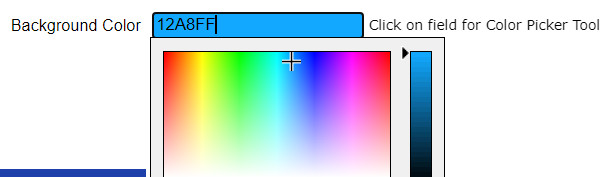
What color background will make your website more successful?

There's no single "best" color background to guarantee your website's success.
Factors Affecting Background Color Choice
The most impactful background color depends on several factors:
- Your Website's Goal: Are you selling a product, showcasing a portfolio, or providing information? Different goals might call for different color schemes. For instance, e-commerce sites often use light backgrounds to make products pop, while photography portfolios might benefit from darker backgrounds to make
What should a great landing page have?

A great landing page is like a master salesperson in digital form: it captures attention, builds trust, and compels visitors to take a desired action. To achieve this, it needs to tick several key boxes:
1. Clear and Compelling Headline:
- Grab attention and communicate the page's value proposition within seconds.
- Use strong verbs and powerful language that resonates with your target audience.
- Highlight the benefit users will get by taking the desired action.
2. Engaging Visuals:
- Include high-quality, relevant images, videos, or infographics
What are the best website practices we must know?

Ah, the ever-evolving world of website best practices! It's a constant dance between the latest technologies and user expectations. Here's a closer look at some key practices to keep your website thriving:
User-centricity reigns supreme:
- Simplicity is key: Keep layouts clean and uncluttered, prioritize clarity over complexity. Users shouldn't have to decipher a maze to find what they need.
- Mobile-first mindset: Half the world browses on mobile, so optimize for all screen sizes and resolutions. Your website should be a
Posted in Ask David!, Website Design
Tagged a/b testing, accessibility, best website practices, calls to action, case studies, content creation, fast loading times, fast-loading speed, mobile friendly, responsive app, security, social media, social proof, ssl, testimonials, user-centered design, user-first, web hosting
Leave a comment
What are the best website practices we must know?

Mastering website best practices goes beyond just having a visually appealing and functional site. It's about creating a seamless and engaging experience that drives conversions and keeps users coming back for more. Here are some of the most crucial best practices to keep in mind:
User-Centric Design:
- Prioritize clarity and simplicity: Keep your layout clean and uncluttered. Avoid overwhelming users with too much information or complex navigation.
- Focus on user goals: Understand what your users want to achieve on your
What are the key factors to consider when building a user-friendly website or mobile application for a digital business?

When building a user-friendly website or mobile app for a digital business, several key factors come into play. Here are some of the most important ones to consider:
User Needs and Goals:
- Understand your target audience: Who are you building for? What are their needs, expectations, and pain points? Conduct user research to gather insights and inform your design decisions.
- Focus on user goals: What do you want users to achieve on your platform? Ensure every element and interaction facilitates those goals seamlessly.
- Prioritize clarity
Posted in Ask David!, Website Design
Tagged a/b testing, accessibility, calls to action, community, content, engagement, fast loading times, responsive app, responsive design, responsive web design, responsive website, target audience, ui, user experience, user interface, user-friendly website, ux
Leave a comment
What are some tips for creating an intuitive website layout?

Creating an intuitive website layout is crucial for providing a good user experience and keeping visitors engaged. Here are some tips to help you achieve that:
1. Understand your audience:
- Who are you designing for? What are their needs and expectations? Knowing your target audience helps you prioritize information and functionalities.
2. Prioritize clarity and simplicity:
- Keep the layout clean and uncluttered. Avoid overwhelming users with too much information or complex navigation. Prioritize the most important content and prioritize ease
Website Design Guide: Building a User-Friendly and Engaging Site
"What website design guide is the best strategy?"
This guide offers key principles and best practices to craft a website that excels in both user experience and visual appeal.
1. Planning and Foundation
- Define your goals: What do you want visitors to achieve on your site (e.g., contact you, make a purchase, learn more about your services)?
- Know your audience: Who are you trying to reach? Understanding their needs and online behavior is crucial.
- Content is king: Craft clear,
... Continue reading