


-
Recent Posts
- “My Partner Wants to Use WordPress Because 50% of the Web Uses It. Help!”
- Does EmDash Solve WordPress’s Problems, or Do You Need UltimateWB?
- How Not to Use AI: Stanford University Can Tell You
- Best Website Builder for SEO: WordPress vs. Wix vs. UltimateWB
- How to Make Sure Your Website Colors Have Enough Contrast for Accessibility
- Mobile-Friendly Website Checklist: 20 Things to Check
- Beehiiv Website Builder Review: The Problem Isn’t the Design – It’s the Lack of Control
- Elementor’s “Angie” AI Is More Than Bloat: Credits, Subscriptions, and a Growing Platform Problem
- How to Pass Google Business Profile Video Verification for Service Businesses
- The Great Deskilling: Why AI Dependence is Turning Developers into Prompt Babysitters
- The Three-Month Fuse: The Everest Forms Pro Attack and Why a Patched Plugin Can Still Put Websites at Risk
- Computer Screen Has Black Bars on the Sides: How to Fix It
- Could AI Make Humans Extinct Within the Next Decade?
- Is Weebly Getting Out of the Website-Builder Business?
- Are You “Leaking SEO” by Linking to Other Websites?
- Wix Harmony Is Now in Google Gemini. So Why Are Users Still Complaining?
- When AI Sounds Confident but Gets It Wrong: The Mount Shasta Rescue
- When AI Agents Start Working Together, Who Is Really in Control?
Categories
Tag Archives: gsc
How to Use Google Search Console’s New Generative AI Data to Improve Your SEO

If you run a website, you’ve probably noticed a massive shift in how people find information online. Between AI Overviews at the top of search results and interactive search interfaces like AI Mode, traditional organic search traffic patterns are changing fast.
For a long time, site owners had no clear way to measure this visibility. Google addressed this gap by introducing dedicated Generative AI performance reporting inside Google Search Console (GSC). If the update has rolled out to your Search
... Continue reading
Posted in AI, Search Engine Optimization (SEO)
Tagged AI crawling, ai impressions, ai mode, ai overviews, AI visibility, clicks, crawlers, ctr, Generative AI performance, Google Search Console, Googlebot, gsc, headings, indexing, keyword research, keyword stuffing, keyword targeting, organic traffic, page structure, schema markup, search engine results, search performance, seo, seo strategy, serps, structured data, user experience
Leave a comment
Discovered vs. Crawled Not Indexed in Google Search Console: What’s the Difference and How to Fix Each

When you log into Google Search Console (GSC) to check your site’s coverage, it can be very frustrating to find your URLs shoved into the "Not Indexed" bucket. But pay close attention to the specific reason GSC provides.
Two of the most common - and easily confused - statuses are "Discovered - currently not indexed" and "Crawled - currently not indexed."
While they might sound like minor variations of the same problem, they point to two completely different stages in
... Continue reading
Posted in Search Engine Optimization (SEO)
Tagged backlinks, crawl budget, crawled - currently not indexed, crawler, currently not indexed, discovered - currently not indexed, discovered vs crawled, domain authority, Google Search Console, Googlebot, gsc, internal linking, internal links, seo, seo missteps, seo tips, sitemap, xml sitemap
Leave a comment
How to Fix Crawl Budget Waste and “Crawled – Currently Not Indexed” in Google Search Console

If you've opened the Google Search Console (GSC) Page Indexing report recently and discovered thousands of URLs stuck in the "Crawled – currently not indexed" status, it's easy to assume something is wrong with your content.
Is the content too thin? Is Google penalizing your site? Did an algorithm update hurt your rankings?
In many cases, the answer is much less dramatic: your
... Continue reading
Posted in Search Engine Optimization (SEO)
Tagged crawl budget, crawl trap, crawled - currently not indexed, crawled not indexed, google algorithm, Google Search Console, google search engine ranking, Googlebot, gsc, robots.txt, rss feed, search engine crawl, search engine optimization, search parameter, seo, thin content, thin pages, wasted crawl budget, WordPress
Leave a comment
Why is This Strange AI Prompt Showing Up in My Google Search Console?

If you opened your Google Search Console (GSC) performance report recently, like one of our “Ask David!” submitters did, you might have noticed a sudden, bizarre spike in impressions for an exact query string that looks something like this:
visit the website at [[website]] and extract the company's brand name as it appears on-site. normali
Seeing a massive, raw instruction template ending in a broken word like "normali" can immediately trigger alarm bells. Did my site get hacked? Is my
... Continue readingWhy Google Deindexed 99% of My E-Commerce Site Overnight – And How to Fix “Crawled – Currently Not Indexed”

You log into Google Search Console (GSC) and see a vertical cliff. A WooCommerce (why didn't you use UltimateWB?!) store that held 5,000+ stable product URLs for months is suddenly down to just a handful of indexed pages. Your core catalog is completely gone. At least your homepage is left standing, you say to yourself.
You run the standard technical triage checklist:
- Robots.txt? Clean.
- Noindex tags? None. Everything is set to index, follow.
- Canonical tags? Correct and self-referencing.
Posted in E-commerce, Search Engine Optimization (SEO)
Tagged 301 redirect, algorithm changes, algorithmic filtering, bloat, bottlenecks, canonical tag, canonical tags, core updates, crawl priorities, crawl stats, crawled, crawled not indexed, database bottlenecks, deindexed, duplicate content, fast website, google algorithm penalties, Google Search Console, Googlebot, gsc, hpos, html, http errors, indexed, indexing, javascript, malware, noindex, noindex tag, pagespeed insights, performance bottlenecks, quality content, rendered html, robots.txt, security flags, seo, server log, site-wide quality signals, sitemap, soft 404, submit sitemap, technical penalty, technical seo, test live url, thin content, time to first byte, ttfb, unique value, url inspection tool, visibility, woocommerce, WordPress
Leave a comment
How to Check Clicks, Impressions, and Rankings for a Specific URL in Google Search Console

There's a little "secret door" inside Google Search Console (GSC) that a surprising number of website owners don't know about.
Most people use Search Console to check whether their pages are indexed, submit sitemaps, or investigate crawl errors. They know where to find the Pages report and the URL Inspection tool. But when it comes to answering one of the
... Continue reading
Posted in Search Engine Optimization (SEO)
Tagged add filter, average position, clicks, crawl errors, Google Search Console, gsc, impressions, indexed, internal links, long-tail keywords, meta description, page stats, seo, site statistics, sitemap, submit sitemap, title, trends, url inspection
Leave a comment
How to Diagnose a Sudden Traffic Drop: The Technical SEO Checklist

A founder or developer logs into their website dashboard, sees a cliff-like drop in the traffic charts, and instantly panics. The immediate accusation almost always targets the exact same phantom: “Google penalized us!”
Before you start ripping apart your content, changing URL structures, or panic-hiring an expensive recovery agency, take a deep breath.
Most sudden traffic drops are not Google penalties. Jumping to conclusions usually leads to changing random SEO settings out of desperation, which can often break a
... Continue reading
Posted in Search Engine Optimization (SEO), Website Traffic
Tagged 301 redirect, 404 errors, canonical tags, data tracking glitch, database optimization, disallow, disavow toxic backlinks, email blacklist, google ads, google algorithm penalties, google analytics, google penalties, Google Search Console, Googlebot, gsc, linkedin ads, mail reputation tools, Meta advertising, migration error, MXToolbox, noindex, organic traffic, paid ads, robots.txt, seo, server failure, sitemap, thin content, traffic drop, visbility, xml, xml sitemap
Leave a comment
When Google Search Console “Black-Holes” a Single URL (While New Posts Index Perfectly)

If you log into Google Search Console (GSC) and see that a specific, brand-new blog post is stuck in a ghost state - showing completely undetected, not in the sitemap, and not crawled - it is incredibly frustrating. It feels even more bizarre when you publish a subsequent post right after it, and that newer post indexes completely normally within hours.
If your website layout is clean, fast, and optimized with server-side code (like the UltimateWB integrated WordPress blog system),
... Continue readingIs Your Google Search Console “Average Position” Lying to You?

You log into Google Search Console (GSC) and see massive numbers under your daily impressions. Your site is popping up in thousands of search results! Then, you check your sitewide Average Position metric. It hovers somewhere between 10 and 15. On really good days, you might even celebrate hitting the coveted single digits - positions 7–9.
But then you look at your actual traffic, and the click count is surprisingly low.
With AI Overviews and Featured Snippets now eating up
... Continue reading
Posted in Search Engine Optimization (SEO), Website Traffic
Tagged ai overviews, average position, bloat, clean code, click-through rate, clicks, ctr, fast loading times, fast website, featured snippets, Google Search Console, gsc, html, impressions, long-tail keywords, plugins, ranking position, search engine ranking, seo, third-party plugins
Leave a comment
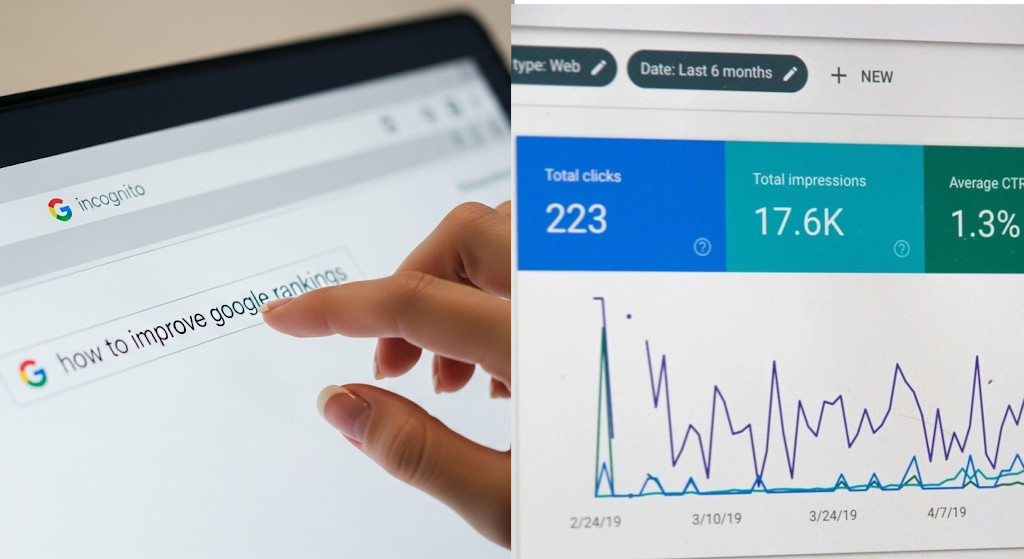
How to Check How Your Web Page or Blog Post is Ranking in Google

If you’ve published a web page or blog post, knowing how it’s performing in search engines is key to improving traffic and SEO. Fortunately, there are several ways to check your ranking. This guide will walk you through the most effective methods.
1. Use Google Search to Check Rankings: Manual Tracking
The simplest way to see how your web page or blog post is performing is to search for it directly. This also allows you to track rankings over
... Continue reading
Posted in Search Engine Optimization (SEO), Website Traffic
Tagged ahrefs, average position, backlinks, blog post ranking, boost traffic, clear cache, click-through rate, clicks, content marketing, content strategy, ctr, featured snippets, google analytics, Google Search Console, google search engine ranking, gsc, impressions, incognito, keyword performance, keyword rankings, keyword tracking, keywords, moz, organic traffic, personalized search, private browsing window, queries, semrush, seo tips, seo tools, target keywords, ubersiggest, web page ranking, website traffic
Leave a comment