






-
Recent Posts
- “My Partner Wants to Use WordPress Because 50% of the Web Uses It. Help!”
- Does EmDash Solve WordPress’s Problems, or Do You Need UltimateWB?
- How Not to Use AI: Stanford University Can Tell You
- Best Website Builder for SEO: WordPress vs. Wix vs. UltimateWB
- How to Make Sure Your Website Colors Have Enough Contrast for Accessibility
- Mobile-Friendly Website Checklist: 20 Things to Check
- Beehiiv Website Builder Review: The Problem Isn’t the Design – It’s the Lack of Control
- Elementor’s “Angie” AI Is More Than Bloat: Credits, Subscriptions, and a Growing Platform Problem
- How to Pass Google Business Profile Video Verification for Service Businesses
- The Great Deskilling: Why AI Dependence is Turning Developers into Prompt Babysitters
- The Three-Month Fuse: The Everest Forms Pro Attack and Why a Patched Plugin Can Still Put Websites at Risk
- Computer Screen Has Black Bars on the Sides: How to Fix It
- Could AI Make Humans Extinct Within the Next Decade?
- Is Weebly Getting Out of the Website-Builder Business?
- Are You “Leaking SEO” by Linking to Other Websites?
- Wix Harmony Is Now in Google Gemini. So Why Are Users Still Complaining?
- When AI Sounds Confident but Gets It Wrong: The Mount Shasta Rescue
- When AI Agents Start Working Together, Who Is Really in Control?
Categories
Category Archives: Website Design
What are the essential features of an eCommerce site? What are some features that should never be included on an eCommerce site?

It is easy to create your own e-commerce website with no experience with UltimateWB. And if you need any help, we've got your back! Here are some tips as you design and build your online store.
Essential Features of an eCommerce Site:
- Product Catalog: A comprehensive and well-organized product catalog is the heart of any eCommerce site. It should showcase products with clear images, detailed descriptions, accurate pricing, and availability information.
- Shopping Cart: This feature allows customers to add items to their purchase, view their
How to Build Your Own Website as a Beginner

Ask David: “What are some recommended resources for an absolute beginner to learn web development and build their own website without hiring someone else?”
You Don't Have to Learn Coding First
If you’re starting from scratch, you might think you need to learn HTML, CSS, JavaScript, and everything else that goes into web development before you can build a website.
You don’t.
That is, if you’re starting from scratch with a website builder. A beginner-friendly website builder can handle much
... Continue readingWhat makes a web developer a good one?

Being a "good" web developer is not a one-dimensional feat. It's a blend of technical skills, creative thinking, and soft skills that come together to build and maintain exceptional websites. Here are some key qualities that make a web developer truly stand out:
Technical Prowess:
- Solid foundation in web technologies: Mastering essential languages like HTML, CSS, JavaScript, and various frameworks is crucial.
- Proficiency in backend languages: Depending on the project, knowledge of languages like Python, PHP, or Java can be highly valuable.
- Understanding of databases and
What are the best website practices we must know?

Mastering website best practices goes beyond just having a visually appealing and functional site. It's about creating a seamless and engaging experience that drives conversions and keeps users coming back for more. Here are some of the most crucial best practices to keep in mind:
User-Centric Design:
- Prioritize clarity and simplicity: Keep your layout clean and uncluttered. Avoid overwhelming users with too much information or complex navigation.
- Focus on user goals: Understand what your users want to achieve on your
What are the key factors to consider when building a user-friendly website or mobile application for a digital business?

When building a user-friendly website or mobile app for a digital business, several key factors come into play. Here are some of the most important ones to consider:
User Needs and Goals:
- Understand your target audience: Who are you building for? What are their needs, expectations, and pain points? Conduct user research to gather insights and inform your design decisions.
- Focus on user goals: What do you want users to achieve on your platform? Ensure every element and interaction facilitates those goals seamlessly.
- Prioritize clarity
Posted in Ask David!, Website Design
Tagged a/b testing, accessibility, calls to action, community, content, engagement, fast loading times, responsive app, responsive design, responsive web design, responsive website, target audience, ui, user experience, user interface, user-friendly website, ux
Leave a comment
What are some tips for creating an intuitive website layout?

Creating an intuitive website layout is crucial for providing a good user experience and keeping visitors engaged. Here are some tips to help you achieve that:
1. Understand your audience:
- Who are you designing for? What are their needs and expectations? Knowing your target audience helps you prioritize information and functionalities.
2. Prioritize clarity and simplicity:
- Keep the layout clean and uncluttered. Avoid overwhelming users with too much information or complex navigation. Prioritize the most important content and prioritize ease
How to add microinteractions on your website images that are links, the easiest way, without having to add more images?
UltimateWB website builder has built-in microinteractions for the navigation menu and links via hover effects. You can set the mouseover color and background colors easily via your website admin panel Styles Manager. If you would like to add microinteractions to your image links as well, you can do that with UltimateWB too - it is very flexible and customizable. Let's dive in the easiest way to do it! Spoiler: it's via CSS!
Adding Microinteractions to Your Linked Images: The Easy
... Continue reading
Posted in Ask David!, Website Design
Tagged accessibility, add class, brightness change on hover, change hue on hover, cms, css, custom code, image links, microinteractions, mouseover effects, page editor box, round edges, rounded background on hover, shadow effect, styles manager, user-friendly
Leave a comment
Is it bad to have underlined text on your website, even if your links are not underlined, for accessibility issues?

Yes, it is considered not a good idea to have underlined text on your website, even if your links are not underlined, due to accessibility issues. This is because underlining is a common way to indicate that a piece of text is a link. If you have underlined text on your website that is not a link, this can be confusing for users, especially users with disabilities who use screen readers.
Screen readers read out the text on a web
... Continue readingHow to Test the Color Contrast of Your Website for Accessibility?

A website can look great and work well, but if the text is difficult to read because there isn't enough contrast between the colors, some visitors may struggle to use it.
Color contrast is an important part of website accessibility. Good contrast makes text and other elements easier to see and read, including for people with low vision or color vision deficiencies.
In this article, we'll look at how to
... Continue reading
Posted in Accessibility, Ask David!, Website Design
Tagged accessibility, accessibility compliance, accessibility testing, accessibility tools, cms, color accessibility, color contrast, color contrast ratios, contrast, contrast ratio, styles manager, wcag, WCAG 2.0, WCAG 2.1, web design, website accessibility, website design, website testing
Leave a comment
Step-by-Step Guide to Create a Responsive .com Website: Domain, Hosting, Design & Promotion
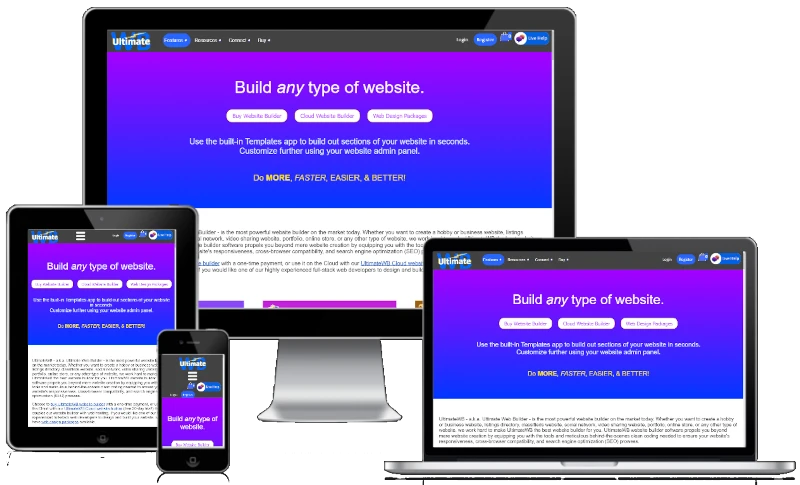
"Can you provide a detailed step by step guide to create a responsive .com website, including how and where to get a domain name, where to host my site, how to design it, and how to publicize the site?"
Having a professional and responsive website is essential for individuals and businesses alike. This guide will walk you through the detailed steps to create your own .com website using UltimateWB, an all-in-one website builder, including how to get a domain name,
... Continue reading
Posted in Ask David!, Website Design
Tagged buy domain name, buy website builder, check domain name availability, cms, design website, domain name, domain name availability, google analytics, Google Search Console, host website, mailing list, publicize website, register domain name, responsive app, step-by-step guide, styles manager, ultimatewb cloud, web hosting, web hosting choice
Leave a comment