





-
Recent Posts
- “My Partner Wants to Use WordPress Because 50% of the Web Uses It. Help!”
- Does EmDash Solve WordPress’s Problems, or Do You Need UltimateWB?
- How Not to Use AI: Stanford University Can Tell You
- Best Website Builder for SEO: WordPress vs. Wix vs. UltimateWB
- How to Make Sure Your Website Colors Have Enough Contrast for Accessibility
- Mobile-Friendly Website Checklist: 20 Things to Check
- Beehiiv Website Builder Review: The Problem Isn’t the Design – It’s the Lack of Control
- Elementor’s “Angie” AI Is More Than Bloat: Credits, Subscriptions, and a Growing Platform Problem
- How to Pass Google Business Profile Video Verification for Service Businesses
- The Great Deskilling: Why AI Dependence is Turning Developers into Prompt Babysitters
- The Three-Month Fuse: The Everest Forms Pro Attack and Why a Patched Plugin Can Still Put Websites at Risk
- Computer Screen Has Black Bars on the Sides: How to Fix It
- Could AI Make Humans Extinct Within the Next Decade?
- Is Weebly Getting Out of the Website-Builder Business?
- Are You “Leaking SEO” by Linking to Other Websites?
- Wix Harmony Is Now in Google Gemini. So Why Are Users Still Complaining?
- When AI Sounds Confident but Gets It Wrong: The Mount Shasta Rescue
- When AI Agents Start Working Together, Who Is Really in Control?
Categories
Tag Archives: no code
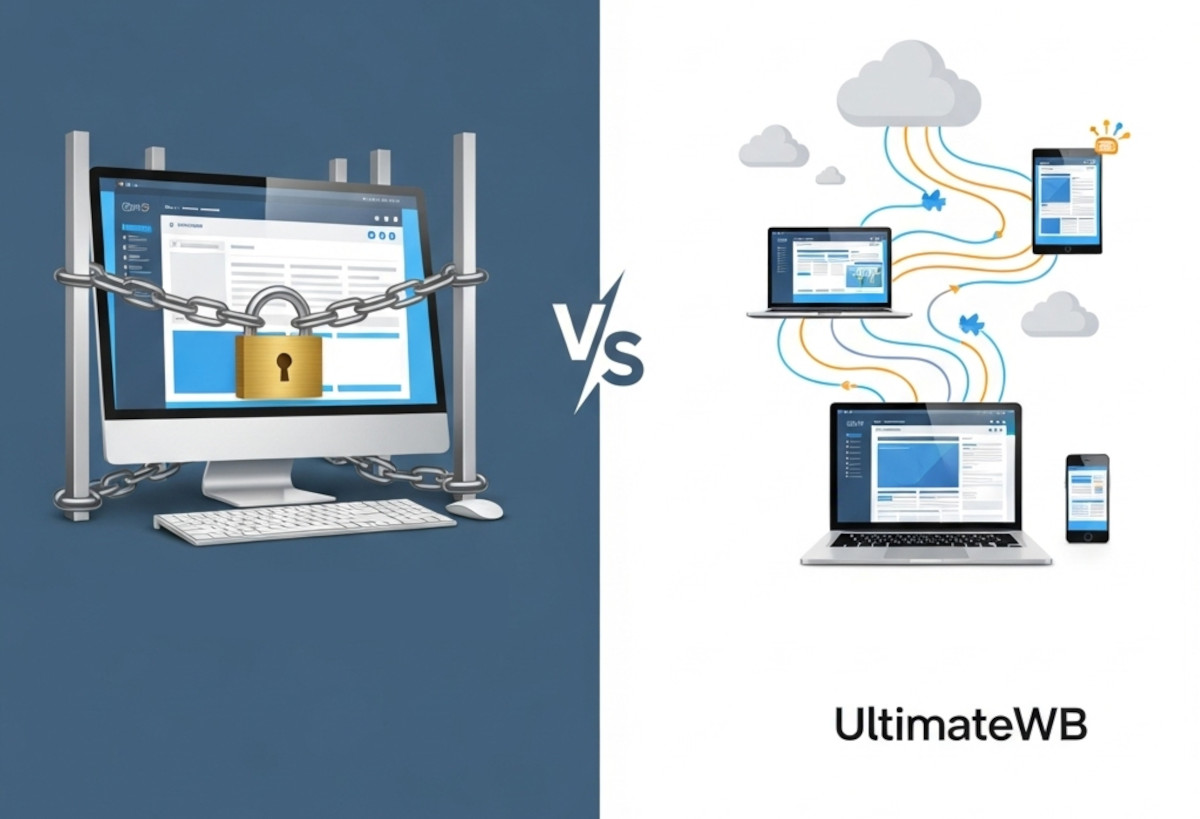
Why Desktop Website Builders Are Outdated – And Why UltimateWB is the Better Choice

Compare iWeb, Dreamweaver, RapidWeaver & More to the Flexibility of UltimateWB
Thinking about using a downloadable website builder to get your site online? Maybe you used to work with iWeb, Dreamweaver, RapidWeaver, EverWeb, or another offline website tool and are looking for something similar - or something better.
While desktop website builders can offer some appealing benefits, they come with major limitations that can hold your website back in today’s web environment.
Here’s how they compare
... Continue reading
Posted in Compare Website Builders
Tagged adobe, adobe creative cloud, apple, browser-based, build websites offline, code from scratch, collaboration, css, customizable, desktop website builders, downloadable website builder, dreamweaver, everweb, flexibility, freedom, ftp, hidden costs, html, iWeb, mac, manual uploading, mobile-friendly, mobirise, no code, no monthly SaaS fees, offline editing, offline website tool, plugins, powerful website builder, rapidweaver, responsive app, responsive design, scalability, scalable, security, subscription, web hosting choice
Leave a comment
The Most Important HTML and CSS Codes You Should Know (Even If You Use a Website Builder)

HTML and CSS are the core building blocks of every website on the internet. If you’ve ever wondered how web pages are structured or styled, these are the languages behind it all. Whether you’re a beginner or just curious, learning some basic HTML and CSS can be incredibly useful - even if you’re using a powerful website builder like UltimateWB.
The good news? You don’t need to know any coding to build and customize your website with UltimateWB. Our
... Continue reading
Posted in Website Design
Tagged cms, colors, css, css basics, fonts, headings, html, html and css tutorial, html basics, html css, layouts, learn css, learn html, no code, page editor, spacing, styles manager, ultimatewb, web design, website builder
Leave a comment
Do You Need to Have Coding Experience to Build a Website with UltimateWB?

The short answer: No!
One of the most common questions people have when they’re thinking about building their own website is:
“Do I need to know how to code?”
With UltimateWB, you don’t.
You can start with no coding experience and build a complete, professional website using the built-in tools and applications.
But there’s another side to this, too.
If you do know how to code - or decide to learn along the way - you can use those
... Continue readingHow to Build Your Own Website as a Beginner

Ask David: “What are some recommended resources for an absolute beginner to learn web development and build their own website without hiring someone else?”
You Don't Have to Learn Coding First
If you’re starting from scratch, you might think you need to learn HTML, CSS, JavaScript, and everything else that goes into web development before you can build a website.
You don’t.
That is, if you’re starting from scratch with a website builder. A beginner-friendly website builder can handle much
... Continue readingHow do I make my page header fixed while scrolling?

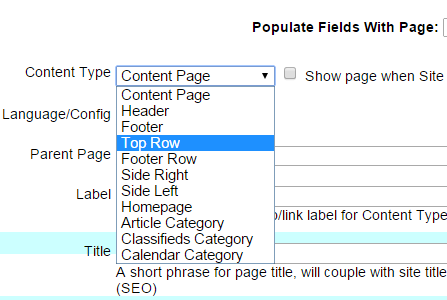
Use the built-in “Top Row” feature in UltimateWB. This content type is designed to stay fixed at the top of the page as users scroll. Just go to List Pages > Add Page or Edit Page, and choose Content Type: Top Row. You can customize the look and layout of this fixed header from your Styles Manager in the admin panel - no coding needed.
Why use a fixed header?
A fixed (or “sticky”) header helps improve navigation
... Continue readingHow can I create a website without knowledge of coding and without the help of a web designer?
So you want a DIY (do-it-yourself) website builder. You can do it with the UltimateWB website builder because it has so many built-in apps that are very customizable without any coding required. You can create any type of website with it - no experience needed. And you won’t need a web designer. You can design your website with the styles manager. It is very easy to use, and you can create very advanced websites with it. Plus, it comes with
... Continue readingWhat is the best website builder for people who don’t know any coding?

If you don’t know coding, you will want an easy website builder that doesn’t require it - but allows it, just in case you will need it. The best website builder for you will also allow you to do what you want though without coding. UltimateWB is both of these - easy, with lots of customization options that requires no coding.
Get a more-in depth discussion on the topic at: "How do I choose the best website builder?"
Are you
... Continue readingHow to create your own website from scratch free of web designer charges, without programming experience

You don't have to have a huge budget - or any budget - for a web designer, web programmer, or web developer to build your website from scratch. Why? Because you don't even have to have any programming experience to build your own website from scratch free of web designer charges. And, you don't have to stick to the 'drag and drop' website builders that offer nothing more than what you get with a Word document, software that get your
... Continue reading