






-
Recent Posts
- “My Partner Wants to Use WordPress Because 50% of the Web Uses It. Help!”
- Does EmDash Solve WordPress’s Problems, or Do You Need UltimateWB?
- How Not to Use AI: Stanford University Can Tell You
- Best Website Builder for SEO: WordPress vs. Wix vs. UltimateWB
- How to Make Sure Your Website Colors Have Enough Contrast for Accessibility
- Mobile-Friendly Website Checklist: 20 Things to Check
- Beehiiv Website Builder Review: The Problem Isn’t the Design – It’s the Lack of Control
- Elementor’s “Angie” AI Is More Than Bloat: Credits, Subscriptions, and a Growing Platform Problem
- How to Pass Google Business Profile Video Verification for Service Businesses
- The Great Deskilling: Why AI Dependence is Turning Developers into Prompt Babysitters
- The Three-Month Fuse: The Everest Forms Pro Attack and Why a Patched Plugin Can Still Put Websites at Risk
- Computer Screen Has Black Bars on the Sides: How to Fix It
- Could AI Make Humans Extinct Within the Next Decade?
- Is Weebly Getting Out of the Website-Builder Business?
- Are You “Leaking SEO” by Linking to Other Websites?
- Wix Harmony Is Now in Google Gemini. So Why Are Users Still Complaining?
- When AI Sounds Confident but Gets It Wrong: The Mount Shasta Rescue
- When AI Agents Start Working Together, Who Is Really in Control?
Categories
Category Archives: Website Design
Craigslist alternative? Build it yourself with UltimateWB!

Craigslist has long been a household name when it comes to classified ads, job postings, gig listings, and more. However, there are various reasons why individuals and entrepreneurs are increasingly looking for alternatives to Craigslist. Perhaps you're concerned about the safety of transactions, the limitations of the platform, or the outdated user interface. If you're one of those in search of a Craigslist alternative, you could be the one
... Continue readingHow can I use a Custom Font on my website?
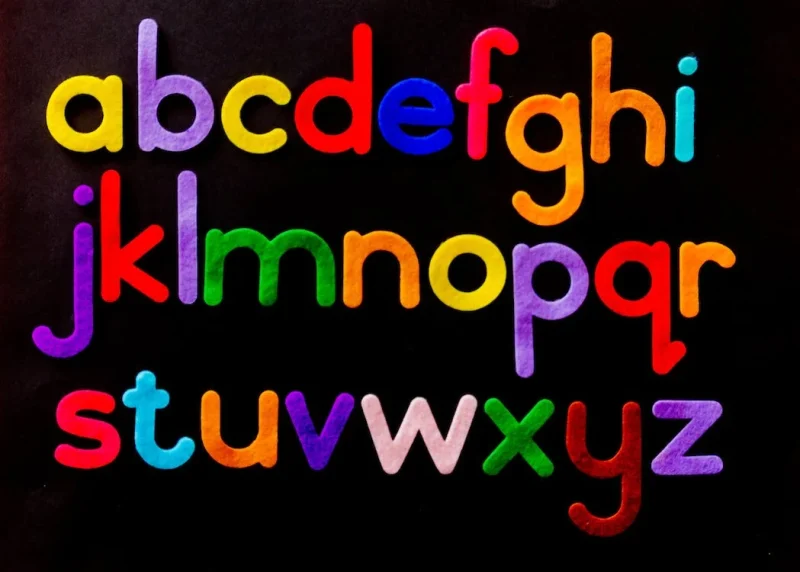
Using custom fonts for your website: A step-by-step guide
Custom fonts can add a unique and personal touch to your website. They can help your website stand out from the competition and make it more memorable. If you're not sure how to use custom fonts on your website, here's a step-by-step guide:
- Choose your fonts. There are many websites where you can download custom fonts, such as Google Fonts and Font Squirrel. Once you've found some fonts that you like,
Posted in Ask David!, Website Design
Tagged classes, css, custom fonts, fonts, html, styles manager
Leave a comment
How do I make my website look a bit handmade or like it is my own handwriting?

To give your website a handmade or handwritten feel, follow these steps:
Custom Fonts:
Choose unique, handwritten, or script-style fonts for your website's text. This can add a personalized touch to your content. Just be sure the font remains readable.
Handwritten Graphics:
Create custom graphics or icons using your own handwriting or hand-drawn designs. These can be used as logos, buttons, or decorative elements throughout your site.
Background Textures:
Consider using background textures that resemble paper or canvas to create
... Continue reading
Posted in Ask David!, Website Design
Tagged custom design, customization, handmade look, handwriting, page editor, styles manager
Leave a comment
What makes UltimateWB the best artist website builder?

As an artist, you want a website that truly showcases your work. Whether you're a painter, sculptor, photographer, or any type of creative, your online presence should be as stunning as your art. That's where UltimateWB comes in - it's the ideal website builder for artists. Here's why it's the perfect choice for you:
1. Customizable Galleries and Slideshows, Showcasing your Portfolio:

UltimateWB offers highly customizable photo galleries and slideshows, so
... Continue reading
Posted in Website Design
Tagged artist website, artist website builder, batch upload photos, batch watermark photos, contact form, favicon, image management, mailing list, mosaic grid, photo galleries, scalable, seo tools, sitemap generator, slideshows, social share, styles manager, support
Leave a comment
How to create high-quality images for your website?
Images are an important part of any website. They can make your website more visually appealing, engaging, and informative. However, it is important to use high-quality images on your website. Low-quality images can make your website look unprofessional and can even drive visitors away.
Here are some tips on how to create high-quality images for your website:
Use a high-quality camera. If you are serious about creating high-quality images for your website, then you need to invest in a good
... Continue readingHow to Set Up Browser Caching for Your Website

Browser caching is one technique to speed up your website by storing static files in a visitor's web browser. This enables returning visitors to load your site faster, as their browsers can retrieve cached content without making multiple server requests. In most cases it won't be necessary for your website if it's built on UltimateWB, but let's walk through the steps to set up browser caching for your website:
1. Access Your Website's .htaccess File
Browser caching is typically configured
... Continue readingHow to make your website load faster?

You know it’s important. We know it’s important. So let’s get to it - here’s how to speed up your website and keep your visitors (and Google) happy.
Need for Speed: Optimizing Your Website for Lightning-Fast Loading
Your website’s loading speed can make or break your online presence. In this guide, we’ll cover the top strategies for making your website load faster - starting with choosing a sleek platform like UltimateWB, built for performance.
Why Does Website Speed Matter?
... Continue reading
Posted in Ask David!, Search Engine Optimization (SEO), Website Design
Tagged bloat, bounce rate, browser caching, clean code, content lazy loading, core web vitals, fast website, fast website builder, fast-loading times, lazy load images, lazy loading, lazy loading ads, loading time, mobile optimization, optimize images, pagespeed insights, responsive, responsive app, search engine optimization, search engine ranking, seo, timeline, webp, webp converter, website speed
Leave a comment
What is the optimum number of products per page in an e-commerce website for a good user experience?

The optimum number of products per page in an e-commerce website for a good user experience can vary depending on a number of factors, including the nature of the products, the target audience, and the overall design and layout of the website. However, some general guidelines include:
- For visually driven products, such as clothing and home goods, it is generally recommended to display between 12 and 24 products per page. This allows users to see a variety of products at
Posted in Ask David!, Website Design
Tagged e-commerce, products per page, user friendly
Leave a comment
How to Add a Comments Section to Your Webpages and Why It Matters
Are you looking to increase user engagement on your website? Want to build a sense of community around your content? It's time to consider adding a comments section to your
... Continue reading