







-
Recent Posts
- Thinking About Switching From WordPress? What Should You Consider Before You Move?
- The Airtable Acquisition Raises a Bigger Question: Do You Really Own the Software Your Business Runs On?
- How to Use Google Search Console’s New Generative AI Data to Improve Your SEO
- How to Update the Same Website Content on Multiple Pages at Once
- Discovered vs. Crawled Not Indexed in Google Search Console: What’s the Difference and How to Fix Each
- The Small Business Guide to Auditing Google Ads and Website Costs
- Do Professional Writers Still Need SEO in the Age of AI?
- Search Engine First vs. People First Content: Why Generic FAQ Dumps Harm Your SEO
- Looking for a Website Builder Without AI? Which One Should You Choose?
- Keyword Cannibalization: How to Find and Fix the Pages Stealing Your Own Google Traffic
- Why Great Content Gets Stuck on Page 8 (And How to Fix It)
- Why MySQL FULLTEXT Search Returns 0 Results (And How to Fix It)
- The Reality of Domain Speculation on New TLD Launches: Is It Still Worth It?
- The Hidden Domain Name Lock-In: Which Registrars Restrict Nameservers?
- Paying $10,000 a Month for SEO? Here’s How to Tell If You’re Getting Your Money’s Worth
- Introducing New WordPress Magazine Layouts in UltimateWB 9 (With Early Access)
- How to Fix the WordPress “Critical Error” on the Widgets Page After a PHP Upgrade
- The Hidden Risk of SaaS Website Builders: Lessons from the Recent Wix Outage
Categories
Tag Archives: clarity
What Makes a Simple Website Feel Trustworthy? (From Real User Experience, Not Theory)
When you’re visiting a website built by a solo creator or small team - not a big-name brand - you make a snap judgment: Can I trust this? That first impression often decides whether you stick around or bounce.
As someone who loves studying user behavior and indie websites, I’ve noticed a few key elements that consistently build trust, even on simple, self-made sites.
Here’s what makes me - and many others - stay.
1. Clear Purpose, Fast
If I
... Continue reading
Posted in Ask David!, Business, Website Design
Tagged brand personality, build trust, clarity, communicate clearly, contrast, fonts, indie web, personal website, personality, small website, solo creator, trust signals, user experience, ux design, web design tips, website credibility, website trust, white space
Leave a comment
Website Design Checklist: Boost Conversions and User Experience
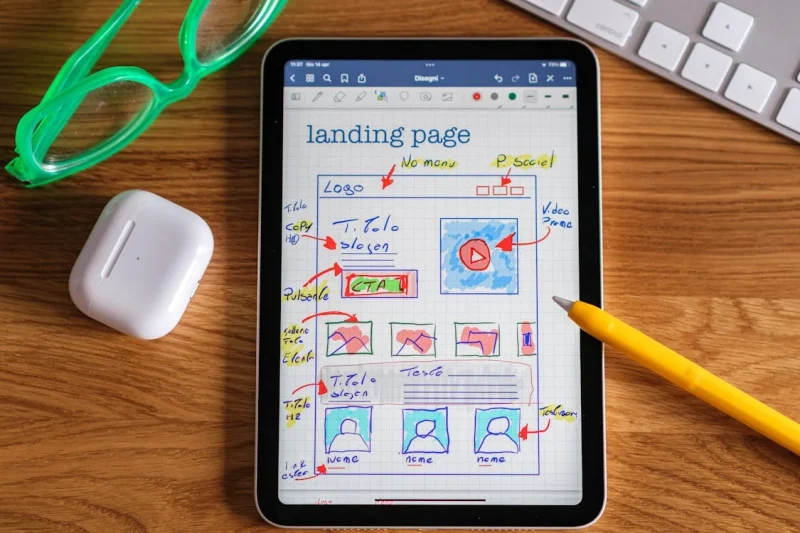
A well-designed website is more than just aesthetically pleasing; it’s a powerful tool that can significantly impact your business's success. To ensure your website is optimized for conversions and user experience, consider these crucial questions:
Clarity and Navigation
- Does everything make sense? Is the content clear, concise, and easy to understand? Avoid jargon and technical terms that might confuse visitors.
- Does it flow well? Is the information presented in a logical sequence, guiding visitors smoothly from one section to
Posted in Website Design
Tagged a/b testing, analytic tools, analytics, branding, calls to action, clarity, color psychology, color scheme, contact form, conversion rate optimization, conversions, cro, cta, easy navigation, fonts, functionality, functionality vs design, increase conversions, mobile-friendly, navigation, privacy policy, responisve, responsive app, terms of service, tos, transparency, trust, typography, ui, user experience, user interface, ux, website analytics, website flow, website optimization
Leave a comment
What Makes Website Content “High-Quality”? 6 Essential Search Standards

"Ask David!" question: "How do I know if my website content is 'high-quality content'? I want to rank high in Google and get a lot of website traffic."
When managing a site, creating content that actually ranks on search engines and converts visitors comes down to one core factor: quality. Search engine algorithms - specifically Google’s Search Essentials and Quality Rater Guidelines - focus heavily on Experience, Expertise, Authoritativeness, and Trustworthiness (E-E-A-T).
Whether you are launching a new site or
... Continue reading
Posted in Ask David!, Search Engine Optimization (SEO), Web Content
Tagged accuracy, alt tags, and Trustworthiness, ask david, authoritativeness, build trust, clarity, clean code, E-E-A-T, engaging ontent, experience, expertise, factuality, fast website, fresh content, Google’s Search Essentials, headings, high-quality content, high-quality images, interactive, internal links, keyword stuffing, polls, Quality Rater Guidelines, search engine optimization, search intent, seo, subheadings, target keywords
Leave a comment
The SEO Hustle: When Google Changes the Rules (Again)

SEO – optimizing your website for search engines to gain organic traffic – can feel like a rollercoaster ride. You meticulously craft a strategy, watch your traffic climb, then – bam – a Google algorithm update throws everything into question. Sound familiar?
From the Helpful Content Update (HCU) to ongoing core algorithm updates and even the rise of AI Overviews in search results, the evolution of search keeps reminding us of a harsh reality: you don’t control the game, Google
... Continue reading
Posted in Search Engine Optimization (SEO), Website Traffic
Tagged ai overviews, clarity, clean code, content is king, easy navigation, easy to use, fast loading times, fast website, Google algorithm update, hcu, helpful content update, high-quality content, keyword stuffing, link farms, mobile-friendly, organic traffic, pagespeed insights, performance, repetitive pages, search engine optimization, search engine ranking, seo, seo disaster, seo strategy, seo tips, storytelling, thin content, usefulness, user experience, user intent, user-friendly, value, website traffic
Leave a comment
How Many Syllables and Words Make a Domain Name Easy to Remember

"How many syllables and how many words should a domain name contain to make sure it is easy to remember and user friendly?"
While there's no one-size-fits-all answer, it is generally advised to aim for short domain name vs longer domain names. Here are some guidelines for choosing a memorable and user-friendly domain name based on syllables and words:
Syllables:
- Aim for 1-3 syllables: Studies suggest this sweet spot improves memorability. Popular websites like Google (2 syllables), Twitter (2 syllables), and Amazon (3
What are some tips for creating an intuitive website layout?

Creating an intuitive website layout is crucial for providing a good user experience and keeping visitors engaged. Here are some tips to help you achieve that:
1. Understand your audience:
- Who are you designing for? What are their needs and expectations? Knowing your target audience helps you prioritize information and functionalities.
2. Prioritize clarity and simplicity:
- Keep the layout clean and uncluttered. Avoid overwhelming users with too much information or complex navigation. Prioritize the most important content and prioritize ease