


-
Recent Posts
- Is a Neo Sites “Free” Domain and Website Really Free? The 1-Year Subscription Catch Exposed
- The “Who’s Who in America” Invitation: Real Honor or Just a Sales Funnel?
- Beat the System: Avoid Paying Website Builder Transaction Fees
- The AI Scraping Free-for-All Is Over: Welcome to the Era of Licensing (2026)
- The $10 Billion “Echo”: Why Paying Experts to Train AI Might Be a Bridge to Nowhere
- Stop Renting Your Business: Why UltimateWB Beats the Bubble “Success Tax”
- AI Hype vs. Reality: Pulling Back the Curtain on the Digital Wizard
- Webflow’s Client Seats Complicate Ownership – How UltimateWB Gives Control Back
- No, AI Did Not Secretly Build Its Own Society
- Does Google still use PageRank to rate your website?
- Does “Test Live URL” help Google index your webpage faster?
- Using a URL Shortener and Passing the SEO Link Juice
- Is TikTok Censoring Anti-Trump Content? User Complaints Lead to Investigation
- From Sidewalk Robots to Real‑World Limits: The Promise and Pitfalls of AI Deliveries
- Will AI Really Replace Junior Frontend Developers?
- Meta Descriptions Too Short? What Bing’s Warning Really Means and How to Fix It
- How to Make Your FAQ Section More Engaging for Users
- Why You Should Remove Redundant Header Tags from Your Web Pages
- What Is the IndexNow Message in Bing Webmaster Tools?
- How to Automatically Share Your WordPress Blog Posts to Instagram
Categories
- Accessibility
- Advertising
- Affiliate Programs
- Announcements
- Apps Comparison
- Ask David!
- Business
- Compare Website Builders
- Computer Tips
- Domain Names
- E-commerce
- Emails
- Facebook Application
- General
- Graphic Design
- Integration Tutorials
- Mailing List Application
- Marketing
- Photos Management
- Search Engine Optimization (SEO)
- Social Media
- Social Networking
- Software Showcase
- Technology in the News
- Traffic Statistics
- Troubleshooting
- Web Content
- Web Hosting
- Website Design
- Website Security
- Website Traffic
- WordPress Customization
Meta
How to find out which keywords you get clicks for on Yahoo search engine?

To find out clicks for keywords you get from the Yahoo search engine, you can use the following methods:
Use Yahoo Webmaster Tools
Yahoo Webmaster Tools is a suite of tools that helps website owners track and improve their website’s performance in Yahoo Search. One of the features of Yahoo Webmaster Tools is the Site Analytics report, which shows you a variety of metrics, including clicks, impressions, and average position, for your website’s keywords in Yahoo Search.
To use Yahoo
... Continue reading
Posted in Ask David!, Website Traffic
Tagged clicks, conversion tracking, google analytics, keyword performance, keyword tracking, keywords, search engine traffic, semrush, seo, third-party analytics, website analytics, Yahoo, yahoo search, yahoo search engine, Yahoo SEO, Yahoo Webmaster Tools
Leave a comment
Google Search Console vs Google Analytics: What’s the Difference?
Google Search Console (GSC) and Google Analytics (GA) are two powerful (and free) tools from Google that help you measure and improve your website’s performance. While they’re often used together, each tool has a different purpose - and understanding that difference can help you get the most out of both.
🔍 What Is Google Search Console?
Google Search Console helps you monitor, maintain, and troubleshoot your site’s presence in Google Search results. It shows you how Google sees your
... Continue reading
Posted in Ask David!, Search Engine Optimization (SEO), Website Traffic
Tagged clicks, crawl errors, digital marketing tools, ga, ga4, google analytics, google search, Google Search Console, Google SEO tools, gsc, GSC vs GA, indexing issues, search engine optimization, seo tools, submit sitemap, traffic analysis, web analytics comparison, web performance, website analytics, website tracking, website traffic
Leave a comment
Building Directory Websites: A Comparative Analysis of Brilliant Directories, WordPress, and UltimateWB
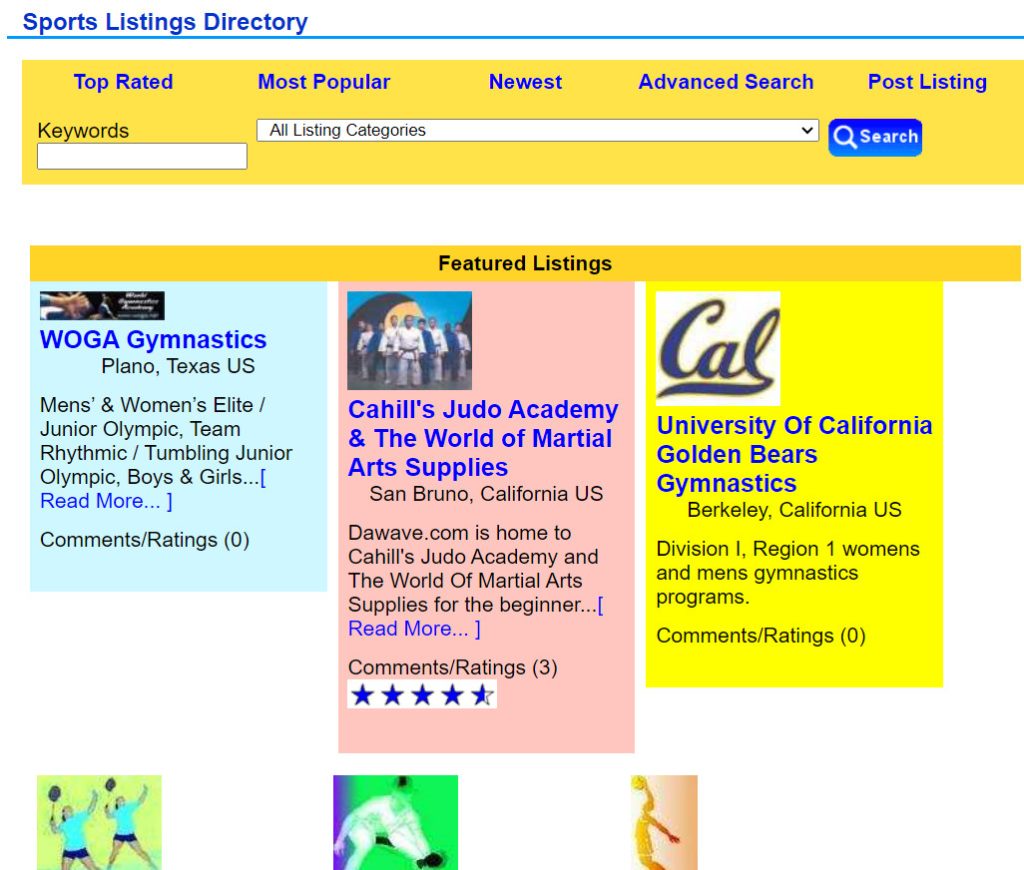
Directory websites are essential for various purposes, from local business listings to community-driven platforms. However, choosing the right website builder for your directory site can greatly impact your project's success. In this article, we'll compare three popular options for building directory websites: Brilliant Directories, WordPress, and UltimateWB.
Brilliant Directories:
Brilliant Directories is a platform tailor-made for creating directory websites. It offers a range of directory-specific features and templates. While it excels in directory-focused
... Continue readingWhat is the most important SEO tip?

The most important SEO (Search Engine Optimization) tip is to focus on providing valuable and relevant content for your audience. Content is at the core of SEO, and search engines aim to deliver the best possible results to users. Here's why this tip is crucial:
- User-Centered Approach: Search engines, like Google, prioritize user experience. They want to direct users to content that answers their queries, solves their problems, or fulfills their needs. When your content is valuable and user-focused, search
SEO Tips: How to effectively use keywords on your webpage?

The best practice for using keywords on a web page is to use one main keyword and several similar related ones. This will help your page rank for a variety of keywords, which can increase your traffic.
Here are some tips for using keywords on your web pages:
Choose your keywords carefully.
Make sure to choose keywords that are relevant to your page and that people are actually searching for. You can use keyword research tools to help you
... Continue readingCrafting a Compelling Press Release: Your Step-by-Step Guide
Grabbing the attention of the media and the public is crucial for any organization or individual seeking to share news, achievements, or events. A well-crafted press release is your ticket to making a significant impact and garnering the attention your announcement deserves. In this step-by-step guide, we'll walk you through the process of creating an amazing press release that captivates your audience and gets your message across effectively.
Step 1: Define Your Purpose
Before you begin writing your press release,
... Continue readingWhat are the Most Bloated and Sluggish Website Builders of Today?

Website speed really matters. If your site loads slowly, visitors won’t stick around - and that can hurt both your business and your search rankings. There are tons of website builders out there, but not all are built with speed in mind. In this article, we’re taking a close look at some of the slowest, most bloated website builders that might be holding your site back.
1. Wix
Wix is a well-known website builder, but it's notorious for generating heavy
... Continue readingHow to Set Up Browser Caching for Your Website

Browser caching is one technique to speed up your website by storing static files in a visitor's web browser. This enables returning visitors to load your site faster, as their browsers can retrieve cached content without making multiple server requests. In most cases it won't be necessary for your website if it's built on UltimateWB, but let's walk through the steps to set up browser caching for your website:
1. Access Your Website's .htaccess File
Browser caching is typically configured
... Continue readingHow to make your website load faster?

You know it’s important. We know it’s important. So let’s get to it - here’s how to speed up your website and keep your visitors (and Google) happy.
Need for Speed: Optimizing Your Website for Lightning-Fast Loading
Your website’s loading speed can make or break your online presence. In this guide, we’ll cover the top strategies for making your website load faster - starting with choosing a sleek platform like UltimateWB, built for performance.
Why Does Website Speed Matter?
... Continue reading
Posted in Ask David!, Search Engine Optimization (SEO), Website Design
Tagged bloat, browser caching, clean code, content lazy loading, fast website, fast website builder, fast-loading times, lazy load images, lazy loading, lazy loading ads, loading time, mobile optimization, optimize images, responsive, responsive app, search engine optimization, search engine ranking, seo, timeline, webp, webp converter, website speed
Leave a comment
How to Build Backlinks to your Website?

In the previous post, we talked about backlink analysis and how it can empower your SEO and boost traffic to your website. Now let's talk about how to build those backlinks!
Mastering the Art of Building Backlinks: A Guide for Website Owners
Backlinks, the digital thumbs-up that your website receives from others, play a crucial role in enhancing your website's SEO and online authority. In this guide, we'll explore effective strategies for building backlinks and discover how UltimateWB can
... Continue reading