






-
Recent Posts
- “My Partner Wants to Use WordPress Because 50% of the Web Uses It. Help!”
- Does EmDash Solve WordPress’s Problems, or Do You Need UltimateWB?
- How Not to Use AI: Stanford University Can Tell You
- Best Website Builder for SEO: WordPress vs. Wix vs. UltimateWB
- How to Make Sure Your Website Colors Have Enough Contrast for Accessibility
- Mobile-Friendly Website Checklist: 20 Things to Check
- Beehiiv Website Builder Review: The Problem Isn’t the Design – It’s the Lack of Control
- Elementor’s “Angie” AI Is More Than Bloat: Credits, Subscriptions, and a Growing Platform Problem
- How to Pass Google Business Profile Video Verification for Service Businesses
- The Great Deskilling: Why AI Dependence is Turning Developers into Prompt Babysitters
- The Three-Month Fuse: The Everest Forms Pro Attack and Why a Patched Plugin Can Still Put Websites at Risk
- Computer Screen Has Black Bars on the Sides: How to Fix It
- Could AI Make Humans Extinct Within the Next Decade?
- Is Weebly Getting Out of the Website-Builder Business?
- Are You “Leaking SEO” by Linking to Other Websites?
- Wix Harmony Is Now in Google Gemini. So Why Are Users Still Complaining?
- When AI Sounds Confident but Gets It Wrong: The Mount Shasta Rescue
- When AI Agents Start Working Together, Who Is Really in Control?
Categories
Tag Archives: user-friendly
How to add microinteractions on your website images that are links, the easiest way, without having to add more images?
UltimateWB website builder has built-in microinteractions for the navigation menu and links via hover effects. You can set the mouseover color and background colors easily via your website admin panel Styles Manager. If you would like to add microinteractions to your image links as well, you can do that with UltimateWB too - it is very flexible and customizable. Let's dive in the easiest way to do it! Spoiler: it's via CSS!
Adding Microinteractions to Your Linked Images: The Easy
... Continue reading
Posted in Ask David!, Website Design
Tagged accessibility, add class, brightness change on hover, change hue on hover, cms, css, custom code, image links, microinteractions, mouseover effects, page editor box, round edges, rounded background on hover, shadow effect, styles manager, user-friendly
Leave a comment
What are the steps to do an e-commerce website SEO?

Optimizing an e-commerce website for SEO (Search Engine Optimization) is crucial to drive organic traffic and improve your online visibility. Here are the steps to effectively perform e-commerce website SEO:
- Keyword Research:
- Start by researching relevant keywords that your potential customers are likely to use in search engines. Use tools like Google Keyword Planner, SEMrush, or Ahrefs to identify high-value keywords.
- On-Page SEO:
- Optimize each product page and category page with target keywords in mind. This includes optimizing
Posted in Ask David!, E-commerce, Search Engine Optimization (SEO)
Tagged alt tags, backlinks, blogging, content creation, content marketing, e-commerce, fast loading times, https, keywords, meta description, mobile friendly, navigation menu, on-page seo, responsive app, search engine optimization, secure website, seo, sitemap, sitemap generator, target keywords, title, user experience, user-friendly, ux, xml, xml sitemap
Leave a comment
The Recipe for a Popular Social Network or Community Website

Creating a social network or community website that draws a crowd isn't magic; it's about doing the right things. Let's break it down and explore how you can make your website a lively and engaging place for users.
1. Know Your Crowd
Start by understanding who you're targeting. Knowing your audience's interests and needs is key to offering content and features they'll appreciate.
2. Keep It User-Friendly
Make sure your site is easy to use, looks good, and works well
... Continue readingHow to Build Backlinks to your Website?

In the previous post, we talked about backlink analysis and how it can empower your SEO and boost traffic to your website. Now let's talk about how to build those backlinks!
Mastering the Art of Building Backlinks: A Guide for Website Owners
Backlinks, the digital thumbs-up that your website receives from others, play a crucial role in enhancing your website's SEO and online authority. In this guide, we'll explore effective strategies for building backlinks and discover how UltimateWB can
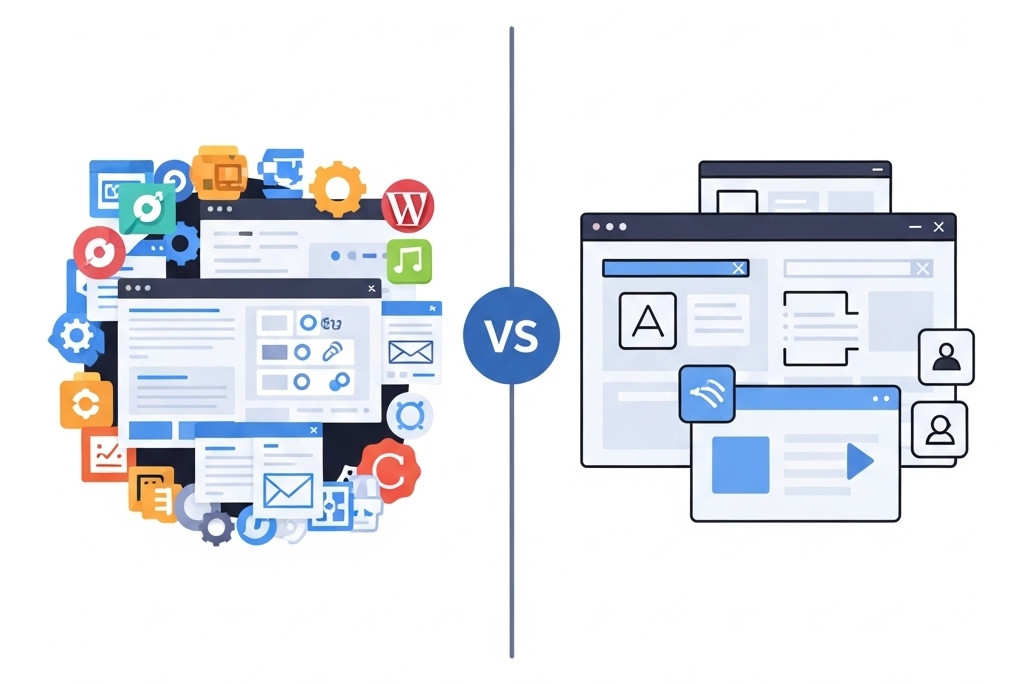
... Continue readingWhy WordPress Page Builders Fall Short – and What to Use Instead

WordPress page builders promise an easy way to build websites without coding - but they often create more problems than they solve. From bloated code to compatibility headaches, they can drag down performance and limit your design freedom.
Before diving into the better option, let’s break down the biggest issues users face with WordPress page builders.
The Drawbacks of Using a WordPress Page Builder
1. Complexity and Learning Curve:
- WordPress page builders can be complex and overwhelming for beginners or
Posted in Ask David!, Compare Website Builders
Tagged compatibility, customization, fast website builder, fast-loading times, flexible website design, loading time, page builder drawbacks, page builder limitations, user-friendly, web design tools, website building solutions, website customization, website development tips, website speed optimization, WordPress, wordpress alternative, wordpress page builder, WordPress performance problems, WordPress plugin conflicts
Leave a comment
Choosing the Best Website Builder: Your Ultimate Guide

Are you ready to create an online presence but overwhelmed by the myriad of website builder options? Don't worry; we've got you covered. In this guide, we'll dive into the factors you should consider when selecting a website builder and highlight UltimateWB, a versatile platform that offers both hosted and downloadable options. Plus, we'll rank the top 10 website builders, with UltimateWB taking the lead.
Factors to Consider When Choosing a Website Builder:
- Ease of
Posted in Compare Website Builders
Tagged best website builder, compare website builders, features, godaddy, Jimdo, responsive, scalability, seo tool, Shopify, square, square online, squarespace, user-friendly, webflow, weebly, Wix, WordPress, zyro
Leave a comment
UltimateWB: The Affordable Website Builder with a One-Time Payment Option

Are you tired of monthly subscription fees for website builders that seem to never end? The good news is that there's a more budget-friendly and sustainable alternative: website builders with a one-time payment option. In this blog post, we'll explore the benefits of opting for a one-time payment website builder and how UltimateWB's unique offering provides a cost-effective solution for your website needs, complete with a lifetime license and affordable software updates.
The Burden of Monthly Subscriptions:
Many website builders
... Continue readingWebsite Builder vs. Coding: The UltimateWB Choice for Flexibility and Customization

When you're building a website, one of the first big decisions is whether to use a website builder or start from scratch with your own code. It's a debate that has persisted for years, with passionate advocates on both sides. In this blog post, we'll explore the pros and cons of website builders versus coding, and how UltimateWB's exceptional flexibility and customization options offer the best of both worlds, empowering you to build any type of website you can imagine,
... Continue readingFinding the Best Website Builder on Reddit: UltimateWB Stands Out

If you're searching for the best website builder, chances are you've turned to Reddit for some crowd-sourced wisdom, and typed in the keywords "best website builder reddit". And when it comes to website builders, one name keeps popping up: UltimateWB. In this post, we're going to explore why web developers, web designers, and beginners on Reddit proudly endorse UltimateWB as a top choice.
The UltimateWB Buzz:
Among the many suggestions you'll find on Reddit, UltimateWB is consistently praised. So, why
... Continue readingOpen Source vs. UltimateWB: Making the Right Choice for Your Website Builder

When it comes to website builders, the debate between open source and proprietary solutions has been ongoing. In this blog post, we'll dive into the world of open source website builders, explore their pros and cons, and highlight why UltimateWB, though not open source, offers a compelling alternative that's worth considering for your website building needs.
Open Source Website Builders: The Pros and Cons:
Pros:
- Flexibility: Open source builders allow for extensive customization, making them ideal for developers who want
Posted in Compare Website Builders
Tagged .support, flexibility, open source, open source vs ultimatewb, security, user-friendly
Leave a comment