




-
Recent Posts
- “My Partner Wants to Use WordPress Because 50% of the Web Uses It. Help!”
- Does EmDash Solve WordPress’s Problems, or Do You Need UltimateWB?
- How Not to Use AI: Stanford University Can Tell You
- Best Website Builder for SEO: WordPress vs. Wix vs. UltimateWB
- How to Make Sure Your Website Colors Have Enough Contrast for Accessibility
- Mobile-Friendly Website Checklist: 20 Things to Check
- Beehiiv Website Builder Review: The Problem Isn’t the Design – It’s the Lack of Control
- Elementor’s “Angie” AI Is More Than Bloat: Credits, Subscriptions, and a Growing Platform Problem
- How to Pass Google Business Profile Video Verification for Service Businesses
- The Great Deskilling: Why AI Dependence is Turning Developers into Prompt Babysitters
- The Three-Month Fuse: The Everest Forms Pro Attack and Why a Patched Plugin Can Still Put Websites at Risk
- Computer Screen Has Black Bars on the Sides: How to Fix It
- Could AI Make Humans Extinct Within the Next Decade?
- Is Weebly Getting Out of the Website-Builder Business?
- Are You “Leaking SEO” by Linking to Other Websites?
- Wix Harmony Is Now in Google Gemini. So Why Are Users Still Complaining?
- When AI Sounds Confident but Gets It Wrong: The Mount Shasta Rescue
- When AI Agents Start Working Together, Who Is Really in Control?
Categories
Tag Archives: ranking
Keyword Cannibalization: Real SEO Issue or Overblown Myth?

"Keyword cannibalization sounds made up - is it actually a thing in SEO?"
Short Answer: It’s real - but not always harmful. Let’s unpack when keyword cannibalization matters, how to spot it, and how to fix it strategically.
🧐 What Is Keyword Cannibalization?
Keyword cannibalization happens when multiple pages on your website target and rank for the same (or very similar) keywords. These pages essentially compete with each other in the search engine results pages (SERPs).
🚨 When Keyword Cannibalization
... Continue reading
Posted in Ask David!, Search Engine Optimization (SEO)
Tagged 301 redirect, ahrefs, authority, backlinks, content strategy, diluted authority, Google rankings, Google Search Console, high-quality content, internal linking, keyword cannibalization, keyword overlap, keywords, long-tail keywords, moz, ranking, search engine optimization, search engine ranking, search engine results pages, semrush, seo, SEO audit, seo blog, seo content, seo issues, seo myths, seo signals, seo tips, SERP diversity, serps, target keywords, thin content, topical authority, user intent
Leave a comment
Google vs. AI Search: How to Get Your Business to Show Up in AI Search Results?

Lately, you’ve probably noticed a shift in how people talk about finding answers online. It used to be, “I Googled it.” Now it’s more like, “According to AI…” Whether it’s ChatGPT, Gemini, or another AI assistant, more and more people are turning to these tools to get recommendations, do research, and even find businesses.
If you run a small or mid-sized business in a competitive field, this shift matters. And the big question is:
"How do you get your
... Continue reading
Posted in Ask David!, Search Engine Optimization (SEO)
Tagged ai assistant, ai results, ai sources, AI tools, backlinks, business directories, chatgpt, credibility, customer reviews, gemini, google, google business, Google Business Profile, google reviews, helpful content, keywords, niche, quora, ranking, ratings, reddit, search engine optimization, trust, trust signals, trustpilot, visibility, wikipedia, yelp
Leave a comment
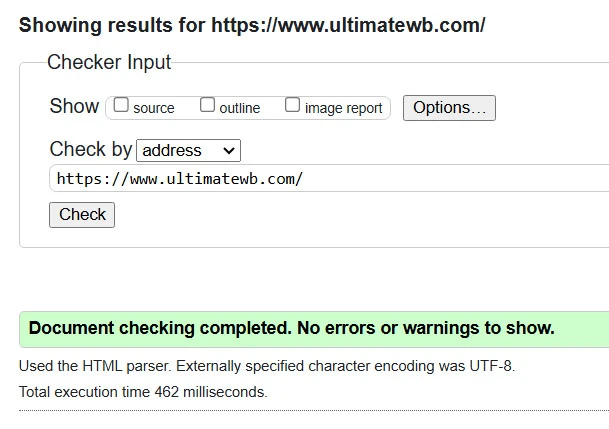
Valid HTML Matters: How Clean Code Boosts SEO, Accessibility, and Trust

If you’ve ever been told you’re being too picky for caring about your website’s HTML validation, you’re not alone. Some developers brush off invalid code as “harmless,” and non-tech folks might even label you as having a bit of OCD. But here’s the truth: caring about clean, valid HTML isn’t obsessive -
... Continue reading
Posted in Accessibility, Search Engine Optimization (SEO)
Tagged accessibility, boost seo, bots, brand identity, browser compatibility, content structure, core web vitals, crawl, crawlability, cross-device compatibility, easy maintenance, fast loading times, index, invalid code, maintenace, ocd, pagespeed insgihts, pagespeed insights, professional, ranking, scalability, search engine optimization, search engine optimization tips, seo, seo tips, site maintenance, valid html, website speed
Leave a comment
How do you check if your website content is SEO optimized?

There are two main ways to check if your website content is SEO optimized:
1. Manual SEO Checklist:
This involves going through a list of important SEO factors and making sure your content adheres to them. The great thing about using UltimateWB for your website builder is that you get a built-in SEO tool - so it is super easy to customize and set your title tags and meta descriptions for each page, even your blog if you have one.
... Continue reading
Posted in Ask David!, Search Engine Optimization (SEO)
Tagged ahrefs, Google Search Console, heading, headings, keyward targeting, keyword density, keyword-rich, long-tail keywords, meta descriptions, moz, on-page optimization, ranking, se ranking, search engine optimization, search engine ranking, semrush, seo, seo optimized, seo tool, title tags
Leave a comment
How to get your website top ranking on Google, Yahoo, and other top search engines
Follow these 5 easy steps to get your website top ranking on Google, Yahoo, and other top search engines for your Target Keywords, using Ultimate Web Builder software:
1) Go to Configure Site > Basic Set up, setup site-wide SEO Configurations.
2) Pages > Add Page / Edit Page, set up page meta tags for SEO
3) Pages > Add Page / Edit Page - Choose descriptive Page URLs
4) Take advantage of the software's coding for using Photos, and... Continue reading
Can’t get your website on the first page of Google, Yahoo, Bing…or even indexed?!

If you are struggling to get your website on the first page of Google, Yahoo, Bing, or other top search engines for your target keywords - or even get your pages indexed at all - chances are your current platform is working against you.
The short answer: Switch to Ultimate Web Builder (UltimateWB) software immediately.
Why? Because a massive portion of search engine success comes down to things you can't see: backend coding and structural performance. If your platform relies
... Continue reading
Posted in Search Engine Optimization (SEO), Website Traffic
Tagged bloat, clean url, google ranking, Googlebot, indexed, meta tags, ranking, React, search engine optimization, search engine optimization tips, search engine ranking, security risks, seo, seo expert, seo friendly urls, seo tips, third-party plugins, top ranking, user experience, vibe coding
1 Comment
Ultimate Web Builder Ranked #1 Product on CNET in Web Development Software!
Ultimate Web Builder 2 is ranked the #1 product on CNET in Web Development Software!... Continue reading
How to have SEO-Friendly URLs on your WordPress Blog for FREE!
How to have SEO-friendly URLs on your Wordpress blog:
1) Login to your Blog Admin panel - the link to your admin panel should be on the right side links menu of your blog, the direct link is your_website.com/blog_folder/wp-admin.
2) Then scroll down the blog admin page, mouseover the 'Settings' link on the left side links menu, click on the arrow next to it to open the dropdown menu and click on the 'Permalinks' link.
3) On this page, choose... Continue reading