


-
Recent Posts
- Is a Neo Sites “Free” Domain and Website Really Free? The 1-Year Subscription Catch Exposed
- The “Who’s Who in America” Invitation: Real Honor or Just a Sales Funnel?
- Beat the System: Avoid Paying Website Builder Transaction Fees
- The AI Scraping Free-for-All Is Over: Welcome to the Era of Licensing (2026)
- The $10 Billion “Echo”: Why Paying Experts to Train AI Might Be a Bridge to Nowhere
- Stop Renting Your Business: Why UltimateWB Beats the Bubble “Success Tax”
- AI Hype vs. Reality: Pulling Back the Curtain on the Digital Wizard
- Webflow’s Client Seats Complicate Ownership – How UltimateWB Gives Control Back
- No, AI Did Not Secretly Build Its Own Society
- Does Google still use PageRank to rate your website?
- Does “Test Live URL” help Google index your webpage faster?
- Using a URL Shortener and Passing the SEO Link Juice
- Is TikTok Censoring Anti-Trump Content? User Complaints Lead to Investigation
- From Sidewalk Robots to Real‑World Limits: The Promise and Pitfalls of AI Deliveries
- Will AI Really Replace Junior Frontend Developers?
- Meta Descriptions Too Short? What Bing’s Warning Really Means and How to Fix It
- How to Make Your FAQ Section More Engaging for Users
- Why You Should Remove Redundant Header Tags from Your Web Pages
- What Is the IndexNow Message in Bing Webmaster Tools?
- How to Automatically Share Your WordPress Blog Posts to Instagram
Categories
- Accessibility
- Advertising
- Affiliate Programs
- Announcements
- Apps Comparison
- Ask David!
- Business
- Compare Website Builders
- Computer Tips
- Domain Names
- E-commerce
- Emails
- Facebook Application
- General
- Graphic Design
- Integration Tutorials
- Mailing List Application
- Marketing
- Photos Management
- Search Engine Optimization (SEO)
- Social Media
- Social Networking
- Software Showcase
- Technology in the News
- Traffic Statistics
- Troubleshooting
- Web Content
- Web Hosting
- Website Design
- Website Security
- Website Traffic
- WordPress Customization
Meta
WWW or no WWW – That is the question

We are talking about whether your website is "www.your-website.com" or just "your-website.com" . You want your website to be accessible both ways of course, whether the user types in the "www" or not (most people won't take the extra time to type what's not necessary right?). You would lose traffic if you didn't make your website accessible both ways. But you actually want your website to recognize one version as "the one", and redirect the other to it.
Why? SEO
... Continue readingHappy summertime working from the beach!
It's summertime, it's hot. Even if you have air conditioning, sometimes you just don't want to work in the office, especially if you don't have any office meetings planned. You don't need the four walls or desk to work. You just need your laptop, or even tablet, and yes, or even your smartphone. You want fresh air...you need fresh air...you can work from the beach, or anywhere you want. No need to shorten your vacations if you have an online... Continue reading
How to create a unique custom social networking website using software

It is actually a myth that if you want a unique and custom social networking website, you can't create your website with a website builder software. The truth is that you cannot do it with ALL website builders, or just any website builder on the market. The reason is simple - most website builders don't give you the flexiblity you need. For example, with the GoDaddy Website Tonight website builder, Yahoo SiteBuilder, Wix, Weebly, and VistaPrint SiteBuilder [compare website
... Continue reading
Posted in Compare Website Builders, Social Networking
Tagged GoDaddy website builder, GoDaddy Website Tonight, social network, social network website builder, social networking app, social networking software, social networking website, social networking website builder, vistaprint sitebuilder, weebly, Wix, Yahoo SiteBuilder
Leave a comment
When do you need a secured server, i.e. SSL certificate for your website?
UPDATE: Get more info/updated recommendations on SSL in the newer blog post, Should you get SSL for your website? Top 5 Reasons to go HTTPS, and Top Drawbacks
You don't need to know that SSL for websites stands for Secure Sockets Layer. But you do need to know what they are used for, to then figure out if your website needs it!
SSL is the standard security technology for encrypting data passed between the web server and browser, and ensuring... Continue reading
Posted in Web Hosting, Website Security
Tagged secure server, secured server, ssl, ssl certificate, web hosting, web hosting add-on
Leave a comment
How to make money on your website
There are several ways to monetize your website, to not only earn the money for your web hosting costs, but to make a profit.
1) An obvious way is to sell something. It can be a product or a service, a subscription to a newsletter, or membership to your webpages for access to information and media, for example. If someone wants it, you can sell it.
2) You DON'T have to sell anything on your website to make money on... Continue reading
What “Unlimited” Really Means in Web Hosting
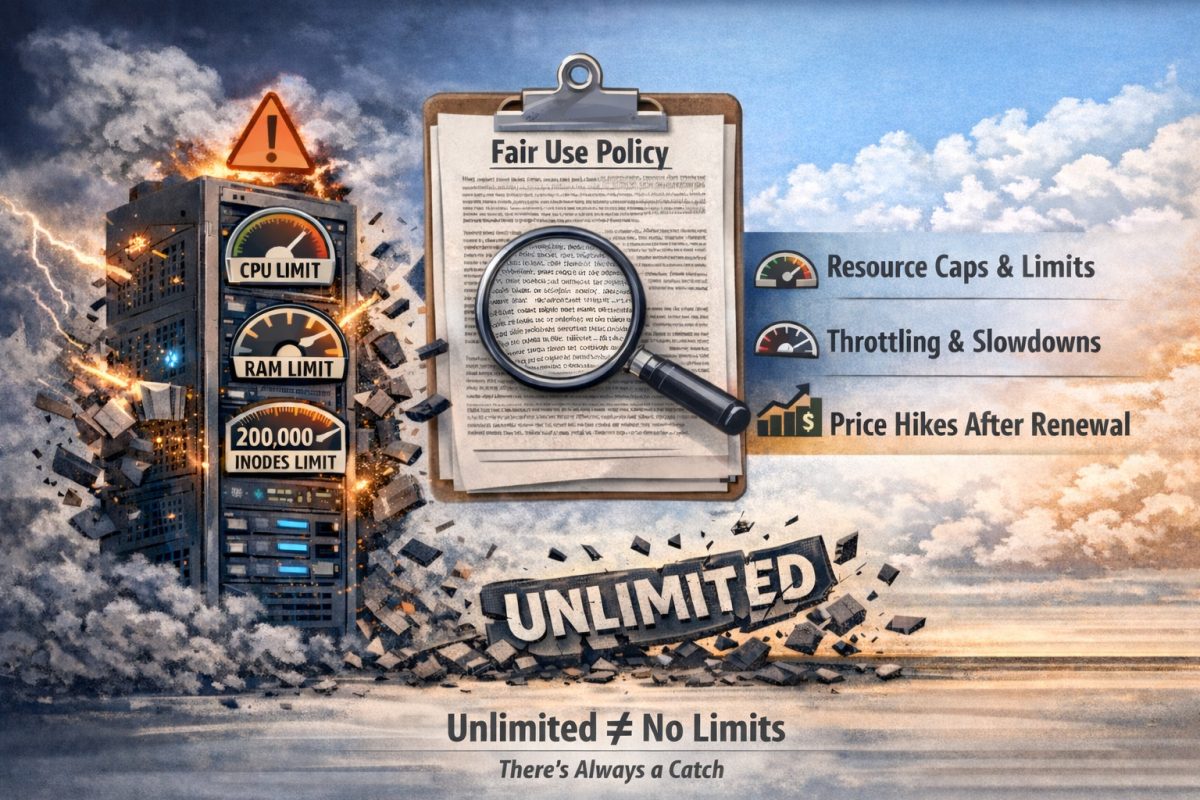
Updated 2026: This article has been expanded to better explain how “unlimited” web hosting plans work and how resource limits are actually enforced.
When shopping for web hosting, you will often see plans advertised with “unlimited bandwidth,” “unlimited storage,” or “unlimited hosting.” At first glance, this sounds like an incredible offer: unlimited resources for a small monthly fee.
However, in reality, “unlimited” hosting is not literal. Every server and network connection has physical limits.
As Humpty Dumpty says in Through
... Continue reading
Posted in Web Hosting
Tagged cpu, CPU throttling, CPU usage, database, fair-use policies, hidden limits, inode, inode limits, inode limits comparison, marketing, RAM, renewal price increase, resource limits, server resources, shared hosting servers, technical limits, unlimited, unlimited bandwidth, unlimited data transfer, unlimited disk space, unlimited hosting, unlimited storage, unmetered, web hosting
1 Comment
Can’t access your website? Prompted with a “Download” link on your own website?
You can't access your website - instead of your website being displayed you are prompted with a "Download" bar/link on your own website. If you have just changed web hosts or your website has recently gotten hacked/cleaned up this could be because of your .htaccess file. If the cause is your website being hacked, you should reupload a backup copy of your .htaccess file, or if you don't have a backup, open it and check it for bad coding. If... Continue reading
Posted in Troubleshooting, Website Security
Tagged .htaccess, can't access website, download prompt, website fix, website hacked
Leave a comment
Joomla website keeps getting hacked? Do this.
There has been a rash of brute force login attacks on not only WordPress blogs and websites as discussed in the previous post, but also Joomla websites. Of course we would say a great solution would be to switch to UltimateWB software, and fast! But, if you are determined to keep your website on Joomla for now, there is one thing you can do after you clean up all the files and reupload a fresh copy of the CMS -
... Continue reading
Posted in Website Security
Tagged joomla, joomla hacked, joomla security, secure website, website hacked
Leave a comment
How to avoid brute force login attacks on your WordPress blog or website
If your WordPress blog or website has been hacked numerous times and you have followed all of the tips on securing it, there is one other thing you can do - limit which ips (i.e. computers/internet connections) can login to your WordPress admin panel. Recently there has been a rash number of brute force login attacks on WordPress blogs and websites. Even an unsuccessful login can prove to be detrimental to your website by causing a heavy server overload,... Continue reading
Posted in Website Security
Tagged secure website, secure wordpress, security tips, WordPress, wordpress hacked
Leave a comment