


-
Recent Posts
- Could AI Make Humans Extinct Within the Next Decade?
- Is Weebly Getting Out of the Website-Builder Business?
- Are You “Leaking SEO” by Linking to Other Websites?
- Wix Harmony Is Now in Google Gemini. So Why Are Users Still Complaining?
- When AI Sounds Confident but Gets It Wrong: The Mount Shasta Rescue
- When AI Agents Start Working Together, Who Is Really in Control?
- WPForms and Rank Math: Did These WordPress Plugins Create a Backdoor With Admin Access?
- AI Can Text Your Friends for You. Wait, Who Am I Talking To?
- Bill Gates Is Betting on AI to Help Healthcare – While Warning About What AI Could Do to Jobs
- Wix Says AI Website Owners Should Care About Portability. There’s Just One Problem.
- WordPress 7.1 Broke WP Rocket: The Fatal Error and the Plugin Problem
- WordPress vs. UltimateWB for an Artist Website: Which Should You Choose?
- Thinking About Switching From WordPress? What Should You Consider Before You Move?
- The Airtable Acquisition Raises a Bigger Question: Do You Really Own the Software Your Business Runs On?
- How to Use Google Search Console’s New Generative AI Data to Improve Your SEO
- How to Update the Same Website Content on Multiple Pages at Once
- Discovered vs. Crawled Not Indexed in Google Search Console: What’s the Difference and How to Fix Each
- The Small Business Guide to Auditing Google Ads and Website Costs
Categories
Tag Archives: plugins
How to Design a Website From Scratch: The Ultimate Guide for Builders

Starting a new web project is an incredible feeling, but it may come with a common challenge: The Blank Canvas Syndrome. When you have the power of a flexible platform like UltimateWB, the possibilities are endless - which might make it harder to pick a direction when you are new to designing.
To build a professional site, you don't need to be an artist. You just need to balance two things: Logic (the technical structure) and Empathy (the human
... Continue reading
Posted in Website Design
Tagged 5-second rule, accessibility, bloat, color contrast, colors, css, easy navigation, empathy, fast website, google search engine ranking, logic, mobile, navigation, ownership, plugin bloat, plugins, responsive, scalability, search engine optimization, seo, third-party plugins, website design, website speed, whitespace
Leave a comment
WordPress Kirki Customizer Takeover: The Automatic Bait-and-Switch Plugin Trend

The WordPress community is currently witnessing a troubling and "despicable" trend: the acquisition and subsequent "bloating" of popular, lightweight plugins. This isn't just a manual update issue - it is a systemic problem where sites are being fundamentally changed through automatic updates without the owner’s consent.
The recent crisis involving the Kirki Customizer framework and the historical "bait-and-switch" of WP User Avatar serve as a reminder in why the WordPress "plugin stack" model is a risky gamble for
... Continue reading
Posted in Compare Website Builders, Technology in the News, Website Security
Tagged auto-update, bloat, BuddyX, Droip, fatal errors, feature creep, Kirki Customizer, plugins, ProfilePress, Reign, security issues, security liability, slow website, Themeum, third-party plugins, website security, WordPress, WP User Avatar, XStore
Leave a comment
When Your CMS is the Bottleneck: A Performance Reality Check

It’s a common misconception that a slow website is just a "mobile problem." We recently audited a WordPress-based lifestyle blog where the performance was sluggish across the board - hitting the 70s on desktop and dropping to the 30s on mobile.
When a site fails to perform on a high-speed desktop connection, you aren't just looking at a slow network or a weak processor. You are looking at a fundamental architectural problem.
The Problem: Bloat as a Feature
This
... Continue readingHow to Create a Forum with a Membership Paywall: Platform Comparison

If you have spent any time browsing Reddit for website advice lately, you’ve likely seen the same question over and over: “I need a structured forum with a paywall, but I’m tired of the technical headaches.”
The common suggestions - Wix, WordPress, and standalone scripts - fail to meet the actual needs of a niche community builder. Here is the definitive breakdown of why these legacy platforms fall short, and what the true alternative is.
What a Community Forum Needs:
Posted in Apps Comparison, Ask David!, Compare Website Builders
Tagged BuddyBoss, captcha, circle, discord, exploit, forum, forum spam, memberpress, mighty networks, organic traffic, paywall, phpbb, plugin compatibility, plugins, saas, search engine optimization, security issues, seo, slack, spam, subscriptions, third party plugins, vbulletin, vps, vulnerability, Wix, wix forum, Wix Groups vs Forums, WordPress, wordpress security, xenforo
Leave a comment
How to Fix: WordPress Error Class ‘C_NextGen_Settings’ Not Found

If your WordPress site is currently down with the fatal error: Class 'C_NextGen_Settings' not found, as the saying goes, you are not alone.
Just a white screen, staring at you - not so much the "White Screen of Death" (WSoD) - you get a clue on what is causing it by the error message displayed:
Error thrown
Class 'C_NextGen_Settings' not found
On every single page. You cannot even login to your WordPress admin panel.
The formatting of the error
... Continue readingHow to Audit Your Website Disk Space: A Step-by-Step Guide

If you’ve received a notification that your disk space is full - or if it seems to be filling up faster than expected - it’s time for a "digital deep clean." Most of the time, the culprit isn't the website itself, but hidden files, unoptimized media, or software "hoarding."
Here is how to find exactly what is taking up the room.
1. Get the Stats in cPanel
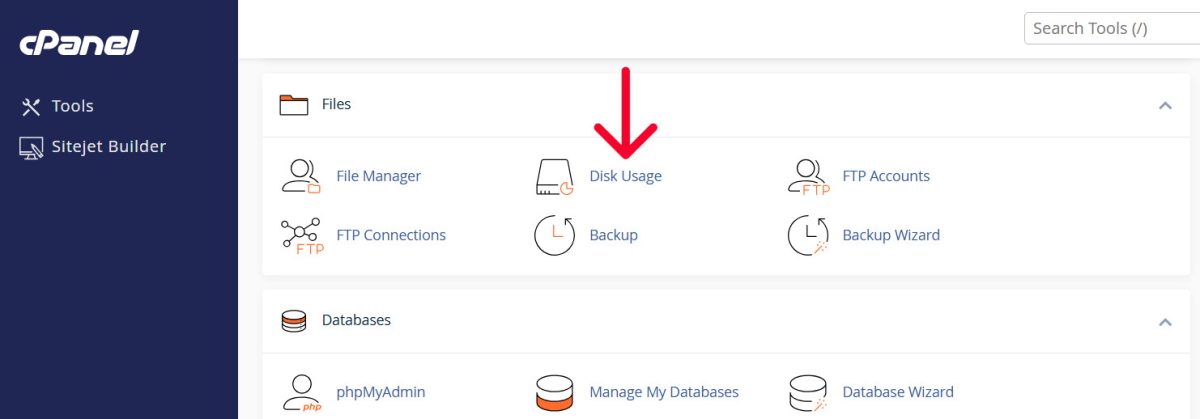
Don't guess where the space is going. Use the Disk Usage tool in
... Continue reading
Posted in Ask David!, Web Hosting
Tagged cpanel, cPanel Disk Usage tutorial, cPanel tutorial, disk space, disk space cleanup, disk usage, integrated blog vs full site, optimize website images, plugins, security, security risks, technical seo, third-party plugins, web hosting storage, website disk space, website performance optimization, WordPress bloat, WordPress storage audit
Leave a comment
The WordPress Backdoor Scandal: Why 30+ “Trusted” Plugins Just Turned Malicious

This recent security breach in the WordPress ecosystem is a massive wake-up call for website owners. A portfolio of over 30 plugins was sold to a new owner who immediately weaponized them with backdoors.
If you use UltimateWB, you are in a much safer position than the average WordPress user - and here is why.
The Attack: What Happened?
A portfolio of 30+ plugins (formerly under "WP Online Support," now "Essential Plugin") was sold on Flippa for a six-figure
... Continue readingDo you really own your WordPress website?

Popular Plugins Are Subscription-Based and SaaS - How to Get the Same Features Built-In
When you first install WordPress, it feels free, flexible, and entirely under your control.
And at the core, it is.
The Full Short Answer: Yes, you own the core open-source WordPress code and your database content. However, if your business relies on premium subscription plugins, SaaS integrations, or proprietary themes to function, your ownership is functionally compromised. If you stop paying annual licensing fees, your site
... Continue reading
Posted in Ask David!, Compare Website Builders
Tagged bloat, performance, plugin dependencies, plugins, saas, saas plugins, scripts, self-hosted websites, third-party plugins, website maintenance costs, website ownership, WooCommerce subscriptions, WordPress, wordpress plugins, WordPress scalability, WordPress updates
Leave a comment
How to Find a Website Builder with Low Maintenance Requirements

Managing a website can be time-consuming - updating content, fixing broken links, or dealing with compatibility issues can quickly become a full-time job. Choosing a website builder that minimizes maintenance can save you hours of work each week.
The key is to look for a platform with built-in features, easy updates, responsive design, and easy content management. Platforms like UltimateWB are designed around these principles, making it easy to maintain a professional, scalable website without constant upkeep.
Here’s what
... Continue reading
Posted in Compare Website Builders
Tagged automatic updates, built-in features, built-in website features, compatibility, compatibility issues, easy website management, forms, forms builder, low maintenance, low maintenance website builder, minimal website upkeep, plugins, responsive, responsive app, responsive design, responsive website design, scalable, scalable website platform, search engine optimization, security, security risks, seo, third-party plugins, website content management
Leave a comment
Which Web Browser Is the Safest to Use? Chrome vs Edge vs Firefox

When people ask which web browser is the safest, the conversation usually gets reduced to speed tests, market share, or brand loyalty. But browser safety isn’t just about how fast vulnerabilities are patched - it’s about how security and privacy are delivered.
Google Chrome, Microsoft Edge, and Mozilla Firefox are all considered secure browsers. The real difference lies in how much protection is built in by default versus how much relies on add-ons, extensions, or extra configuration.
That
... Continue reading
Posted in Computer Tips
Tagged browser comparison, browser privacy, built-in protection, chrome, Chrome vs Edge vs Firefox, Firefox privacy, google chrome, maintenance, online safety, plugins, privacy, safest web browser, security, third-party plugins, vulnerabilities, web browser security, website security
Leave a comment