


-
Recent Posts
- The “Who’s Who in America” Invitation: Real Honor or Just a Sales Funnel?
- Beat the System: Avoid Paying Website Builder Transaction Fees
- The AI Scraping Free-for-All Is Over: Welcome to the Era of Licensing (2026)
- The $10 Billion “Echo”: Why Paying Experts to Train AI Might Be a Bridge to Nowhere
- Stop Renting Your Business: Why UltimateWB Beats the Bubble “Success Tax”
- AI Hype vs. Reality: Pulling Back the Curtain on the Digital Wizard
- Webflow’s Client Seats Complicate Ownership – How UltimateWB Gives Control Back
- No, AI Did Not Secretly Build Its Own Society
- Does Google still use PageRank to rate your website?
- Does “Test Live URL” help Google index your webpage faster?
- Using a URL Shortener and Passing the SEO Link Juice
- Is TikTok Censoring Anti-Trump Content? User Complaints Lead to Investigation
- From Sidewalk Robots to Real‑World Limits: The Promise and Pitfalls of AI Deliveries
- Will AI Really Replace Junior Frontend Developers?
- Meta Descriptions Too Short? What Bing’s Warning Really Means and How to Fix It
- How to Make Your FAQ Section More Engaging for Users
- Why You Should Remove Redundant Header Tags from Your Web Pages
- What Is the IndexNow Message in Bing Webmaster Tools?
- How to Automatically Share Your WordPress Blog Posts to Instagram
- Grok AI Faces Global Backlash as App Store Removal Calls Grow – Even as the Pentagon Embraces It
Categories
- Accessibility
- Advertising
- Affiliate Programs
- Announcements
- Apps Comparison
- Ask David!
- Business
- Compare Website Builders
- Computer Tips
- Domain Names
- E-commerce
- Emails
- Facebook Application
- General
- Graphic Design
- Integration Tutorials
- Mailing List Application
- Marketing
- Photos Management
- Search Engine Optimization (SEO)
- Social Media
- Social Networking
- Software Showcase
- Technology in the News
- Traffic Statistics
- Troubleshooting
- Web Content
- Web Hosting
- Website Design
- Website Security
- Website Traffic
- WordPress Customization
Meta
Why is the cPanel traffic statistics tool called AWStats
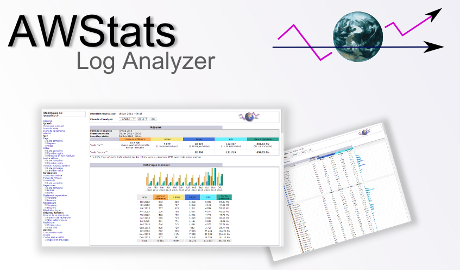
AWStats is short for "Advanced Web Statistics". It is a popular open-source analytics software designed to provide detailed insights into website traffic and usage in cPanel, and comes free with all UltimateWB web hosting plans and UltimateWB Cloud plans. The name "AWStats" reflects its advanced capabilities in analyzing web server log files and generating comprehensive statistics.
Here's why the cPanel traffic statistics tool is called AWStats:
1. Advanced Analytics: AWStats goes beyond basic traffic tracking and provides in-depth insights
... Continue reading
Posted in Ask David!, Website Traffic
Tagged advanced analytics, advanced web statistics, awstats, browser, device, entry page, exit page, geographic data, ip address, popular content, search engine keywords, traffic tracking, user agent, visitor behavior, web server log analysis, website logs
Leave a comment
How do you use visuals effectively on your website?
Using visuals effectively on your website is crucial for capturing visitors' attention, conveying information, and enhancing the overall user experience. Here are some strategies to ensure you're using visuals in a way that is engaging and impactful:
1. Align with Your Brand: Choose visuals that align with your brand's identity, values, and messaging. Consistency in colors, styles, and imagery helps reinforce your brand's
... Continue reading
Posted in Ask David!, Website Design
Tagged accessibility, branding, captions, fast-loading speed, high-quality images, stock photos, visuals, whitespace
Leave a comment
Embracing Whitespace: The Secret Ingredient to Stunning Web Design
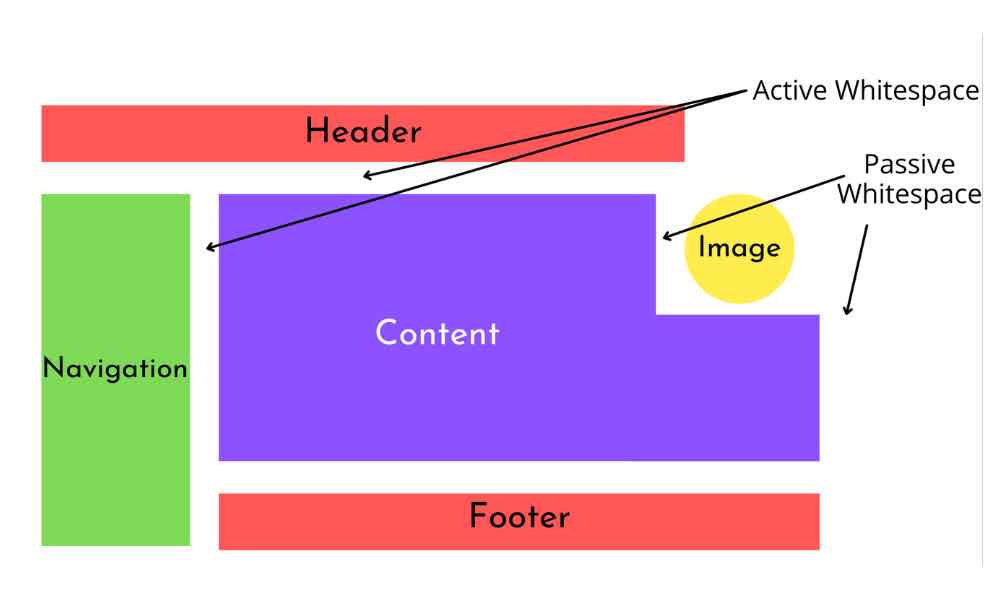
Hey there, web design enthusiasts! Today, let's dive into a topic that might seem simple, but holds immense power when it comes to crafting jaw-dropping websites – whitespace. You might call it the "breathing room" of web design, and trust me, it's not to be underestimated!
So, what's whitespace? No, it's not some invisible ink. It's the empty space between elements on a webpage. And believe it or not, it's one of the
... Continue readingWhat are some effective strategies for designing a user-friendly and visually appealing website?
Designing a user-friendly and visually appealing website requires a combination of design principles, user experience considerations, and attention to detail. Here are some effective strategies to achieve this:
1. Understand Your Audience: Know your target audience's preferences, needs, and behaviors. Tailor your design to resonate with them and provide a solution to their problems.
2. Clear and Consistent Layout: Design
... Continue readingWhat is the best way to structure an ecommerce website with lots of products and several categories/subcategories?

Structuring an e-commerce website with a large number of products and multiple categories and subcategories requires careful planning to ensure a user-friendly experience and efficient navigation. Here's a recommended approach to structuring such a website. The process is a lot easier with the UltimateWB built-in e-commerce app and its many features!
1. Clear Main Navigation: Create a top-level navigation menu that features the main product categories. Keep the menu items concise and intuitive to help users quickly identify where they
... Continue reading
Posted in Ask David!, Website Design
Tagged advanced search, breadcrumb navigation, categories, e-commerce website, fast loading times, featured products, filters, internal linking, navigation, new products, online store, performance optimization, product pages, responsive, search, seo, sitemap, subcategories, user testing, user-friendly urls, website speed, website structure
Leave a comment
What makes a website modern – and good?

A modern website is one that is designed with the latest trends in web design in mind, and incorporates the principles of good web design.
Here are some of the key elements of modern website design:
Responsive design
A responsive website will adjust its layout to fit any screen size, from desktop computers to mobile phones. This is important for ensuring that users have a good experience on all devices. UltimateWB makes this easy with the built-in Responsive app
... Continue readingWhat is web accessibility testing? Is it free or paid? What tools can be used to do accessibility testing?

Web accessibility testing is the process of evaluating a website or web application to ensure that it is usable and accessible to people with disabilities. The goal of accessibility testing is to identify and address barriers that might prevent individuals with disabilities from effectively using and navigating a website. This includes considerations for users with visual, auditory, motor, and cognitive impairments.
Web accessibility testing can be both free and paid, depending on the tools and methods you choose to use.
... Continue readingHow can you write helpful FAQs for your website?
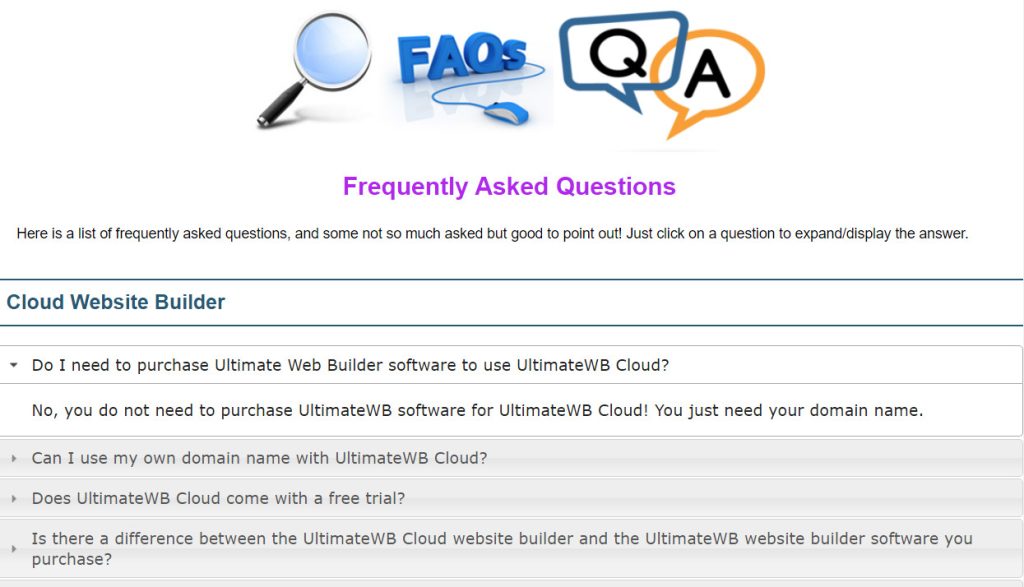
Writing helpful FAQs (Frequently Asked Questions) for your website is an excellent way to provide information to your users and address common queries. Well-structured and informative FAQs can improve user experience and reduce the need for users to contact you directly for assistance.
Here's how you can write effective FAQs:
Identify Common Questions
Start by identifying the most frequently asked questions that
... Continue readingHow can you choose web fonts that are both readable and beautiful?

Here are some tips on how to choose web fonts that are both readable and beautiful:
Consider your brand.
What kind of image do you want to project with your website? Do you want to be seen as modern and stylish, or more traditional and conservative? Your font choices can help you communicate your brand identity.
Think about the purpose of your website.
Are you trying to sell products? Provide information? Entertain? The type of content on your
... Continue reading
Posted in Ask David!, Website Design
Tagged beautiful web font, choosing web fonts, readable web font, web fonts
Leave a comment
A Deep Dive: cPanel AWStats vs. Google Analytics vs. Google Search Console Insights
In the dynamic world of web analytics, understanding your website's performance is key to success. The tools at your disposal are numerous, each offering unique insights. In this post, we'll compare three heavyweights: cPanel AWStats, Google Analytics, and Google Search Console Insights. You can use all three with UltimateWB. All UltimateWB Web hosting plans and UltimateWB Cloud plans come with cPanel and AWStats included free!
Let the battle of the analytics commence!
cPanel AWStats:
Pros:
- Server-Side Analytics: AWStats operates on
Posted in Website Traffic
Tagged awstats, cpanel awstats, google analytics, google search console insights
Leave a comment