


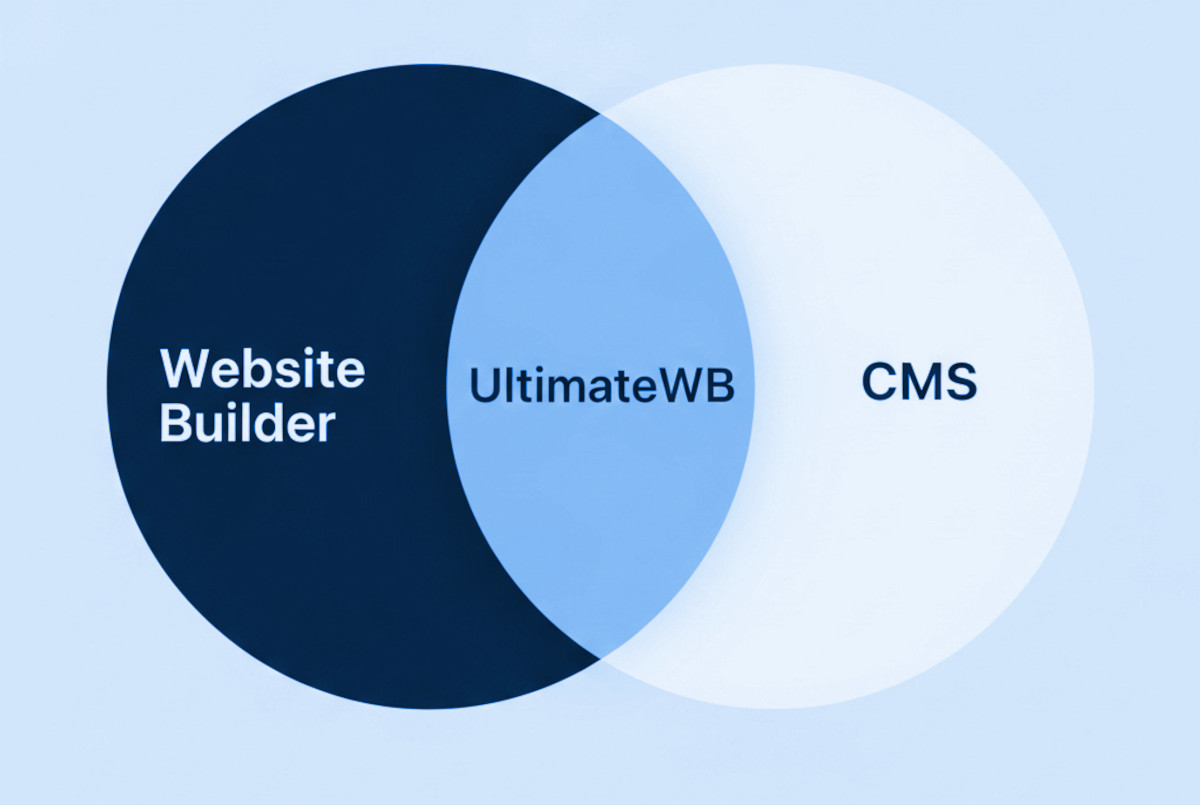
If you’re researching how to create a website, you’ve probably come across the terms “website builder” and “CMS” (Content Management System). Many people think a website builder and a CMS are completely different – and in the way these terms are used in marketing, they usually are. But in reality, a CMS is a type of website builder, and some website builders (like UltimateWB) are also full CMS platforms.
Think of it like squares and rectangles:
- All CMS platforms are technically website builders, because they help you create and manage a website without coding every page from scratch.
- But not all website builders are CMSs – some are limited tools that can only create a basic site without advanced content management features.
A true CMS lets you store, organize, and update your site’s content dynamically – like blog posts, e-commerce products, or event listings. Some website builders, like UltimateWB, combine the best of both worlds: the ease of a no-code-required website builder with the power of a full CMS.
Let’s break down the differences, the overlap, and how to choose the right platform for your needs.
What Is a Website Builder?
A website builder is software that lets you build a website without manually writing HTML, CSS, or JavaScript. Most have drag-and-drop editors, templates, and built-in hosting so you can get online quickly.
Examples of website builders: UltimateWB, Wix, Squarespace, Weebly, and Shopify.
Advantages of Website Builders:
- Beginner-friendly – no coding required.
- Fast setup with ready-to-use templates.
- Hosting and technical maintenance often included.
- Great for small businesses, portfolios, and personal websites.
Limitations of Website Builders That Are Not CMSs:
- May lack advanced customization.
- Often lock you into their platform.
- Usually require ongoing monthly fees.
- Not designed for large or complex websites.
What Is a Content Management System (CMS)?
A Content Management System is a type of website builder that goes further – it not only helps you create a website, but also manage large amounts of content easily. Instead of editing every page manually, you add or update content in one place and the CMS displays it dynamically across your site.
Examples of CMS platforms: UltimateWB, WordPress, Joomla, and Drupal.
Advantages of CMS Platforms:
- Highly customizable with themes and plugins – or just with the built-in features offered from itself like within UltimateWB, or custom code.
- Ideal for complex websites like blogs, online stores, and membership sites.
- Centralized content management saves time.
- Full control over your data and hosting (especially with self-hosted options like UltimateWB).
Possible Drawbacks of Some CMS Platforms:
- Steeper learning curve for beginners.
- Some require separate hosting and manual updates.
- Security and maintenance may be your responsibility.
UltimateWB: A Website Builder and CMS in One
Most “easy” website builders aren’t CMS platforms, and most CMS platforms aren’t beginner-friendly. UltimateWB is both – giving you:
- CMS power to manage blogs, e-commerce, classifieds, directories, events, forums, social sharing, and more.
- Website builder simplicity with built-in customization options and no coding required (unless you want it).
- No required monthly platform fees and no lock-in – you own your site. We do have Cloud plans for those who want to rent their website…you can easily upgrade later and buy the website builder.
- Web hosting choice: You can choose to host your website on UltimateWB for a full-service experience – free install and updates service, free SSL, custom email, traffic statistics, all on a blazing fast web server. Or you can choose to host on your own server.
- Built-in speed, SEO optimization, and full customization.
Website Builder vs. CMS: How to Choose the Right One
Ask yourself these questions:
| Question | Basic Website Builder | CMS Only | Both (UltimateWB) |
|---|---|---|---|
| Do I want to create a website quickly without coding? | ✅ Yes | ❌ Harder for beginners | ✅ Yes |
| Do I need advanced content management? | ❌ No | ✅ Yes | ✅ Yes |
| Do I want web hosting included? | ✅ Usually | ❌ Usually no | ✅ Yes |
| Do I want web hosting choice? | ❌ Usually no | ✅ Yes | ✅ Yes |
| Do I want to avoid ongoing platform fees? | ❌ Often no | ✅ Possible | ✅ Yes |
| Do I need extensive customization? | ❌ Limited | ✅ Yes | ✅ Yes |
Final Thoughts: Is a Website Builder or CMS Best for You?
Here’s the takeaway:
- A basic website builder is quick and easy but may limit your growth.
- A CMS is powerful and scalable but can be harder for beginners.
- UltimateWB gives you both – the simplicity of a website builder and the flexibility of a CMS, all in one package.
If you want an SEO-friendly, fast, customizable website builder with full CMS capabilities and no monthly platform fees, UltimateWB is the best choice.
FAQ: Website Builder vs. CMS – What People Actually Ask
Can a CMS work without a website builder?
Technically, yes – but it’s far less convenient. Without website-building tools, you’d need to code layouts and design elements manually. That’s why most modern CMS platforms, like UltimateWB, include built-in site-building features.
Which is better for SEO – a website builder or a CMS?
It depends on the platform. Many basic website builders have limited SEO tools, while most CMS platforms offer more control over meta tags, URLs, and site speed. UltimateWB is designed with SEO in mind, combining CMS flexibility with built-in optimization features.
Can I start with a website builder and switch to a CMS later?
Yes, but it’s not always smooth – you may need to rebuild or migrate content manually. Starting with a platform like UltimateWB that’s both a website builder and CMS avoids this problem entirely.
Do CMS platforms require coding?
Not necessarily. Many CMS platforms, including UltimateWB, allow you to create and manage websites without coding. But if you know how to code, you can fully customize beyond standard options.
Why do some website builders have ongoing monthly fees?
Most hosted website builders bundle hosting, features, and proprietary tools into a subscription model. With UltimateWB, you can pay once for the software and use your own hosting, giving you full ownership without recurring platform fees.
Can I use a CMS for e-commerce?
Absolutely. Many CMS platforms – including UltimateWB – have built-in tools for online stores, payment gateways, inventory management, and more.
✅ Get Started with UltimateWB – the best website builder and CMS in one. Build your dream website today.
Check out the UltimateWB full-service web design packages if you would like your website designed and built for you.
Got a techy/website question? Whether it’s about UltimateWB or another website builder, web hosting, or other aspects of websites, just send in your question in the “Ask David!” form. We will email you when the answer is posted on the UltimateWB “Ask David!” section.