


Simple HTML structure tips that can help your site rank better – no coding required
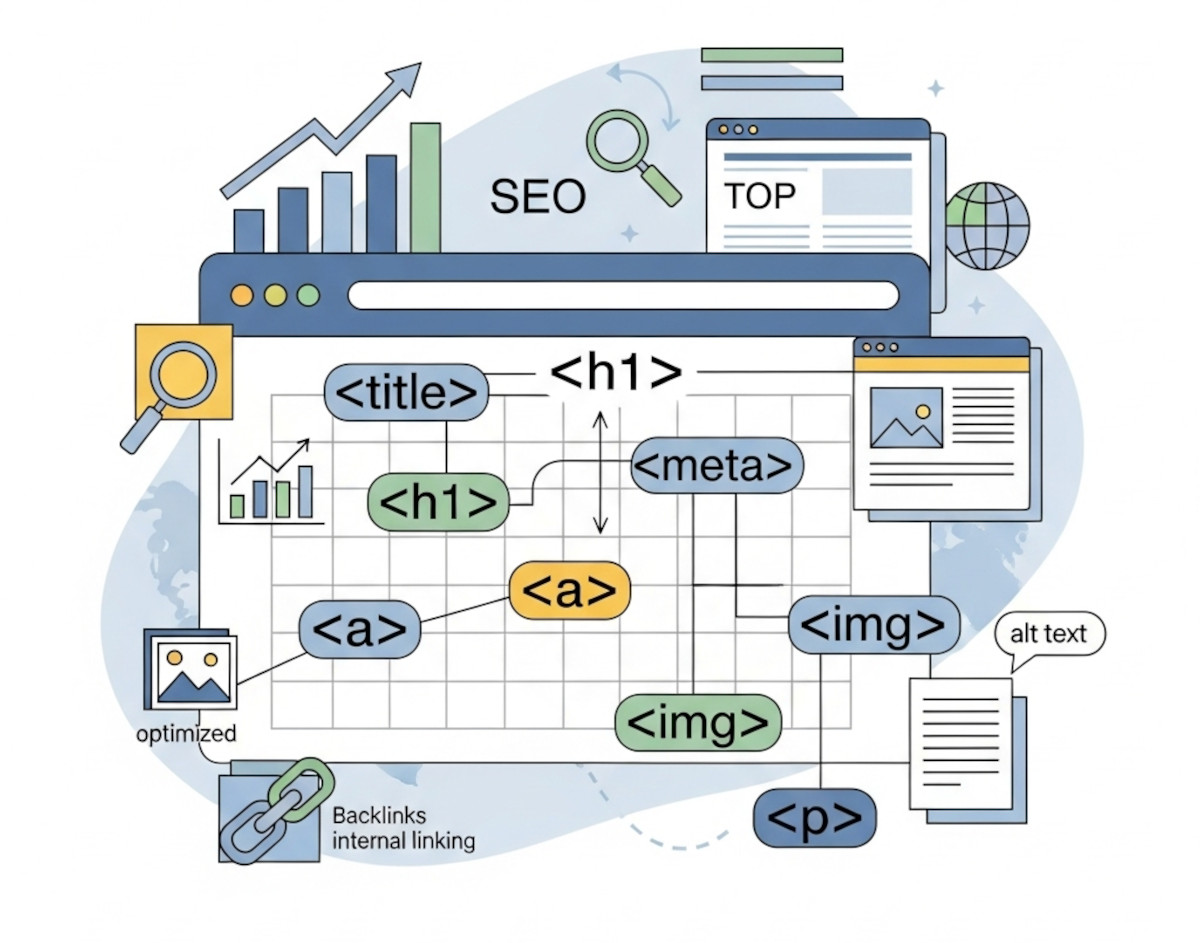
When it comes to SEO, most people think about keywords, backlinks, and blog content. But one of the most overlooked factors behind how your site ranks is the HTML structure.
Even if you’re using a website builder like UltimateWB and never write a line of code, the way your HTML is set up still matters – a lot. The awesome thing is that UltimateWB can take the weight of it off your shoulders and take care of it for you.
Here’s what you need to know about how HTML affects SEO, and how to make sure your website is structured for success.
🧱 Why HTML Matters for SEO
HTML is the foundation of every webpage. It tells search engines what’s on the page, how it’s structured, and which content is most important.
If your HTML is clean and semantically correct, search engines can better understand your site – which means better indexing, better rankings, and better user experience.
And here’s the good news: with UltimateWB, you don’t have to write HTML to benefit from good structure. The CMS and visual editor generate clean HTML automatically — and you can still customize it if you want to.
Read: Valid HTML Isn’t OCD – It’s Smart SEO, Accessibility, and Professionalism
🔑 Key HTML Elements That Impact SEO
Let’s break down the most important HTML tags for SEO …and how you can manage them easily with UltimateWB.
✅ <title> — The Most Important Tag for SEO
Your page’s <title> tag appears in search engine results and in the browser tab. It tells search engines what the page is about – and it’s one of the first things Google looks at.
Why it matters:
- Helps search engines understand your content
- Shows up in search results (click-through impact)
- Must be unique for each page
How to do it in UltimateWB:
On the Add/Edit Page, you can enter a clear, keyword-rich title in the Title field – yay CMS!
Read: Boost Website Traffic! How to Write Title Tags & Summaries
Should you capitalize every word in your blog titles? Here’s what actually works best
✅ <meta name="description"> — For Better Clicks
The meta description doesn’t affect rankings directly, but it’s important for encouraging people to click your result in search engines.
Why it matters:
- Shows up as the snippet below your link in Google
- Can increase click-through rate (CTR)
How to do it in UltimateWB:
On the Add/Edit Page, use the Meta Description field to add a compelling, informative summary. Another win for the CMS – no plugins necessary!
✅ Headings: <h1>, <h2>, <h3>, etc.
Headings organize your content for both readers and search engines.
Why it matters:
- Helps Google understand the page’s topic
<h1>is your main page heading — there should only be one- Use
<h2>,<h3>, etc., to structure subtopics
How to do it in UltimateWB:
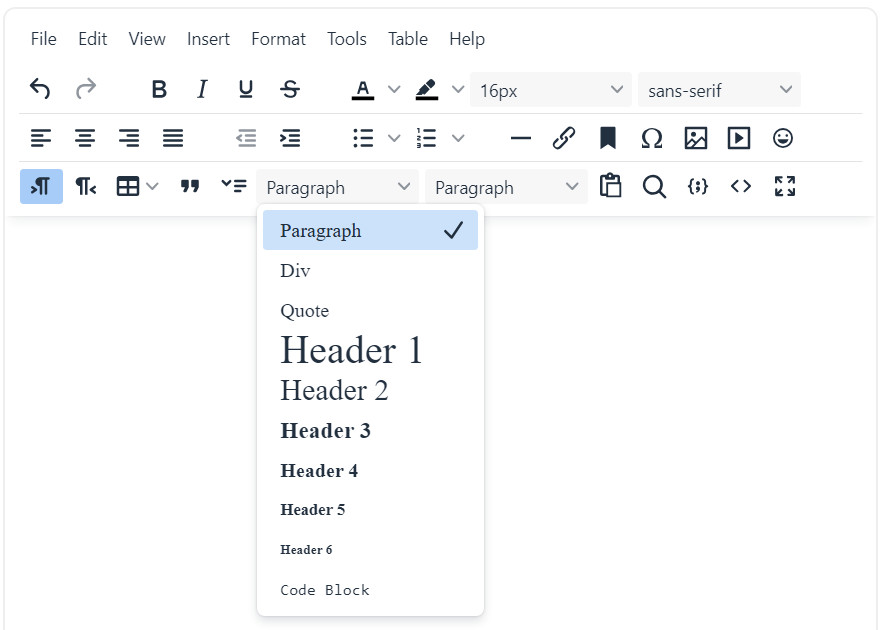
On the Add/Edit Page, use the Page Editor to apply heading formats. You don’t need to know the tag names – the editor handles that for you.
Read: Why an H1 Shouldn’t Come After an H3 – And Why It Matters for SEO and Accessibility
✅ <a href> — Internal and External Links
Search engines follow links to understand relationships between pages and pass authority between them.
Why it matters:
- Internal links help Google crawl your site
- Descriptive anchor text improves SEO
- External links to high-quality sources build trust
How to do it in UltimateWB:
Use the link button in the editor to add links – and make sure your anchor text is descriptive (not just “click here”).
✅ <img> + alt – Don’t Skip Image SEO
Every image on your site should have an alt attribute describing what it is.
Why it matters:
- Helps with accessibility
- Boosts image search rankings
- Adds context for Google when images don’t load
How to do it in UltimateWB:
When uploading images, you’ll see a field to add Alt Text – just describe what’s in the image using relevant keywords where appropriate.
✅ <strong>, <em> – Show What’s Important
These tags – bold and italic – emphasize text – and search engines take the hint.
Why it matters:
- Highlights important keywords
- Slight SEO weight for emphasized content
How to do it in UltimateWB:
Use the bold and italic buttons in the Page Editor.
✅ Semantic Tags: <nav>, <header>, <footer>, <section>, <article>
These tags give your page semantic structure – meaning, they tell Google the purpose of different sections.
Why it matters:
- Helps search engines understand layout
- Improves accessibility and SEO
How to do it in UltimateWB:
These are built into the layout templates and theme structure. You don’t need to add them manually, but UltimateWB gives you the option to customize them, and if you want to edit/view the html, just click on the HTML code button in the Page Editor.
❌ What Bad HTML Can Do to Your SEO
Even if your content is great, poor HTML can sabotage your search performance:
- Missing or duplicate
<title>/<meta>= Confused rankings - No
<h1>or too many = Unclear page structure - Broken tags = Crawling issues
- Too many
<div>s without purpose = Low semantic value - No alt text = Lost image search visibility
With UltimateWB, these issues are easy to avoid. The platform gives you clean, semantic structure by default — no plugins or extra tools needed.
💡 Bonus: Add Structured Data with HTML
If you want to take your SEO a step further, structured data (via JSON-LD in <script> tags) can unlock rich results in Google – like FAQ boxes, reviews, product details, and more.
How to add it in UltimateWB:
As of UltimateWB 8.5, you can paste your page-specific coding for the page’s head or body (beginning of the body tag and bottom) directly. Use the built-in Ad(d)s App when you need to paste something sitewide, like for Google Analytics.
Example:
html<script type="application/ld+json">
{
"@context": "https://schema.org",
"@type": "FAQPage",
"mainEntity": [{
"question": "Does HTML affect SEO?",
"answer": "Yes. HTML structure helps search engines understand your page."
}]
}
</script>
You can ask ChatGPT or Gemini to write it for you - just feed it your text.
✅ Final Takeaway
You don’t need to know how to code to have SEO-friendly HTML. But if your HTML is structured poorly – or missing the basics – your rankings can suffer.
With UltimateWB, your site is built on clean, modern HTML by default. But when you understand which tags affect SEO and how to use them, you can:
- Optimize your pages more effectively
- Communicate better with developers
- Catch and fix SEO problems faster
HTML is more than code – it’s how search engines read your site. And with the right setup, it becomes your SEO ally.
Semantic HTML Cheat Sheet
Who doesn’t love a good cheat sheet?! Here’s a quick HTML cheat sheet you can bookmark or refer to when writing clean, semantic HTML – even if you’re not writing the code yourself, it’s good to understand the structure UltimateWB sets up for you.
🧱 Layout / Structure
<header>: Intro section (often contains logo, nav, site title)<nav>: Navigation links<main>: Main content unique to the page (one per page)<section>: Thematic group of content (use a heading inside!)<article>: Self-contained, reusable content (blog post, news story)<aside>: Tangential content (sidebars, pull quotes, etc.)<footer>: Footer for a section or entire page
📝 Content Tags
<h1>to<h6>: Headings (use only one<h1>per page ideally)<p>: Paragraph<ul>,<ol>,<li>: Lists (unordered/ordered)<blockquote>: Long quotes<q>: Inline quotes<pre>: Preformatted text (preserves whitespace)<code>: Inline code<strong>: Important text (bold)<em>: Emphasized text (italic)
🔗 Media & Embeds
<img>: Image<figure>+<figcaption>: Image + caption<video>,<audio>: Media content<iframe>: Embedded external content (YouTube, forms, etc.)
🧩 Forms & Inputs
<form>: Form wrapper<input>,<textarea>,<select>,<button>: Input controls<label>: Label for a form input (accessible)
💡 Bonus: Accessibility & SEO Tips
- Use descriptive
altattributes on images. - Use headings in logical order (
<h1>→<h2>, not<h1>→<h4>). - Use
<section>with a heading for logical content blocks. - Avoid excessive
<div>s (a.k.a. div soup). Use semantic tags when possible. - Structure code clearly — clean HTML improves SEO and screen reader accessibility.
Ready to design & build your own website? Learn more about UltimateWB! We also offer web design packages if you would like your website designed and built for you.
Got a techy/website question? Whether it’s about UltimateWB or another website builder, web hosting, or other aspects of websites, just send in your question in the “Ask David!” form. We will email you when the answer is posted on the UltimateWB “Ask David!” section.