


Why Speed Matters More Than Ever in 2025
Website speed can make or break your online success. Studies show that 53% of visitors leave a site that takes longer than 3 seconds to load, and faster sites rank better in Google search results. If your website isn’t blazing fast, you’re losing customers – plain and simple.
But how do you build a site that loads in under 1 second? Many turn to plugins and add-ons to speed things up – caching plugins, image optimizers, and minifiers – but those can add complexity and sometimes slow your site down more.
In this post, we’ll explore proven strategies to build an ultra-fast website without relying on plugins, and how UltimateWB helps you achieve this easily.
1. Keep It Simple: Minimize External Dependencies
Every extra plugin, script, or third-party service adds HTTP requests that slow down your load time. Popular platforms like WordPress often require multiple plugins for caching, SEO, image compression, and more – adding overhead and bloat.
UltimateWB’s architecture is built from the ground up with performance in mind. It includes:
- Optimized, lightweight code
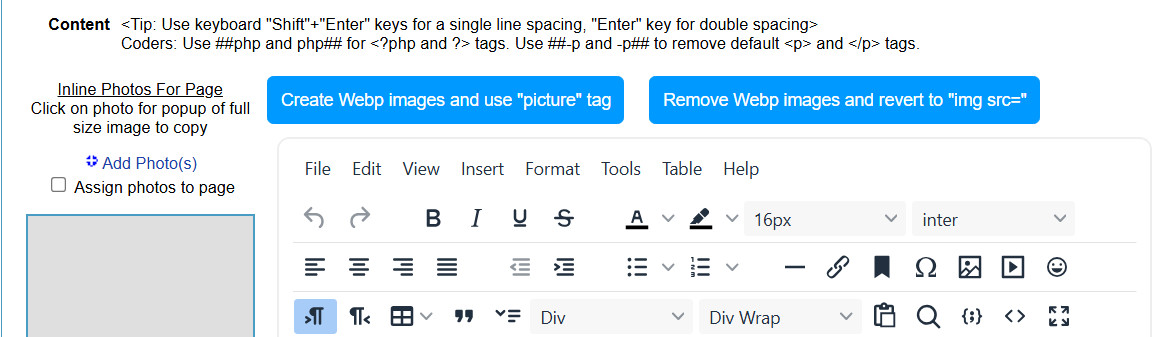
- Native support for image optimization with an easy WebP converter integrated directly into the page content areas and Styles Manager
…and these features are all built-in – no need to install or configure extra plugins.
Related: Why Avoiding Third-Party Plugins Makes Your Website Faster, Safer, and Easier to Manage
2. Efficient Code Means Faster Loading
Bloated themes, bulky JavaScript, and heavy CSS files can kill site speed. UltimateWB’s templates and core system focus on clean, minimal code that loads quickly on any device.
What makes the difference isn’t just what UltimateWB leaves out – it’s how well the code is written to begin with. The system avoids bloated frameworks and unnecessary wrappers, using efficient, standards-based markup that browsers can parse and render quickly.
CSS and JavaScript are organized for performance, not cluttered with overrides or redundant styles. The result is faster page rendering, better scores in tools like Google PageSpeed Insights, and less strain on both your server and your users’ devices.
3. Use Native Features Instead of Plugins
For things like photo galleries, slideshows, contact forms, and member areas, UltimateWB provides native, optimized modules that are built into the system.
That means no external plugins slowing down your site. Plus, since everything is integrated, compatibility issues and security risks are reduced.
4. Host on Fast, Reliable Servers
Website speed also depends heavily on hosting quality. UltimateWB supports flexible hosting choices – whether you prefer managed hosting or your own VPS, the platform works seamlessly.
Choosing a fast hosting provider close to your audience combined with UltimateWB’s efficiency gets you to that coveted sub-1-second load time.
5. Optimize Images and Media Effortlessly
Large images are a top culprit in slow load times. UltimateWB’s built-in bulk image uploader automatically optimizes files for web use, reducing file size without sacrificing quality. The easy-to-use WebP converter lets you serve modern, compressed images right from the page content areas and Styles Manager – no extra tools required.
UltimateWB vs WordPress: Speed Without the Hassle
WordPress users often rely on multiple plugins to speed up their sites, creating maintenance headaches and slower load times due to plugin conflicts or updates.
With UltimateWB, speed is baked into the core:
- No plugin dependency = fewer updates and conflicts
- Lightweight code base = faster rendering
- Built-in image optimization = improved performance
- Full control to customize only what you need
Final Tips for Building Your Super-Fast Website
- Use a minimalist design – avoid unnecessary animations or scripts
- Compress images before uploading (UltimateWB helps here!)
- Consider browser caching and content delivery networks (CDNs) if necessary (we don’t find it required with UltimateWB)
- Regularly test your site speed with tools like Google PageSpeed Insights or GTmetrix
Ready to build your lightning-fast website with UltimateWB?
Discover how UltimateWB’s streamlined design and built-in features help you build beautiful, blazing-fast websites without the plugin clutter. Explore UltimateWB versions now!
Related Resources
Got a techy/website question? Whether it’s about UltimateWB or another website builder, web hosting, or other aspects of websites, just send in your question in the “Ask David!” form. We will email you when the answer is posted on the UltimateWB “Ask David!” section.