


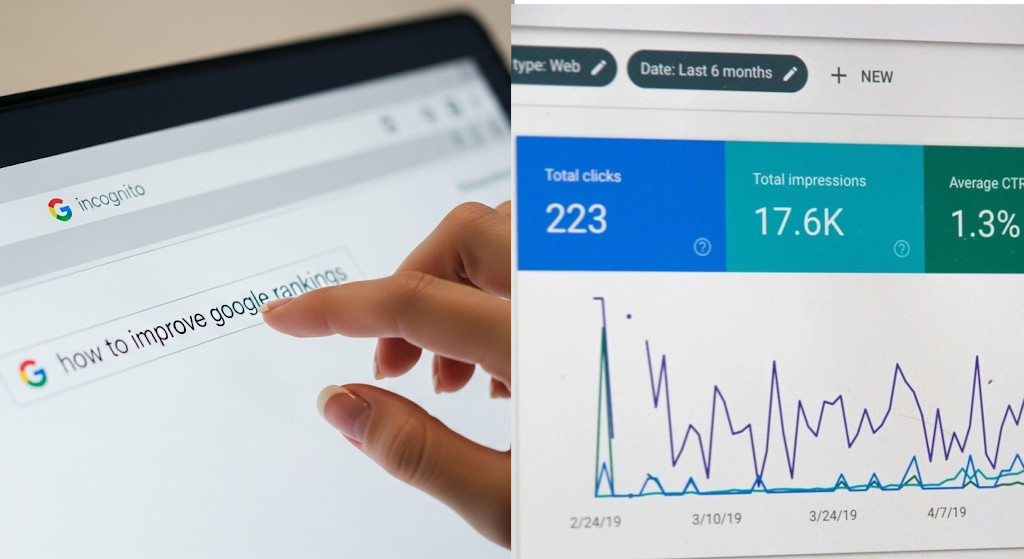
If you’ve published a web page or blog post, knowing how it’s performing in search engines is key to improving traffic and SEO. Fortunately, there are several ways to check your ranking. This guide will walk you through the most effective methods.
1. Use Google Search to Check Rankings: Manual Tracking
The simplest way to see how your web page or blog post is performing is to search for it directly. This also allows you to track rankings over time:
- Open an incognito or private browsing window to avoid personalized search results.
- Enter a specific phrase from your web page or blog post in quotes. For example: “Is publishing articles on my company page on LinkedIn good for SEO?“
- Review the search results to see if your post appears and note its position.
- Repeat for your target keywords and record the positions regularly to monitor trends.
Tips:
- Try multiple variations of your target keywords to see where your page ranks for different search queries.
- Track rankings weekly or monthly to understand trends over time.
- Check results from different devices or locations if your audience is global.
- Compare manual tracking results with Google Search Console data for a fuller picture.
Related: Why Your Website Ranks Higher in Your Own Searches – But Not for Others
2. Use Google Search Console for Detailed Insights
Google Search Console (GSC) provides reliable, data-driven insights about how your web pages or blog posts are performing. Here’s how to check a specific page:
- Open Google Search Console and select your website property.
- Go to the Performance report in the left-hand menu.
- Click “+ Filter” → “Page”. (In GSC, this filter is called “Page,” but it refers to your specific web page or blog post.)
- Enter the exact URL of your page or post and select “Equals”.
- The report will now show data only for that page:
- Average Position: The average ranking of your page for queries it appears in.
- Clicks: How many people clicked on your link from search results.
- Impressions: How many times your page appeared in search results.
- Click-Through Rate (CTR): Percentage of impressions that resulted in clicks.
Pro Tips:
- Analyze which keywords your page is ranking for by switching to the “Queries” tab. This can reveal opportunities to optimize your content.
- Monitor trends over time to see if rankings improve after updating or promoting your page.
- Compare your CTR to your average position; a low CTR for a top-ranking page may indicate your title or meta description needs improvement. ….Or it just might be that people are getting what they need from the AI snippets at the top and don’t need to click on your link.
3. Use SEO Tools for Comprehensive Analysis
Professional SEO tools can give you deeper insights into your web page or blog post performance:
- Ahrefs, SEMrush, Moz, or Ubersuggest: Enter your URL to see:
- Keyword rankings
- Estimated organic traffic
- Backlinks pointing to your page
- Competitor comparisons
Tips:
- Track your page’s performance over time to spot trends or seasonal changes.
- Identify keywords with potential to improve ranking and update your content accordingly.
Related: Why Organic Traffic Is the Best Kind of Traffic (And How to Get More of It)
Can You Increase Organic Traffic Without Building Backlinks? Yes – Here’s How
How to Leverage Broken Link Building to Get High-Quality Backlinks for Your Website
What is the best strategy to get high-quality SEO backlinks?
Bonus Tips for Accurate Ranking Checks
- Clear Cache and Incognito Mode: Prevent personalized results from affecting rankings.
- Track Mobile vs. Desktop Rankings: Search engines sometimes rank pages differently on mobile.
- Monitor Featured Snippets: Your page might appear in a snippet even if it’s not #1.
- Use Analytics Together: Pair ranking checks with Google Analytics to see actual traffic impact.
Related: How to Clear Your Internet Browser Cache on Desktop and Mobile
Is It a Joke to Ask Google to Pay for AI Overviews and Zero-Click Content? Not Really.
Conclusion
Checking how your web page or blog post is ranking is essential for improving SEO and guiding content strategy. While Google Search gives a quick view, Google Search Console and SEO tools provide in-depth, actionable insights. Regularly tracking your rankings and analyzing keyword performance ensures your content continues to attract traffic and deliver value to your audience.
Bonus bonus tip: Why You Should Be Using Bing Webmaster Tools (Even If You’re Already on Google Search Console)
Ready to design & build your own website and build all that organic traffic? Learn more about UltimateWB! We also offer web design packages if you would like your website designed and built for you.
Got a techy/website question? Whether it’s about UltimateWB or another website builder, web hosting, or other aspects of websites, just send in your question in the “Ask David!” form. We will email you when the answer is posted on the UltimateWB “Ask David!” section.