


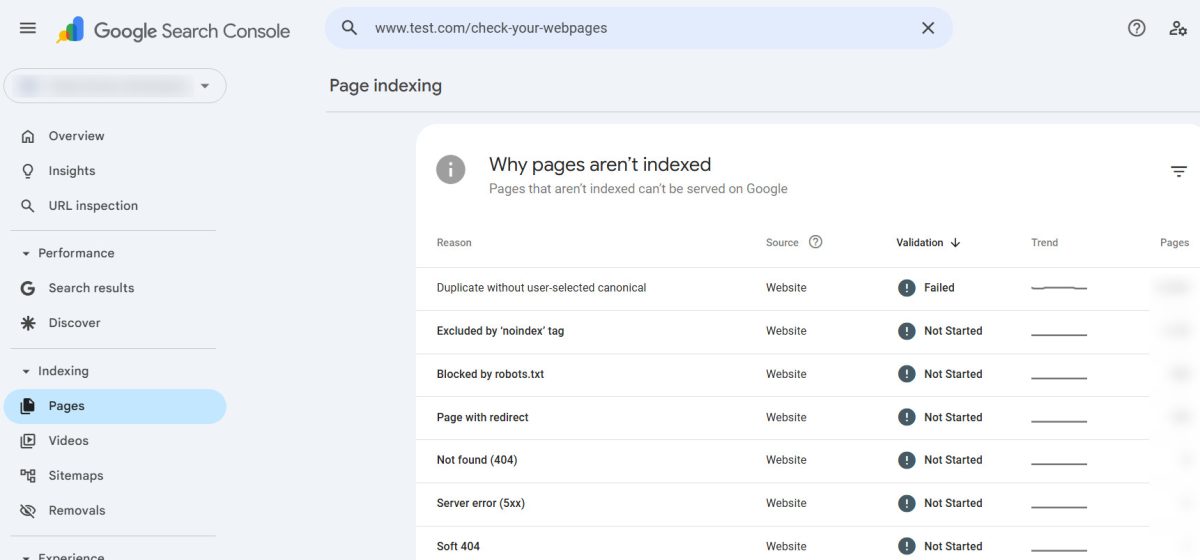
Seeing your indexed pages drop in Google can feel like your website is quietly disappearing.
One day everything looks stable… the next, your index count is down – and you’re left wondering if your rankings are about to follow.
If you’re asking “Why have my indexed pages on Google decreased?”, here’s the reality:
This is common – but it’s not random.
Google doesn’t just “lose” pages. When your indexed count drops, it’s almost always the result of a decision being made – either by your content, your technical setup, or Google’s evolving standards.
And in many cases, it’s fixable.
Let’s break down what’s actually happening – and how to take control of it.
First: Verify the Drop (Don’t Guess)
Before jumping to conclusions, make sure you’re looking at the right data.
Inside Google Search Console, there are two key numbers:
- Indexed pages
- Submitted pages (via sitemap)
A drop in indexed pages doesn’t always mean a problem. Sometimes:
- Google is cleaning up duplicates
- Pages were never truly valuable
- Or indexing is just fluctuating
What’s normal vs. a red flag?
- ✅ Small fluctuations → normal
- ⚠️ Gradual decline → possible quality or crawl issue
- 🚨 Sharp drop → investigate immediately
If your indexed pages dropped suddenly and significantly, that’s when you dig deeper.
Related: How to Set Up Google Search Console for Your Website: A Step-by-Step Guide
How to Submit a Sitemap to Google Search Console: A Step-by-Step Guide
The 5 Real Reasons Your Indexed Pages Decreased
Let’s go beyond surface-level explanations and get into what actually causes this.
1. Google Is Consolidating Your Content
Google’s goal is simple: show the best version of a page – not every version.
If your site has:
- Similar blog posts targeting the same keywords
- Duplicate or near-duplicate pages
- Thin variations of the same topic
Google may choose one page to index – and drop the rest.
This is called canonicalization, and it’s not a penalty.
It’s Google saying:
“These pages are competing with each other. I’ll pick the strongest one.”
How to confirm this:
- Pages are marked as “Duplicate, Google chose different canonical” in Search Console
- Similar titles, URLs, or content across pages
How to fix it:
- Merge overlapping content into one stronger page
- Use canonical tags properly
- Differentiate pages with unique intent
Pro tip:
More pages ≠ better SEO.
Better pages = better SEO.
Related: Keyword Cannibalization: Real SEO Issue or Overblown Myth?
What are “thin pages,” and how can they hurt your On-Page SEO?
2. Google’s Quality Threshold Has Shifted
This is the one most people underestimate.
Google is constantly raising the bar – and what used to be “good enough” often isn’t anymore.
Pages that tend to get dropped:
- Thin content (low depth, low value)
- AI-generated filler with no originality
- Repetitive or outdated information
- Pages with little engagement or relevance
Related: Phrases That Instantly Make Writing Sound AI-Generated
Signs Your Website Content Is Too Focused on Keyword Targeting
Google would rather index:
10 strong, useful pages
than
100 weak, generic ones
How to confirm this:
- Pages are marked as “Crawled – currently not indexed”
- No manual penalties, but still not indexed
How to fix it:
- Expand content with real insights and depth
- Remove or merge low-value pages
- Focus on originality + usefulness, not just keywords
Reality check:
If your content looks like everyone else’s… Google has no reason to keep it indexed.
Related: How to Optimize Your Website for Both Search Engines and Users
What Makes Your Website Content “High-Quality Content”? We Spill the Tea!
3. Technical Crawl Issues (The Silent Killer)
Sometimes, it’s not your content – it’s your infrastructure.
If Googlebot struggles to access your site, it may:
- Crawl fewer pages
- Drop previously indexed ones
- Reduce trust in your site’s reliability
Common issues include:
🚫 Robots.txt mistakes
Blocking important directories by accident
🐌 Slow server response
If your site is slow or times out, Google backs off
❌ Noindex tags
Sometimes added unintentionally during updates
🔄 Redirect issues
Broken or looping redirects confuse crawlers
Related: Google Algorithm Penalties Explained: What They Are, Why They Happen, and How to Recover
How to confirm this:
- Crawl stats drop in Search Console
- Coverage errors increase
- Pages show as “Discovered – currently not indexed”
How to fix it:
- Audit your robots.txt file
- Check page headers for noindex tags
- Improve server speed and uptime
- Fix broken links and redirects
Related: What techniques do you use to improve website crawlability and indexability?
Does Faster Website Speed Increase Googlebot Crawl Frequency?
4. You (or Your System) Pruned Content
Not all drops are bad.
If you’ve:
- Deleted old blog posts
- Removed outdated product pages
- Cleaned up tag/category clutter
Then a drop in indexed pages is actually a sign of improvement.
This is called content pruning – and it’s one of the most effective SEO strategies when done right.
Why it helps:
- Removes low-value pages
- Improves overall site quality
- Focuses ranking power on stronger content
The mistake to avoid:
Deleting pages without:
- Redirecting them
- Updating internal links
- Cleaning up your sitemap
Related: Does Google have a 410 redirect budget?
When do you use a 301 redirect vs 410 redirect?
5. Your Sitemap Is Sending Mixed Signals
Your XML sitemap is supposed to guide Google.
But if it’s messy, it does the opposite.
Common sitemap issues:
- Listing URLs that return 404 errors
- Including pages blocked by robots.txt
- Not updating after content changes
- Including low-quality or duplicate pages
Related: How To Easily & Automatically Create A Sitemap For Your Website
How to confirm this:
- “Submitted URL not found (404)” errors
- Mismatch between submitted and indexed pages
How to fix it:
- Keep your sitemap clean and current
- Only include high-quality, indexable pages
- Remove outdated or invalid URLs
⚠️ Hidden Cause: Internal Search Pages Creating Duplicate Content
Here’s something most site owners completely miss – and it can quietly destroy your crawl efficiency.
Inside Google Search Console, you may start seeing URLs like this getting flagged:
/forum-category/123/... ?searchkey=seo&searchtype=...At first glance, these look like legitimate pages.
They’re not.
They’re internal search result URLs – and they’re one of the most common causes of:
- Duplicate content issues
- Wasted crawl budget
- Indexed page fluctuations
What’s actually happening
Every time someone performs a search on your site, your system generates a new URL with parameters like:
?searchkey=&searchtype=&searchauthor=
To Google, each of these looks like a new page.
But in reality?
They’re just:
Repackaged versions of your existing content
So instead of indexing your actual forum post, Google ends up crawling:
- Dozens (or hundreds) of variations of the same content
- Thin, low-value search result pages
- Endless parameter-based URLs
This creates what is essentially an infinite crawl trap.
🚫 Why This Hurts Your SEO
This isn’t just messy – it has real impact:
- Google wastes time crawling useless URLs
- Important pages get crawled less frequently
- Index count becomes unstable
- Duplicate content signals increase
And eventually…
Google starts dropping pages from the index.
✅ How to Fix It (Properly)
This is one of those rare SEO problems with a very clean solution – if you control your site.
1. Block Search Parameters in robots.txt
Stop Google from crawling these URLs in the first place.
Add rules like:
User-agent: *
Disallow: /*?*searchkey=
Disallow: /*?*searchtype=
Disallow: /*?*searchauthor=
This prevents future crawl waste.
2. (Optional) Add a Noindex Tag for Extra Control
If you want to go a step further, you can tell Google not to index search result pages at all.
This can be done by adding a noindex, follow meta tag dynamically for URLs that contain search parameters.
For example:
if (isset($_GET['searchkey']) || isset($_GET['searchtype'])) {
    echo '<meta name="robots" content="noindex, follow">';
}
This ensures that even if Google discovers these pages, they won’t appear in search results.
👉 Important:
This step is optional. In most cases, properly configuring your robots.txt file is enough to stop crawl waste and stabilize your index.
If Google has already indexed some of these pages and you would like them removed, then go ahead with the noindex fix as well, as Robots.txt just stops Google from crawling – not indexing. With UltimateWB, you can add this PHP code block to your header, via the Ad(d)s app.
3. Clean Up Your Sitemap
Make sure your sitemap:
- Does NOT include parameter-based URLs
- Only lists clean, canonical pages
If you are using UltimateWB and the built-in Sitemap Generator, you do not have this issue as it automatically only lists clean, canonical URLs.
And moreover…
💡 If You’re Using UltimateWB Full
This is where having full control actually matters.
You can:
- Directly edit your
robots.txt - Modify your PHP header logic
- Fully control how search pages are handled
👉 Important:
If you’re using UltimateWB Full, download a recent copy of your robots.txt file if yours do not include the rules above, and you are using the built-in Forums app.
Why Platform Choice Matters More Than You Think
This is where many site owners hit a wall.
If your platform limits:
- Technical SEO access
- Performance optimization
- Structural control
Then every fix becomes harder than it should be.
A well-built site should give you:
- Full control over metadata and indexing
- Clean, efficient code output
- Fast performance without workarounds
- Flexible content structure
Because at the end of the day:
SEO isn’t just about content.
It’s about control.
Final Takeaway
A drop in indexed pages isn’t something to panic over – but it is something to understand.
Because once you understand it, you can control it.
Most websites lose indexed pages because they:
- Create too much low-value content
- Ignore technical SEO
- Rely on platforms that limit control
The sites that grow consistently do the opposite.
They:
- Focus on quality over quantity
- Maintain clean, efficient structures
- Stay in control of how search engines interact with their content
And that’s the difference between chasing SEO…
…and actually owning it.
Related: Can Technical SEO Issues Trigger HCU Penalties? Here’s What You Should Know
Monitoring and Improving Website Performance After a Core Web Vitals Update
FAQ: Indexed Pages Dropping
Why did my indexed pages drop suddenly?
Usually due to:
- Algorithm updates
- Technical issues
- Large-scale content changes
Is it bad if my indexed pages decrease?
Not always. If low-quality pages were removed, it can actually improve rankings.
How long does it take for pages to be reindexed?
Anywhere from a few days to several weeks, depending on:
- Site authority
- Crawl frequency
- Technical health
Should I resubmit my sitemap?
Yes – especially after fixing issues or making major updates.
Related: Why Organic Traffic Is the Best Kind of Traffic (And How to Get More of It)
What’s the Best Website Builder for SEO?
Ready to design & build your own awesome website that Google wants to crawl and index? Learn more about UltimateWB! We also offer web design packages if you would like your website designed and built for you.
Got a techy/website question? Whether it’s about UltimateWB or another website builder, web hosting, or other aspects of websites, just send in your question in the “Ask David!” form. We will email you when the answer is posted on the UltimateWB “Ask David!” section.