


Popular Plugins Are Subscription-Based and SaaS – How to Get the Same Features Built-In
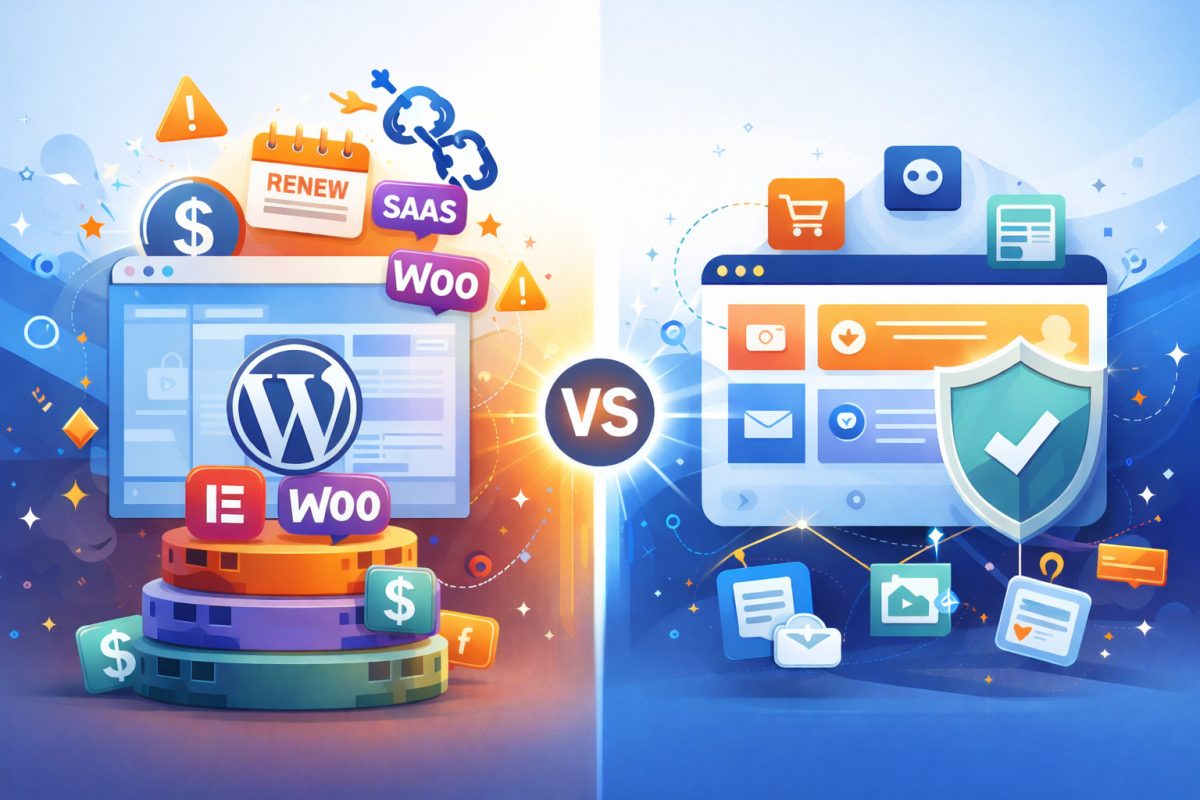
When you first install WordPress, it feels free, flexible, and entirely under your control.
And at the core, it is.
But as soon as you try to build a modern, full-featured website – memberships, forms, email lists, ecommerce, community features – you quickly discover something most people don’t realize at the start:
WordPress itself is only the foundation. Everything else comes from add-ons.
Many of those add-ons aren’t just plugins – some are subscription-based SaaS, meaning you must keep paying to maintain certain features. Others are server-based plugins with yearly licenses. These typically continue running if you stop paying, but no longer receive updates, security fixes, or compatibility guarantees – meaning they may eventually break as WordPress core evolves.
This post breaks down a realistic WordPress plugin stack, what it typically costs per year, and why some site owners are rethinking whether this model truly feels like ownership.
The Typical WordPress Plugin Stack (Real-World Setup)
To match the built-in feature set of a platform like UltimateWB, a WordPress site usually combines multiple premium plugins, often with annual renewals. And much like discussed in our blog post regarding hosted website builders, “Navigating Costs: The Transparency of Website Builders and Hidden Fees”, some of these annual plugin renewals cost twice as much after the first year.
⚠️ Pricing below reflects common entry-to-mid tiers as of recent plans.
Advanced features, higher traffic, or scaling needs often require higher plans.
| Feature | Common Plugin Choice | Ongoing License | Typical Yearly Cost* |
|---|---|---|---|
| Membership & Access Control | MemberPress / Paid Memberships Pro | Yes (yearly) | MemberPress: $199.50/first year, $399/year afterwards Paid Memberships Pro: $174/first year, $347/year afterwards |
| Forms & Lead Capture | WPForms Basic / Gravity Forms | Yes (yearly) | WPForms: $49.50/first year, $99/year afterwards Gravity Forms: $59/year |
| Email Lists & Campaigns | Mailchimp / Kit (ConvertKit) Creator – SAAS, runs externally | SaaS (cloud-based, external) | Mailchimp: starts at $20/year ConvertKit Creator: $39/month for up to 1,000 subscribers |
| SEO Tools | Yoast Premium / Rank Math Pro | Yes (yearly) | Yoast Premium: $118.80/year Rank Math Pro: $107.88/year |
| Ecommerce (WooCommerce + Extensions) | WooCommerce (free core) + paid extensions like Subscriptions, Bookings, Product Recommendations, Custom Pricing, shipping add-ons, premium themes | Yes (yearly) | ~$200–$800+ depending on extensions used |
| Community / Social Features | BuddyPress (free core) + premium themes (BuddyBoss) + paid add-ons | Free core + paid licenses | $0–$300+ per year (often more with memberships & add-ons) |
| Forums / Discussion Boards | bbPress (free core) + premium themes / add-ons | Free core + paid licenses | $0–$200+ per year |
| Chat / Real-Time Messaging | Tawk.to / Intercom | SaaS (cloud-based, off-site) | ~$0–$300+ |
Estimated plugin & service cost:
$1,000 – $1,500 per year
(not including hosting, themes, developer time, or custom integrations)
🛒 Typical Paid WooCommerce Extensions (2025-2026)
WooCommerce Core
✔ Free – installable on WordPress with no cost.
Official Paid Extensions (Yearly Licenses)
- WooCommerce Subscriptions – ~$279/year (recurring payments & subscription products)
- WooCommerce Bookings – ~$249/year (appointments, reservations, rentals)
- WooCommerce Product Recommendations – ~$99/year (suggest related products)
- Shipping & Finite Rate Extensions – ~$79–$149/year (advanced shipping rules)
- WooCommerce Custom Pricing Extension – ~$79/year (custom price rules)
- Cost & Reports (analytics/financial tools) – ~$89/year
Most production WooCommerce stores rely on multiple paid extensions, making yearly renewals the norm rather than the exception.
Premium Themes (optional, common add-on)
- Premium theme — ~$50–$150/year
Other Typical Paid Plugins Stores Use
- Dynamic Pricing & Discounts — ~$99/year
- Search/Filter & Product Add-Ons — ~$20–$200/year
👥 BuddyPress: Free Core, Paid Reality
BuddyPress Core
✔ Free, open-source WordPress plugin
✔ Provides basic profiles, groups, activity feeds, and messaging
This is enough for a basic community – but not for most production sites.
Premium Themes & Platforms (Common Add-Ons)
- BuddyBoss Platform & Theme – ~$288+ per year
(Adds modern UI, mobile support, advanced community features) - BuddyX Theme – Free
(Basic styling; advanced layouts typically require paid extensions)
Premium Add-ons (Frequently Required)
- Wbcom Designs Add-ons – ~$49 per plugin
(Polls, hashtags, enhanced activity feeds, reactions, etc.) - Paid Memberships Pro / MemberPress Integration –
$174–$399+ per year
(Required for paid communities, gated access, subscriptions)
The Real Takeaway
You can run BuddyPress for free – but most serious communities end up paying for:
- A polished theme (often BuddyBoss)
- Membership integration
- Feature add-ons
- Ongoing renewals for compatibility and updates
Total real-world cost:
👉 Hundreds per year
👉 Thousands as features, members, or monetization increase
BuddyPress itself is free – but most communities don’t stay that way once monetization, polish, and scalability enter the picture.
💬 Chat & Real-Time Messaging: Almost Always SaaS
WordPress does not include real-time chat or messaging as a core feature.
As a result, most WordPress sites rely on external chat services to add this capability.
Common choices include:
- Tawk.to
- Intercom
- Crisp
- Drift
- LiveChat
While these tools integrate easily with WordPress, they all follow the same cloud-based SaaS model.
How These Chat Tools Work
These services do not run on your WordPress server.
Instead:
- Chat functionality runs on the provider’s infrastructure
- Messages and conversation history are stored off-site
- Your website loads a JavaScript embed or plugin connector
- Features, access, and data retention depend on the SaaS account
If the service is paused, downgraded, or shut off, chat functionality disappears – regardless of your WordPress setup.
Why This Matters for Ownership
This doesn’t make these tools “bad” – many sites use them successfully.
But it does mean:
- Chat data does not live in your WordPress database
- Backups and exports are controlled by the provider
- Pricing often scales by:
- Number of contacts
- Seats or agents
- Automation and support features
Chat becomes another external dependency rather than a native site feature. Even when chat appears “embedded,” the functionality and data live entirely outside your website.
How UltimateWB Handles Chat Differently
In UltimateWB (Full version), real-time chat and messaging are built directly into the platform:
- Runs on your own server
- Messages stored in your site database
- Included as part of the core feature set
- Backed up with the rest of your site
- No external SaaS account required
Because chat is native, integration is significantly simpler:
- Chat ties directly into your member system
- User info, permissions, and access rules are shared
- No API keys, webhooks, or third-party dashboards
- Customization happens within the same platform and codebase
This makes it easier to:
- Restrict chat to members or specific groups
- Customize chat behavior based on user info
- Extend or modify functionality without relying on external services
- Maintain consistency across memberships, community features, and messaging
Key Takeaway
With WordPress, chat is typically added through cloud-based SaaS tools.
With UltimateWB, chat is a native, server-side feature, tightly integrated with your membership and community system.
That difference doesn’t just affect ownership – it affects how easily your site can be customized, extended, and maintained over time.
Where WordPress Plugin Ownership Starts to Blur
To be clear:
Your WordPress content lives on your server.
That’s not the issue.
The shift happens when core functionality depends on:
- External dashboards
- Subscriber-based pricing
- Usage-based plans
- Third-party automation
- Ongoing renewals to keep features active
Examples:
- Email tools charge by list size
- Membership plugins gate features by plan level
- Ecommerce extensions require renewals for updates
- Chat and automation tools live entirely off-site
At that point, your site works – but its capabilities are spread across multiple vendors.
The Hidden Costs Nobody Mentions Up Front
1. Maintenance & Compatibility
Each plugin:
- Updates on its own schedule
- Can break after WordPress core updates
- May conflict with others
More plugins = more moving parts.
Related: How One Plugin Update Broke a WordPress Site – And How You Can Avoid It
Why Relying on WordPress Plugins Can Backfire (And How to Avoid It)
2. Performance Overhead
Every added plugin:
- Adds scripts
- Adds database queries
- Adds external requests
Performance optimization becomes another task – often requiring yet another plugin.
Related: How to Build a Website That Loads in Under 1 Second – Without Plugins
Why Avoiding Third-Party Plugins Makes Your Website Faster, Safer, and Easier to Manage
Do WordPress plugins sometimes leave stuff on your website after uninstalling the plugin?
3. Scaling Costs
As traffic or users grow:
- Email pricing increases
- Automation plans upgrade
- Membership features unlock only on higher tiers
Costs don’t stay flat – they scale with success.
4. Fragmented Control
Instead of one dashboard, you manage:
- WordPress admin
- Plugin settings
- SaaS dashboards
- Billing portals
- API connections
Ownership starts to feel… diluted.
How UltimateWB Approaches This Differently
UltimateWB has been built around a different idea:
Core website features shouldn’t require assembling a plugin stack.
Instead of relying on separate plugins and services, UltimateWB includes:
| Feature | UltimateWB |
|---|---|
| Memberships & Access | Built-in |
| Forms & Lead Capture | Built-in |
| Email Lists | Built-in |
| SEO Tools | Built-in |
| Ecommerce & Subscriptions | Built-in |
| Community & Messaging | Built-in |
| Real-Time Interaction | Built-in |
One system.
One license.
No plugin renewals just to keep essential features working.
So… Do You Really Own Your WordPress Website?
WordPress gives you choice in hosting, like UltimateWB – and for some sites, that may be enough.
But true ownership isn’t just about where your files live. It’s also about:
- Predictable costs
- Fewer dependencies
- Fewer renewals
- Fewer external services required just to operate
When essential features require stacking paid plugins and SaaS tools, ownership starts to feel more like management. And maintenance headaches.
Final Takeaway
- WordPress itself is free
- A serious WordPress site rarely is
- Plugin stacks quietly turn into yearly commitments
- UltimateWB delivers the same capabilities without requiring a stack of plugins.
Owning your website shouldn’t mean juggling subscriptions, renewals, and third-party dashboards just to keep it running.
It should mean control, clarity, and built-in power from day one.
Read: The Powerful Website Builder for Beginners and Coders
Want to stop worrying about plugin updates breaking your site? Check out the full features list of UltimateWB here.
Got a techy/website question? Whether it’s about UltimateWB or another website builder, web hosting, or other aspects of websites, just send in your question in the “Ask David!” form. We will email you when the answer is posted on the UltimateWB “Ask David!” section.