


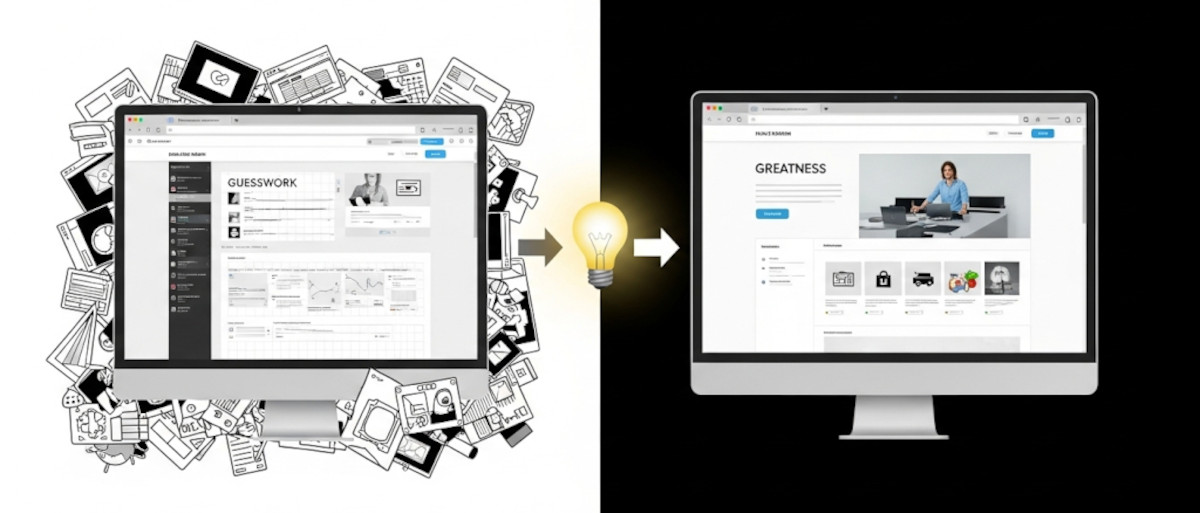
If you’re just getting started with web design, you might be asking yourself as one “Ask David!” particpant:
Am I just winging it? Are there rules? How do I know if my design actually works – or if it just looks nice?
These are questions almost every new designer has asked, and they’re completely valid. The good news? You don’t have to guess your way through it. While creativity plays a big role, great web design is a craft that can be learned – with real principles, structure, and strategy.
1. Yes, Trial and Error Is Part of the Process – But Not the Whole Story
A lot of beginners start by experimenting, copying layouts they find on sites like Dribbble or Behance. That’s fine – inspiration is part of the creative process. But the goal is not just to recreate something beautiful – it’s to understand why a design works.
Eventually, you’ll want to move beyond “winging it” and start applying best practices.
2. There Are Rules (And They Help!)
Good web design isn’t just intuitive – it’s guided by principles that have been tested and refined over time. Here are a few of the most important:
- Hierarchy: The most important info should grab attention first.
- Consistency: Fonts, colors, and spacing should feel intentional and unified.
- Responsiveness: Your site should look good on any screen size.
- Whitespace: Giving elements room to breathe helps users focus.
- Contrast & Readability: Text needs to be easy to read against its background.
Once you learn these, your designs will start looking and performing better.
Related: Should You Host Google Fonts Directly on Your Website?
Top 10 Website Fonts to Avoid Due to Compatibility Issues
How can you choose web fonts that are both readable and beautiful?
What colors evoke what emotions?
How Color Psychology Affects Web Design & Conversions
3. What Makes a Design Professional?
A professional design isn’t just pretty – it’s functional and purposeful. Ask yourself:
- Does it guide the user? A professional site has clear navigation and call-to-action buttons that feel natural.
- Does it load quickly and work on all devices? A flashy design that breaks on mobile isn’t professional. Make sure it is responsive – the UltimateWB built-in Responsive app makes it a lot easier. And it runs fast too.
- Does it fit the brand? Good design reflects a business’s personality, values, and goals.
Related: How to create your own responsive website without any coding!
How to make content sections with custom formatting also RESPONSIVE
4. What Makes a Design Convert?
A converting design turns visitors into customers. This goes beyond aesthetics:
- Clear messaging – Users should immediately know what you offer.
- Strong CTAs – Buttons like “Sign Up,” “Buy Now,” or “Get Started” should stand out.
- Social proof – Testimonials, reviews, and trust badges build credibility.
- Less clutter, more focus – Remove distractions. Help users focus on one thing at a time.
Conversion-focused design is about understanding user behavior, not just color palettes.
5. High-End vs. Low-Medium Designs
Designs that command high prices usually offer:
- Custom strategy tailored to a specific business
- Thoughtful UX (user experience) with flow and usability testing
- Strong branding – typography, logo, color, and voice aligned
- Attention to microinteractions – small animations and transitions that improve usability
In contrast, lower-priced designs often skip these layers of polish and strategy.
Related: Building a Strong Brand: The Key Elements of Successful Branding
6. How Do You Know If Your Design Is Actually Good?
A design isn’t good just because it looks good. Ask yourself:
- Does it achieve its goal? If it’s a landing page, does it convert? If it’s a portfolio, does it showcase the work effectively?
- Have you tested it? Use tools like Google Analytics, A/B testing, and heatmaps to get real user feedback.
- Have you gotten outside opinions? Show your work to others (preferably users or clients, not just other designers).
Related: The Ultimate Guide to Structuring Your Landing Page (in the Right Order)
Final Thoughts
Learning web design is a journey – and it’s totally normal to feel confused at first. But with time, practice, and understanding the “why” behind good design, you’ll grow fast. And platforms like UltimateWB make it even easier, giving you full creative control along with the tools to implement best practices without coding everything from scratch.
Ready to level up your web design skills? Explore our web design tips section, or get hands-on by building your next project on UltimateWB.
We also offer web design packages if you would like your website designed and built for you.
Got a techy/website question? Whether it’s about UltimateWB or another website builder, web hosting, or other aspects of websites, just send in your question in the “Ask David!” form. We will email you when the answer is posted on the UltimateWB “Ask David!” section.