


-
Recent Posts
- Astro + AI Website Development: Pros, Cons, and How It Compares to UltimateWB
- Etch Pre-Sale Promises: What’s Been Delivered and What’s Still Missing?
- Why Reddit Threads on Website Builders Miss the Point (And What to Look For Instead)
- Epileptic Woman Dies After Using ChatGPT for Medical Advice; Family Sues OpenAI
- Best Practices for Image Filenames and Alt Tags: A Quick SEO Checklist
- Best Website Builder for a Web Development Business: Build Your Own Website and Client Websites
- How to Make a Website Without AI for Free
- Is Wix Safer Because It Doesn’t Use PHP? Wix Security Vulnerabilities Tell a Different Story
- Rank Math PRO Supply Chain Attack: Why Updating the Plugin May Not Be Enough
- How to Safely Upgrade Legacy PHP (5.6, 7.0–7.3) to Modern, Supported Versions
- Critical PHP Vulnerabilities (“PHP2Shell”): What You Need to Know & Which Platforms Are Affected
- What Happened to GeoCore Classifieds? From Commercial Software to Community Project
- Why Vibe Coding Isn’t the Only Way to Build a Website Without Monthly Fees
- How to Create a Simple Website to Receive Client Files and Scheduling Requests
- Can You Fork a Paid WordPress Plugin Instead of Paying the Subscription?
- When Google Decides Not to Index a Page, Can You Change Its Mind?
- The Events Calendar Alternative: Why Pay More for WordPress Plugins You Don’t Need?
- Firefox Is Starting Automatically When You Log In? Here’s How to Stop It
Categories
Search Results for: colors
How to Make Sure Your Website Colors Have Enough Contrast for Accessibility

Choosing colors for a website is not just about whether they look good together. Your text, backgrounds, links, buttons, and other elements also need enough contrast to remain readable and distinguishable.
A color combination that looks perfectly clear on your monitor may be difficult for someone else to read, especially for people with low vision or color vision deficiencies.
Here are some practical things to check when choosing and reviewing your website colors.
1. Check the contrast between text and
... Continue readingWhat colors evoke what emotions?

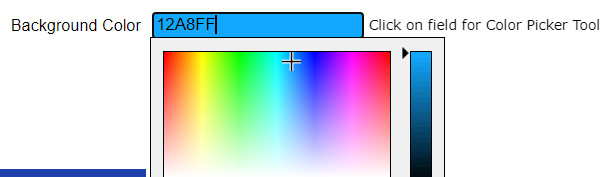
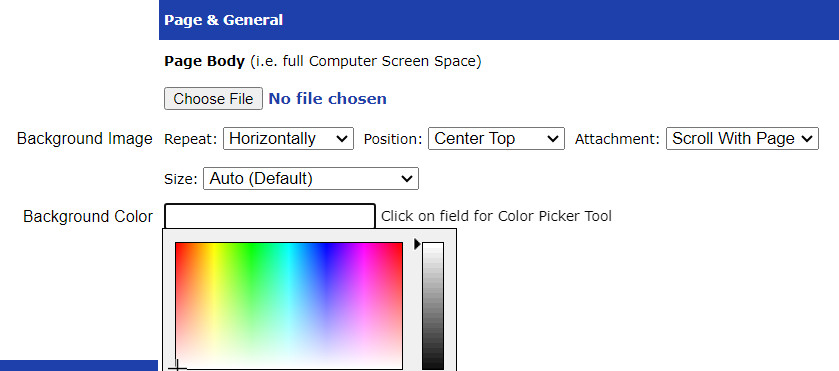
Color palettes can be a very important topic to consider and contemplate when designing your website! One of the great things about UltimateWB website builder is the built-in Styles Manager - it makes choosing colors for your website fun and easy.
Check out this summary we created on the psychology of color, with specifics!
The Psychology of Color: What Different Colors Represent and Evoke
Color plays a powerful role in how we perceive and
... Continue reading
Posted in Ask David!, Marketing, Website Design
Tagged attention, balance, black, blue, calm, color palette, color picker, color psychology, color schemes, compassion, creativity, energy, enthusiasm, evoke emotions, gray, green, growth, happiness, luxury, orange, passion, pink, playfulness, power, professionalism, purple, red, sophistication, styles manager, tranquility, trust, warmth, yellow
Leave a comment
Can specific colors or color schemes make a website appear outdated or less modern?
Absolutely! Certain color schemes can significantly impact a website's perceived modernity or outdatedness. Here are some factors to consider:
Outdated Color Schemes:
- Bright, neon colors: These were popular in the 90s and early 2000s but are now considered outdated and can make a website feel dated. Unless you are Nickelodeon. Sponge Bob Square Pants!
- Large, contrasting color blocks: While they were once used for emphasis, they can now appear amateurish and overwhelming.
- Overuse of gradients: Gradients were popular for
Posted in Ask David!, Website Design
Tagged bright colors, color scheme, colors, complementary color pairs, contrasting color blocks, earth tones, gradients, modern, modern color scheme, monochromatic palettes, natural colors, neon colors, nickelodeon, organic feel, outdated, outdated color scheme, pastel tones, sponge bob square pants
Leave a comment
How can I choose the right colors for my brand if I lack experience in design?

Don't worry! Choosing the right brand colors doesn't require expert design skills. You can play around with it and create different stylesheets easily with UltimateWB and the built-in Styles Manager, so the process can even be fun and headache-free. Here are some tips to help you make an informed decision even if you're new to the world of design:
1. Understand your brand:
- What are your brand's
How to Make a Website Without AI for Free

Ask David! Question
How can I make a website without AI for free? I want to build a website myself without using AI website builders or paying a monthly subscription. What are my options, and is there a way to get more features without spending a lot?
David's Answer
Yes! You can make a website without AI for free. You don't have to use an AI website generator, pay a monthly website-builder subscription, or know how to code.
The best
... Continue readingHow to Create a Simple Website to Receive Client Files and Scheduling Requests

A service-based business doesn't always need a complicated website with a blog, social media feeds, online sales, or a long list of marketing features. Sometimes, you just need a professional website where clients can learn about your business, submit service requests, upload documents, schedule appointments, and access files when they need them.
The challenge is finding a website builder that can handle those tasks without requiring several separate services, recurring software subscriptions, or custom programming.
You can build this type
... Continue reading
Posted in Business, Website Design
Tagged client login area, client request form, conditional logic, contact form, email notifications, file attachments, file uploads, forms & surveys builder app, forms builder, member groups, member profiles, members, members system, plugins, restrict access, service-based business
Leave a comment
Best Website Builder for SEO: WordPress vs. Wix vs. UltimateWB

Ask David
“I'm looking for the best website builder for SEO - considering WordPress, Wix, and UltimateWB - so, what’s the best website builder for SEO and how can I know and decide?”
The answer is UltimateWB.
UltimateWB combines built-in SEO functionality with direct control over your website’s structure, code, and performance. WordPress, Wix, Webflow, Shopify, and other website builders can all be used to create SEO-friendly websites, but the way they provide SEO functionality is very different.
So what
... Continue reading
Posted in Ask David!, Search Engine Optimization (SEO)
Tagged accessibility, caching, caching plugin, clean code, compatibility, compatibility issues, core web vitals, fast website, hosted vs self-hosted, html, javascript, pagespeed insights, php, plguins, rank math, search engine optimization, security, seo, third-party plugins, website performance, website speed, website speed optimization, Wix, wix alternative, WordPress, wordpress alternative, yoast seo
Leave a comment
Beehiiv Website Builder Review: The Problem Isn’t the Design – It’s the Lack of Control

Beehiiv is known as a good newsletter platform. Its Website Builder is another story.
Beehiiv markets the Website Builder as “Fully customizable” and says users can create websites with custom layouts, branding, images, content, fonts, colors, and more.
On another Beehiiv page, the claim is even stronger:
“NO CODE. NO LIMITS.”
and
"Our no-code website builder can give you a world-class website in minutes, not months. No design skills required."
But current Beehiiv customers are describing something very different. They
... Continue reading
Posted in AI, Compare Website Builders
Tagged ai, AI website builder, Beehiiv, beehiiv alternative, beehiiv review, Beehiiv vs UltimateWB, customizable, no-code, php
Leave a comment
WordPress vs. UltimateWB for an Artist Website: Which Should You Choose?

Ask David
I'm an artist and want to create a website to showcase my work, sell digital downloads, and perhaps sell real prints too. So I'm researching website builders. Initially I thought to use Wix or Squarespace because I heard they are easy, but going deeper they seem too simple and won't have the customization options I need. I want to be able to style my website to show me. I need photo galleries, slideshows, and collages. I need e-commerce.
... Continue reading
Posted in Ask David!, Compare Website Builders
Leave a comment
How to Update the Same Website Content on Multiple Pages at Once

Ask David!
Question: “I’m currently using Squarespace and am so tired of all the limitations. I have a section that needs to be the same on several pages. It is a mix of text/images. I just want to be able to update this section once and have it automatically updated on every other page that I have it on.
... Continue reading
Posted in Ask David!, Compare Website Builders
Tagged ad(d)s app, adds manager, centralized management, collection pages, embed code, flexibility, footers, global sections, HTML Ad(d)s app, html adds, placeholder text, save time, side sections, squarespace, squarespace alternative, styles manager, summary blocks, synced patterns, webflow, wix studio, WordPress
Leave a comment