







-
Recent Posts
- “My Partner Wants to Use WordPress Because 50% of the Web Uses It. Help!”
- Does EmDash Solve WordPress’s Problems, or Do You Need UltimateWB?
- How Not to Use AI: Stanford University Can Tell You
- Best Website Builder for SEO: WordPress vs. Wix vs. UltimateWB
- How to Make Sure Your Website Colors Have Enough Contrast for Accessibility
- Mobile-Friendly Website Checklist: 20 Things to Check
- Beehiiv Website Builder Review: The Problem Isn’t the Design – It’s the Lack of Control
- Elementor’s “Angie” AI Is More Than Bloat: Credits, Subscriptions, and a Growing Platform Problem
- How to Pass Google Business Profile Video Verification for Service Businesses
- The Great Deskilling: Why AI Dependence is Turning Developers into Prompt Babysitters
- The Three-Month Fuse: The Everest Forms Pro Attack and Why a Patched Plugin Can Still Put Websites at Risk
- Computer Screen Has Black Bars on the Sides: How to Fix It
- Could AI Make Humans Extinct Within the Next Decade?
- Is Weebly Getting Out of the Website-Builder Business?
- Are You “Leaking SEO” by Linking to Other Websites?
- Wix Harmony Is Now in Google Gemini. So Why Are Users Still Complaining?
- When AI Sounds Confident but Gets It Wrong: The Mount Shasta Rescue
- When AI Agents Start Working Together, Who Is Really in Control?
Categories
Tag Archives: cross-browser compatibility
Cross Browser Compatibility: Why It Matters for Your Website and How UltimateWB Nails It

Your website's reach extends across multiple web browsers, from Google Chrome to Mozilla Firefox, Safari, and beyond. Ensuring that your website functions seamlessly across all of these browsers is vital. In this blog post, we'll delve into the importance of cross-browser compatibility and shed light on how UltimateWB excels in delivering a consistently flawless browsing experience, regardless of the browser your visitors use.
Why Cross Browser Compatibility Matters:
Cross browser compatibility refers to a website's ability to perform consistently and
... Continue readingNavigating the Digital Universe: How UltimateWB Ensures Seamless Cross-Browser Compatibility

Greetings, web wanderers and digital explorers! Have you ever visited a website that looked flawless on one browser but turned into a jumbled mess on another? In the ever-evolving realm of the internet, ensuring your website shines across all browsers is non-negotiable. That's where the magic of cross browser compatibility comes into play, and guess what? UltimateWB has it mastered.
It is pretty easy to make sure your website is cross-browser compatible when it is built on the UltimateWB website
... Continue readingWhat internet browsers should you target and care about when developing your website?

Short answer is: The ones that people use! For sure you want to make sure your website runs well on the most popular and widely used internet browsers...
The most commonly recommended browsers to consider are:
- Google Chrome: As the most popular browser worldwide, Google Chrome has a significant market share. It is known for its fast performance, robust feature set, and strong support for web standards.
- Mozilla Firefox: Firefox is another widely used browser known for its focus on
How can I make my website compatible with all browsers and mobiles?

You can make sure your website is cross-browser compatible and cross-platform compatible by making it responsive and don't use any incompatible coding. You can do this easily with UltimateWB - it has a built-in responsive app.
Check out these Related Posts on cross-browser/cross-platform compatibility:
Navigating the Digital Universe: How UltimateWB Ensures Seamless Cross-Browser Compatibility
What cross-browser/cross-platform compatibility means, and why it is important for your website!
Cross Browser Compatibility: Why It Matters for Your Website and How UltimateWB Nails
... Continue readingWhy use the html5 input type “date” if it’s not supported in Safari?

You're right, if you use the HTML5 code
<input type="date">
it displays a date picker in Chrome and Firefox, but just the default text box in Safari, as the date picker is not supported there. So, I wouldn't use it, in the interest of user friendliness and cross-browser/platform compatibility. I would opt for a different method, i.e. choosing a month, day, year from menus instead - which is what UltimateWB does too for the built-in Calendar app.
Are you ready
... Continue reading
Posted in Ask David!
Tagged cross-browser compatibility, cross-platform compatibility, date, date type, html5, safari
Leave a comment
How do you make your webpage all browser-friendly?
If you’re using a website builder, make sure it’s all browser-friendly. UltimateWB is - make sure to use the built-in responsive app.
Got a techy/website question? Whether it’s about UltimateWB or another website builder, web hosting, or other aspects of websites, just send in your question in the “Ask David!” form. We will email you when the answer is posted on the UltimateWB “Ask David!” section.
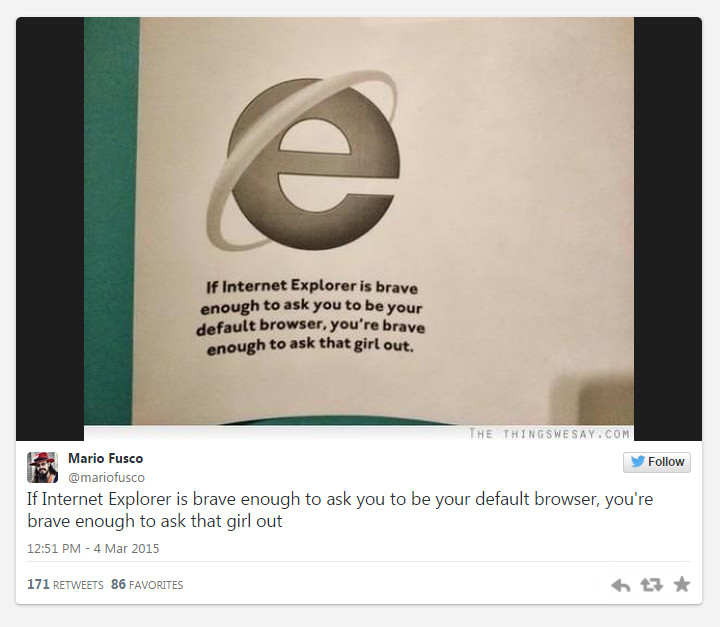
... Continue readingMicrosoft is Phasing Out Internet Explorer, introducing Project Spartan

How to switch your web hosting/website builder AND Keep Your SEO/Ranking/Traffic

Posted in Compare Website Builders, Search Engine Optimization (SEO), Web Hosting
Tagged clean urls, compare website builders, cross-browser compatibility, cross-platform compatibility, downloadable software, hosted solution, pretty urls, responsive, responsive app, search engine optimization, self-hosted solution, seo, seo tool, site ranking, web traffic, Wix
Leave a comment
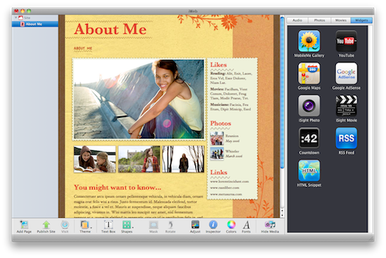
Still using iWeb? Top 6 reasons you shouldn’t be. Upgrade!

If you haven't heard of iWeb, it may be because of the #1 reason that you shouldn't be using it to create your website:
1) Apple no longer supports iWeb, the website developing creation tool for Mac, and they haven't for a few years now. (Related Post: Apple no longer supports iWeb website developing creation tool for Mac users)
Ok, so Apple doesn't support it anymore. What does this mean?
2) That is a reason itself to not
... Continue readingSmartphone use on the rise…just ask this Japanese snow monkey!
