


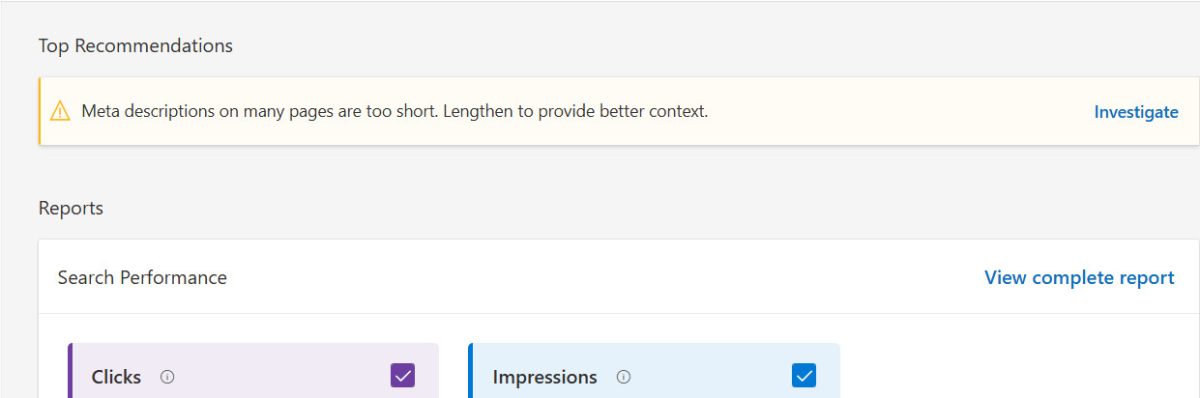
If you’ve been using Bing Webmaster Tools, you may have noticed a warning like:
“Meta descriptions on many of your pages are too short.”
This doesn’t mean your pages are broken. It’s a moderate warning specific to Bing that may affect how your pages appear in Bing search results, though Google handles descriptions differently. Let’s break down what it means, why it happens, and how to fix it.
Related: Why You Should Be Using Bing Webmaster Tools (Even If You’re Already on Google Search Console)
What “Too Short” Really Means
Meta descriptions are snippets of text that appear under your page title in search results. They don’t directly affect rankings, but they do influence click-through rates (CTR) – how often users click your listing. Bing holds about 12–15% of the US desktop search market, so while the warning is moderate, it’s worth addressing for users who search via Bing.
Related: What is a good CTR (click-through rate) for search engine keywords?
When Bing flags a description as “too short,” it usually means:
- The description is not long enough to give a clear, useful summary of the page.
- Even if it’s a full sentence, it may be below Bing’s practical threshold for displaying enough information to searchers.
While there is no official minimum character requirement, industry guidance and experience suggest aiming for roughly 120–160 characters. Below ~120 characters, Bing may consider it too short, and users may not get enough context to click.
Example of a too-short description:
“FAQ lists, while a tried-and-true method, can sometimes feel clunky.” (91 characters)
Better version (120–160 characters):
“FAQ lists are a classic website feature, but they can feel impersonal. Learn how to make your FAQs more engaging for users.” (148 characters) (Interested in the subject? Read the matching post, “How to Make Your FAQ Section More Engaging for Users“)
Related: Pro Tip: Why Your Blog Title Shouldn’t Be Your Meta Description
How to Think About Meta Descriptions and Bing
You might recall two relevant UltimateWB posts:
- “Do Meta Descriptions Really Matter, or Can You Leave Them Blank?” – explains that meta descriptions don’t directly impact rankings, but can improve CTR and user engagement.
- “The SEO Debate: Should You Write or Skip Meta Descriptions?” – notes that for very large sites, letting Google generate descriptions may be practical.
The key point today: Bing’s “too short” warning is about ensuring your descriptions provide enough information for users. Meta descriptions aren’t a ranking factor, so skipping them won’t hurt SEO, but writing descriptions of at least ~120 characters helps your pages display clear, informative snippets in Bing search results. This improves readability and click-through rates, making it easier for users to understand your content.
Tips for Fixing Short Meta Descriptions
Here are practical steps to fix descriptions flagged as too short by Bing.
- Check your meta descriptions
- Use Bing Webmaster Tools, SEO crawlers, or view your page source to find short descriptions.
- Aim for 120–160 characters
- Enough to summarize the page content, but short enough not to be truncated in search results.
- Be descriptive and actionable
- Explain what the user will get by visiting the page. Include a benefit or call-to-action if possible.
- Prioritize important pages
- Homepage, key landing pages, high-traffic blog posts, or product pages.
- For massive product catalogs, you can rely on automated snippets for lower-priority pages.
Bottom Line
Bing’s “meta description too short” warning is moderate, not critical, but it’s a helpful reminder: even if meta descriptions don’t directly influence ranking, having descriptive snippets of at least ~120 characters improves both user experience and search presentation.
Writing them carefully ensures:
- Bing won’t flag them as too short
- Users see clear, compelling information in search results
- Your pages are optimized for visibility in Bing search results
These guidelines help you create meta descriptions that satisfy Bing, engage users, and improve your site’s presentation in search results.
These guidelines help you create meta descriptions that satisfy Bing, engage users, and support your site’s visibility in search results.
Ready to design & build your own website? Learn more about UltimateWB! We also offer web design packages if you would like your website designed and built for you.
Got a techy/website question? Whether it’s about UltimateWB or another website builder, web hosting, or other aspects of websites, just send in your question in the “Ask David!” form. We will email you when the answer is posted on the UltimateWB “Ask David!” section.