
Ultimate Web Builder Responsive Check Tool

UltimateWB software – all versions sincelu UltimateWB 3.4! – come with a built-in Responsive App that can beused to easily create a mobile website in minutes, if not seconds.   To easily check how your website looks on different devices/screen sizes, you can check our online Responsive Check Tool, available under the “Resources” tab on ultimatewb.com;
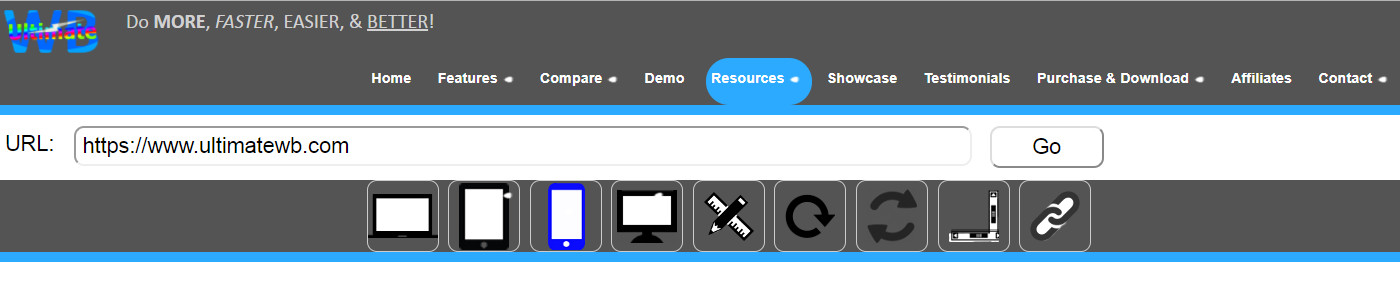
UltmiateWB Responsive Check Tool

Go responsive!

Feel free to use the tool even if your website is not built with UltimateWB software (we don’t know why it wouldn’t be though! :-)  Just enter in your website url that you would like to check and click on the Go button.  Then you can choose different devices and screen sizes and you will get your website display for it under the tool.  Easy peasy!

About the UltimateWB Team

This article was written and reviewed by the UltimateWB Development Team. With over 20 years of hands-on experience in full-stack web development, database optimization, and secure server administration (WHM/cPanel), we engineer UltimateWB with clean, built-in apps so you never have to deal with the performance-draining software bloat, security risks, or compatibility issues of third-party plugins. We build software designed from day one for maximum developer autonomy and lightning-fast performance.

This entry was posted in Website Design and tagged , , , , , . Bookmark the permalink.

Leave a Reply

Your email address will not be published. Required fields are marked *