


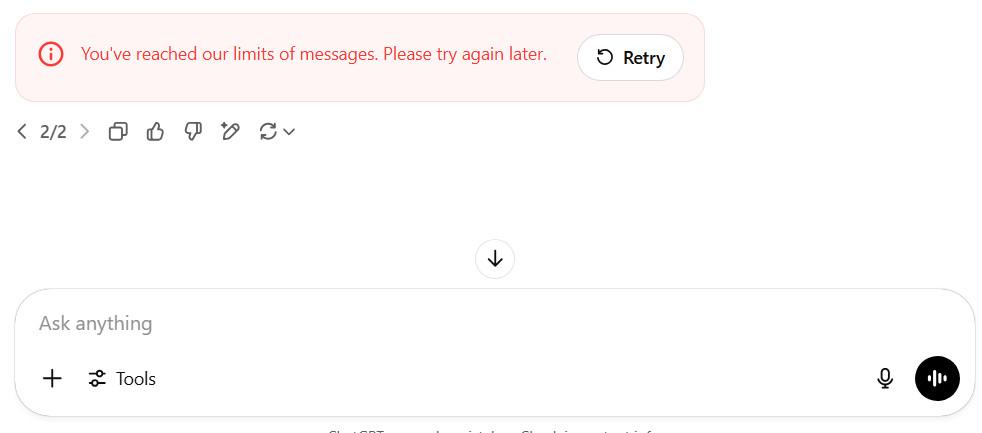
Have you seen this message while chatting with ChatGPT?
“You’ve reached our limits of messages. Please try again later.”
It usually pops up unexpectedly – and it can be frustrating, especially if you’re mid-conversation or on a roll with ideas.
The good news? It’s not a glitch. This ChatGPT error message simply means you’ve hit a temporary usage cap set by OpenAI.
🛑 Why You’re Getting the “You’ve Reached Our Limits of Messages” Error
OpenAI enforces usage limits to keep the system stable for everyone. Here’s what can trigger this message:
- Too many messages sent in a short time:
Rapid back-and-forth interactions can flag a temporary cooldown. - You’ve reached your daily or hourly message cap:
Depending on whether you’re on the Free, Plus, or Pro plan, the number of messages you’re allowed per time period varies. - High demand across the system:
OpenAI may temporarily tighten limits during peak usage to prevent overload.
This isn’t something wrong with your account – it’s just how ChatGPT manages fair access.
🔧 How to Fix the “You’ve Reached Our Limits of Messages” Error
Here’s what you can do if you hit the message limit:
- Wait it out:
Most limits reset within a few minutes to an hour. - Upgrade your plan:
If you’re on the free tier and hit this often, moving to Plus or Pro increases your message cap and overall access. - Slow your message rate:
Avoid sending messages in rapid succession. - Refresh your session:
Log out and back in or restart your browser. This won’t remove the limit but can resolve any temporary glitches.
💡 Pro Tip for Frequent Users
If you rely on ChatGPT for writing, coding, or brainstorming, you’ll want to stay below the threshold – or upgrade – to avoid this recurring interruption.
And if you’re using ChatGPT to create content…
🧠 Want Your AI-Generated Content to Rank on Google?
Don’t just paste the output and publish. Google is actively flagging low-value AI content.
Check out our related post:
👉 “Spotting the Robot in the Blog: How to Tell if AI Wrote It (and Why Google Cares If You Didn’t Fix It)”
Learn:
- How to recognize formulaic, AI-heavy content
- Why Google penalizes it
- How to humanize your content without starting from scratch
📌 Final Thoughts
“You’ve reached our limits of messages. Please try again later.”
It’s one of the most common ChatGPT errors – and now you know why it happens and how to handle it.
Whether you’re chatting for fun, research, or content creation, managing your usage wisely (or upgrading your plan) will help you avoid this error and keep the ideas flowing.
You don’t need ChatGPT to create your own website. Learn more about UltimateWB! We also offer web design packages if you would like your website designed and built for you.
Got a techy/website question? Whether it’s about UltimateWB or another website builder, web hosting, or other aspects of websites, just send in your question in the “Ask David!” form. We will email you when the answer is posted on the UltimateWB “Ask David!” section.