


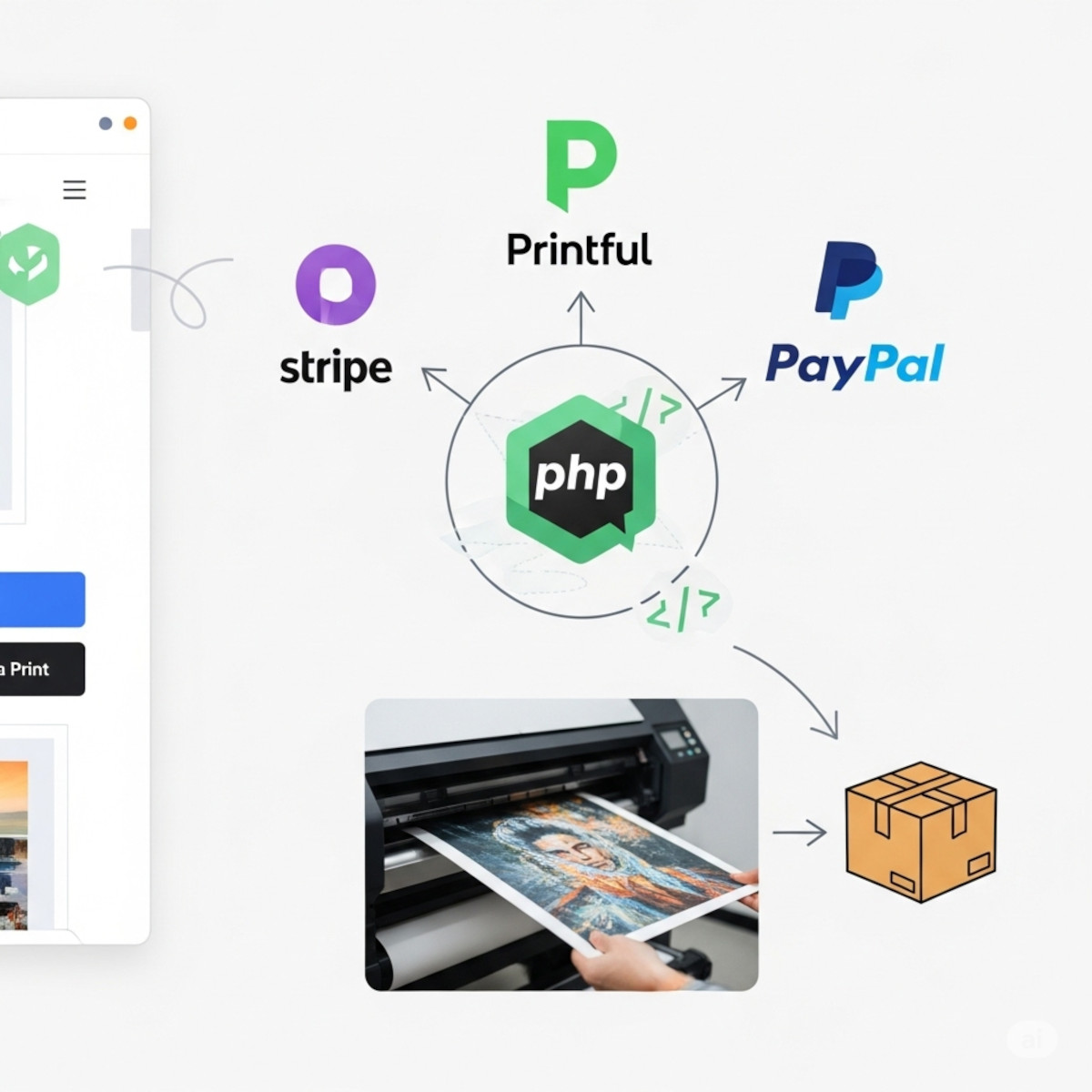
Want to turn your photos, artwork, drawings, or paintings into ready-to-order prints? In this tutorial, I’ll show you how to add a simple “Order a Print” button to your website, connect it with Printful to handle fulfillment, and accept payments through Stripe or PayPal. Earlier we released a tutorial on how to integrate with Printful using what we call “Method A”, where your items are on the Printful platform and you use the API to display your items on your website.
You’ll get:
- PHP pages you can integrate into your current site (index/item/checkout).
- Stripe Checkout flow (with webhook) and PayPal Buttons flow.
- A clear function that creates & confirms a Printful order using the image URL and size selected on your page.
- A simple size→variant map so you control which Printful product/variant is used for each size.
If you prefer a ready-to-run starter folder with all files from this tutorial, grab this:
Download the ZIP – we are using the example of “paintings” for simplicity.
1) What you’re building – flow overview
A visitor opens your artwork/photo/drawing page → clicks Order Print
They choose size and quantity, then land on Checkout
They fill shipping details, pay via Stripe or PayPal
On successful payment, your server calls Printful API to create and confirm the order (with the image URL + chosen size).
Printful fulfills the order and sends tracking updates to the customer’s email.
We’re using “Method B” (No Sync/Store): you don’t pre-create products in Printful. Instead, you send the image URL + variant ID (size/material) on the fly when placing the order.
2) Prerequisites you’ll need
- PHP 7.4+ with cURL enabled
- Your Printful API key
- A Stripe account + test API keys
- A PayPal (Sandbox first) Client ID/Secret
- HTTPS on production (required for Stripe/PayPal in live)
3) Project structure
You can merge this into your existing site. For the tutorial, we’ll assume this structure:
your-site/
  config.php                 # all keys/settings + size→variant map
  data/paintings.php         # your painting data (can swap for DB)
  src/lib/helpers.php        # helpers: HTTP, Printful, Stripe, PayPal
  public/
    index.php                # sample gallery (optional)
    painting.php             # painting detail with “Order Print” form
    checkout.php             # collects shipping + triggers payment
    stripe_create_checkout.php
    stripe_webhook.php
    paypal_create_order.php
    paypal_capture.php
    place_printful_after_payment.php
    thankyou.php
    cancel.php
  logs/app.log               # runtime logs (optional)
If you downloaded the ZIP, it already has this structure.
4) Configure your credentials (config.php)
Create config.php at the project root:
<?php
// ====== CONFIG ======
// Fill these with your real credentials.

// Printful
define("PRINTFUL_API_KEY", "REPLACE_WITH_YOUR_PRINTFUL_API_KEY");
define("PRINTFUL_API_BASE", "https://api.printful.com");

// Stripe
define("STRIPE_SECRET_KEY", "sk_test_xxx");       // get from https://dashboard.stripe.com/test/apikeys
define("STRIPE_WEBHOOK_SECRET", "whsec_xxx");     // from your Stripe webhook endpoint

// PayPal (Sandbox first)
define("PAYPAL_CLIENT_ID", "YOUR_PAYPAL_CLIENT_ID");
define("PAYPAL_CLIENT_SECRET", "YOUR_PAYPAL_CLIENT_SECRET");
define("PAYPAL_API_BASE", "https://api-m.sandbox.paypal.com"); // switch to live later

// App
define("APP_BASE_URL", "http://localhost:8000"); // your domain in prod, no trailing slash
define("APP_LOG_FILE", __DIR__ . "/logs/app.log");

// Size → Printful variant map (EXAMPLE: posters). Replace with real variant IDs.
$SIZE_MAP = [
  "12x18" => 4011,
  "18x24" => 4013,
  "24x36" => 4015
];
About the SIZE_MAP
- The keys are your public sizes (what the user picks), like
"12x18". - The values are Printful variant IDs that correspond to a specific base product+size (e.g., poster 12×18).
- Replace the example IDs with the real ones from the Printful Catalog for the product/material you want (posters, canvases, etc.). You can add/remove sizes per painting.
5) Add your paintings data (data/paintings.php)
You probably already have this in a database; here’s a simple PHP array you can swap out later:
<?php
// Example dataset. Replace with your real data source (DB).
$PAINTINGS = [
  [
    "id" => 1,
    "slug" => "sunset-sky",
    "title" => "Sunset Sky",
    "image_url" => "https://via.placeholder.com/1200x1600.png?text=Sunset+Sky",
    "sizes" => ["12x18","18x24","24x36"],
    "price_map" => ["12x18"=>2999, "18x24"=>4999, "24x36"=>7999] // USD cents
  ],
  [
    "id" => 2,
    "slug" => "blue-forest",
    "title" => "Blue Forest",
    "image_url" => "https://via.placeholder.com/1200x1600.png?text=Blue+Forest",
    "sizes" => ["12x18","18x24"],
    "price_map" => ["12x18"=>2999, "18x24"=>4999]
  ]
];
image_urlshould point to your high-resolution artwork image online (Printful will fetch it to print).sizescontrols which sizes appear on each painting page.price_mapis your retail pricing, per size (in cents).
6) Helper functions (src/lib/helpers.php)
This file centralizes:
- HTTP requests to Printful
- Stripe Checkout requests (without SDK for simplicity)
- PayPal REST requests
- A single function to place & confirm a Printful order
<?php
require_once __DIR__ . "/../../config.php";

function app_log($message) {
  $line = sprintf("[%s] %s\n", date("c"), $message);
  file_put_contents(APP_LOG_FILE, $line, FILE_APPEND);
}

function h($s) { return htmlspecialchars($s ?? "", ENT_QUOTES, 'UTF-8'); }

function require_post($keys) {
  foreach ($keys as $k) {
    if (!isset($_POST[$k]) || $_POST[$k] === "") {
      http_response_code(422);
      echo "Missing field: " . h($k);
      exit;
    }
  }
}

function printful_request($endpoint, $method="GET", $data=null) {
  $url = rtrim(PRINTFUL_API_BASE, "/") . $endpoint;
  $ch = curl_init($url);
  curl_setopt($ch, CURLOPT_RETURNTRANSFER, true);
  curl_setopt($ch, CURLOPT_HTTPHEADER, [
    "Authorization: Bearer " . PRINTFUL_API_KEY,
    "Content-Type: application/json"
  ]);
  if ($method === "POST") {
    curl_setopt($ch, CURLOPT_POST, true);
    if (!is_null($data)) curl_setopt($ch, CURLOPT_POSTFIELDS, json_encode($data));
  } elseif ($method === "DELETE") {
    curl_setopt($ch, CURLOPT_CUSTOMREQUEST, "DELETE");
  }
  $resp = curl_exec($ch);
  if ($resp === false) {
    app_log("cURL error: " . curl_error($ch));
    curl_close($ch);
    return null;
  }
  curl_close($ch);
  return json_decode($resp, true);
}

// Stripe minimal HTTP (no SDK for simplicity)
function stripe_request($path, $fields) {
  $url = "https://api.stripe.com" . $path;
  $ch = curl_init($url);
  curl_setopt($ch, CURLOPT_RETURNTRANSFER, true);
  curl_setopt($ch, CURLOPT_USERPWD, STRIPE_SECRET_KEY . ":");
  curl_setopt($ch, CURLOPT_POST, true);
  curl_setopt($ch, CURLOPT_POSTFIELDS, http_build_query($fields));
  $resp = curl_exec($ch);
  if ($resp === false) {
    app_log("Stripe cURL error: " . curl_error($ch));
    curl_close($ch);
    return null;
  }
  curl_close($ch);
  return json_decode($resp, true);
}

function verify_stripe_sig($payload, $header, $secret) {
  // Minimal verification. In production, use Stripe's official library.
  $parts = [];
  foreach (explode(",", $header) as $kv) {
    $pair = array_map("trim", explode("=", $kv, 2));
    if (count($pair) === 2) $parts[$pair[0]] = $pair[1];
  }
  if (!isset($parts["t"]) || !isset($parts["v1"])) return false;
  $signed_payload = $parts["t"] . "." . $payload;
  $computed = hash_hmac("sha256", $signed_payload, $secret);
  return hash_equals($computed, $parts["v1"]);
}

// PayPal helpers
function paypal_access_token() {
  $ch = curl_init(PAYPAL_API_BASE . "/v1/oauth2/token");
  curl_setopt($ch, CURLOPT_RETURNTRANSFER, true);
  curl_setopt($ch, CURLOPT_USERPWD, PAYPAL_CLIENT_ID . ":" . PAYPAL_CLIENT_SECRET);
  curl_setopt($ch, CURLOPT_POST, true);
  curl_setopt($ch, CURLOPT_POSTFIELDS, "grant_type=client_credentials");
  $resp = curl_exec($ch);
  if ($resp === false) return null;
  curl_close($ch);
  $data = json_decode($resp, true);
  return $data["access_token"] ?? null;
}

function paypal_request($method, $path, $data=null, $token=null) {
  $ch = curl_init(PAYPAL_API_BASE . $path);
  curl_setopt($ch, CURLOPT_RETURNTRANSFER, true);
  curl_setopt($ch, CURLOPT_HTTPHEADER, [
    "Authorization: Bearer " . $token,
    "Content-Type: application/json"
  ]);
  if ($method === "POST") {
    curl_setopt($ch, CURLOPT_POST, true);
    if (!is_null($data)) curl_setopt($ch, CURLOPT_POSTFIELDS, json_encode($data));
  }
  $resp = curl_exec($ch);
  if ($resp === false) return null;
  curl_close($ch);
  return json_decode($resp, true);
}

// Create & confirm a Printful order
function place_printful_order($customer, $item, $sizeMap) {
  // $customer: [name,address1,city,state_code,country_code,zip,email]
  // $item: [title,image_url,size,quantity]
  $size = $item["size"];
  if (!isset($sizeMap[$size])) {
    throw new Exception("Unknown size variant: " . $size);
  }
  $variant_id = $sizeMap[$size];

  $payload = [
    "external_id" => "@ORDER-" . time() . "-" . rand(1000,9999),
    "recipient" => [
      "name" => $customer["name"],
      "address1" => $customer["address1"],
      "city" => $customer["city"],
      "state_code" => $customer["state_code"],
      "country_code" => $customer["country_code"],
      "zip" => $customer["zip"],
      "email" => $customer["email"]
    ],
    "items" => [[
      "variant_id" => $variant_id,
      "quantity" => intval($item["quantity"] ?? 1),
      "name" => $item["title"],
      "files" => [[ "url" => $item["image_url"] ]]
    ]]
  ];

  $create = printful_request("/orders", "POST", $payload);
  if (!$create || !isset($create["result"]["id"])) {
    app_log("Printful order create failed: " . json_encode($create));
    return null;
  }
  $order_id = $create["result"]["id"];

  // Confirm to start fulfillment
  $confirm = printful_request("/orders/" . $order_id . "/confirm", "POST", []);
  return ["create" => $create, "confirm" => $confirm];
}
7) Painting page: add the button & form (public/painting.php)
On each painting page, show the image and available sizes. When the customer clicks “Order Print,” the form sends their selection to checkout.php via POST:
<?php
require_once __DIR__ . "/../config.php";
require_once __DIR__ . "/../data/paintings.php";
$slug = $_GET['slug'] ?? '';
$painting = null;
foreach ($PAINTINGS as $p) {
if ($p['slug'] === $slug) { $painting = $p; break; }
}
if (!$painting) { http_response_code(404); echo "Not found"; exit; }
?>
<!doctype html>
<html>
<head>
<meta charset="utf-8" />
<title><?= htmlspecialchars($painting['title']) ?></title>
<meta name="viewport" content="width=device-width, initial-scale=1">
<style>
body { font-family: system-ui, Arial, sans-serif; margin: 2rem; max-width: 900px; }
img { width: 100%; height: auto; border-radius: 8px; }
form { margin-top: 1rem; display: grid; gap: .75rem; }
input, select { padding: .6rem; font-size: 1rem; }
.btn { padding:.7rem 1rem; border-radius:8px; border:1px solid #333; background:#111; color:#fff; }
</style>
</head>
<body>
<a href="index.php">← All paintings</a>
<h1><?= htmlspecialchars($painting['title']) ?></h1>
<img src="<?= htmlspecialchars($painting['image_url']) ?>" alt="<?= htmlspecialchars($painting['title']) ?>">
<form action="checkout.php" method="post">
<input type="hidden" name="title" value="<?= htmlspecialchars($painting['title']) ?>">
<input type="hidden" name="image_url" value="<?= htmlspecialchars($painting['image_url']) ?>">
<label>Size</label>
<select name="size" required>
<?php foreach ($painting['sizes'] as $size): ?>
<option value="<?= htmlspecialchars($size) ?>"><?= htmlspecialchars($size) ?></option>
<?php endforeach; ?>
</select>
<label>Quantity</label>
<input type="number" name="quantity" min="1" value="1" required>
<button class="btn" type="submit">Order Print</button>
</form>
</body>
</html>
8) Checkout: collect shipping + trigger payment (public/checkout.php)
- Shows order summary & shipping form.
- Offers Stripe (card) or PayPal.
- Passes the painting details (
title,image_url,size,quantity) along.
<?php
require_once __DIR__ . "/../config.php";
require_once __DIR__ . "/../data/paintings.php";
$title = $_POST['title'] ?? null;
$image_url = $_POST['image_url'] ?? null;
$size = $_POST['size'] ?? null;
$quantity = max(1, intval($_POST['quantity'] ?? 1));
if (!$title || !$image_url || !$size) { http_response_code(422); echo "Missing fields"; exit; }
// Determine price from your data
$price_cents = 4999;
foreach ($PAINTINGS as $p) {
if ($p["title"] === $title && isset($p["price_map"][$size])) {
$price_cents = intval($p["price_map"][$size]);
break;
}
}
$total_cents = $price_cents * $quantity;
?>
<!doctype html>
<html>
<head>
<meta charset="utf-8" />
<title>Checkout - <?= htmlspecialchars($title) ?></title>
<meta name="viewport" content="width=device-width, initial-scale=1">
<script src="https://js.stripe.com/v3/"></script>
<script src="https://www.paypal.com/sdk/js?client-id=<?= htmlspecialchars(PAYPAL_CLIENT_ID) ?>¤cy=USD"></script>
<style>
body { font-family: system-ui, Arial, sans-serif; margin: 2rem; max-width: 900px; }
.grid { display:grid; grid-template-columns: 1fr 1fr; gap: 2rem; }
.card { border: 1px solid #ddd; border-radius: 12px; padding: 1rem; }
input, select { width:100%; padding:.6rem; margin:.3rem 0; }
.btn { padding:.7rem 1rem; border-radius:8px; border:1px solid #333; background:#111; color:#fff; }
#paypal-button-container { margin-top: 1rem; }
</style>
</head>
<body>
<a href="javascript:history.back()">← Back</a>
<h1>Checkout</h1>
<div class="grid">
<div class="card">
<h3>Order</h3>
<p><strong><?= htmlspecialchars($title) ?></strong></p>
<p>Size: <?= htmlspecialchars($size) ?> × Qty: <?= htmlspecialchars($quantity) ?></p>
<p>Total: $<?= number_format($total_cents/100, 2) ?></p>
<img src="<?= htmlspecialchars($image_url) ?>" style="max-width:100%;border-radius:8px" alt="">
</div>
<div class="card">
<h3>Shipping details</h3>
<form id="customer-form">
<input name="name" placeholder="Full name" required>
<input name="email" type="email" placeholder="Email" required>
<input name="address1" placeholder="Address line 1" required>
<input name="city" placeholder="City" required>
<input name="state_code" placeholder="State (e.g., CA)" required>
<input name="zip" placeholder="ZIP" required>
<input name="country_code" placeholder="Country (e.g., US)" value="US" required>
</form>
<h3>Pay with Stripe</h3>
<button class="btn" id="stripe-btn">Pay with Card</button>
<h3 style="margin-top:1.5rem;">Or Pay with PayPal</h3>
<div id="paypal-button-container"></div>
</div>
</div>
<script>
const totalCents = <?= json_encode($total_cents) ?>;
const item = <?= json_encode(["title"=>$title, "image_url"=>$image_url, "size"=>$size, "quantity"=>$quantity]) ?>;
function formDataObj(form) {
const fd = new FormData(form);
const o = {};
for (const [k,v] of fd.entries()) o[k]=v;
return o;
}
// Stripe Checkout
document.getElementById("stripe-btn").addEventListener("click", async () => {
const customer = formDataObj(document.getElementById("customer-form"));
const resp = await fetch("stripe_create_checkout.php", {
method: "POST",
headers: {"Content-Type": "application/json"},
body: JSON.stringify({ amount_cents: totalCents, item, customer })
});
const data = await resp.json();
if (!data.id || !data.url) { alert("Stripe error"); console.error(data); return; }
window.location = data.url;
});
// PayPal Buttons
paypal.Buttons({
createOrder: async function(data, actions) {
const customer = formDataObj(document.getElementById("customer-form"));
const resp = await fetch("paypal_create_order.php", {
method: "POST",
headers: {"Content-Type": "application/json"},
body: JSON.stringify({ amount_cents: totalCents, item, customer })
});
const out = await resp.json();
return out.id; // PayPal order ID
},
onApprove: async function(data, actions) {
const resp = await fetch("paypal_capture.php", {
method: "POST",
headers: {"Content-Type": "application/json"},
body: JSON.stringify({ orderID: data.orderID })
});
const out = await resp.json();
if (out.status === "COMPLETED") {
// Place Printful order after capture
const place = await fetch("place_printful_after_payment.php", {
method: "POST",
headers: {"Content-Type":"application/json"},
body: JSON.stringify({ capture: out })
});
const placed = await place.json();
alert("Order placed! Check your email.");
window.location = "thankyou.php";
} else {
alert("Payment not completed.");
}
}
}).render('#paypal-button-container');
</script>
</body>
</html>
9) Stripe: create session + webhook
public/stripe_create_checkout.php
Creates a Checkout Session and includes your item info in metadata.
<?php
require_once __DIR__ . "/../config.php";
require_once __DIR__ . "/../src/lib/helpers.php";

$payload = json_decode(file_get_contents("php://input"), true);
$amount = intval($payload["amount_cents"] ?? 0);
$item = $payload["item"] ?? [];
$customer = $payload["customer"] ?? [];

if ($amount <= 0) { http_response_code(400); echo json_encode(["error"=>"bad amount"]); exit; }

$domain = APP_BASE_URL;
$metadata = [
  "title" => $item["title"] ?? "",
  "image_url" => $item["image_url"] ?? "",
  "size" => $item["size"] ?? "",
  "quantity" => (string)($item["quantity"] ?? 1),
  "customer_email" => $customer["email"] ?? ""
];

$session = stripe_request("/v1/checkout/sessions", [
  "mode" => "payment",
  "success_url" => $domain . "/public/thankyou.php?session_id={CHECKOUT_SESSION_ID}",
  "cancel_url" => $domain . "/public/cancel.php",
  "payment_method_types[]" => "card",
  "line_items[0][price_data][currency]" => "usd",
  "line_items[0][price_data][product_data][name]" => $item["title"] ?? "Art Print",
  "line_items[0][price_data][unit_amount]" => $amount,
  "line_items[0][quantity]" => 1,
  "metadata[title]" => $metadata["title"],
  "metadata[image_url]" => $metadata["image_url"],
  "metadata[size]" => $metadata["size"],
  "metadata[quantity]" => $metadata["quantity"],
  "customer_email" => $customer["email"] ?? null
]);

header("Content-Type: application/json");
echo json_encode($session ?? ["error"=>"stripe failed"]);
public/stripe_webhook.php
On checkout.session.completed, we reconstruct the customer/item and place the Printful order.
<?php
require_once __DIR__ . "/../config.php";
require_once __DIR__ . "/../src/lib/helpers.php";

$payload = file_get_contents("php://input");
$sig = $_SERVER["HTTP_STRIPE_SIGNATURE"] ?? "";

if (!verify_stripe_sig($payload, $sig, STRIPE_WEBHOOK_SECRET)) {
  http_response_code(400);
  echo "Invalid signature";
  exit;
}

$event = json_decode($payload, true);
$type = $event["type"] ?? "";

if ($type === "checkout.session.completed") {
  $session = $event["data"]["object"];
  $metadata = $session["metadata"] ?? [];
  // Build customer & item from metadata (you can also expand line items via Stripe API)
  $customer = [
    "name" => $session["customer_details"]["name"] ?? "Customer",
    "email" => $session["customer_details"]["email"] ?? ($metadata["customer_email"] ?? ""),
    "address1" => $session["customer_details"]["address"]["line1"] ?? "Address",
    "city" => $session["customer_details"]["address"]["city"] ?? "",
    "state_code" => $session["customer_details"]["address"]["state"] ?? "",
    "country_code" => $session["customer_details"]["address"]["country"] ?? "US",
    "zip" => $session["customer_details"]["address"]["postal_code"] ?? ""
  ];
  $item = [
    "title" => $metadata["title"] ?? "Art Print",
    "image_url" => $metadata["image_url"] ?? "",
    "size" => $metadata["size"] ?? "18x24",
    "quantity" => intval($metadata["quantity"] ?? 1)
  ];
  global $SIZE_MAP;
  try {
    $placed = place_printful_order($customer, $item, $SIZE_MAP);
    app_log("Stripe webhook Printful order placed: " . json_encode($placed));
  } catch (Exception $e) { app_log("Printful order error: " . $e->getMessage()); }
}

http_response_code(200);
echo "ok";
In Stripe Dashboard, add a webhook endpoint pointing to
https://YOURDOMAIN.com/public/stripe_webhook.phplistening tocheckout.session.completed, and copy the signing secret intoconfig.php.
10) PayPal: create order + capture + place Printful
public/paypal_create_order.php
Creates a PayPal order for the amount.
<?php
require_once __DIR__ . "/../config.php";
require_once __DIR__ . "/../src/lib/helpers.php";

$payload = json_decode(file_get_contents("php://input"), true);
$amount = intval($payload["amount_cents"] ?? 0) / 100.0;
$item = $payload["item"] ?? [];
$customer = $payload["customer"] ?? [];

$token = paypal_access_token();
$order = paypal_request("POST", "/v2/checkout/orders", [
  "intent" => "CAPTURE",
  "purchase_units" => [[
    "amount" => [ "currency_code" => "USD", "value" => number_format($amount, 2, ".", "") ],
    "description" => $item["title"] ?? "Art Print"
  ]],
  "payer" => [
    "email_address" => $customer["email"] ?? null,
    "name" => [ "given_name" => $customer["name"] ?? "Customer" ]
  ],
  "application_context" => [
    "return_url" => APP_BASE_URL . "/public/thankyou.php",
    "cancel_url" => APP_BASE_URL . "/public/cancel.php"
  ]
], $token);

header("Content-Type: application/json");
echo json_encode($order ?? ["error"=>"paypal create failed"]);
public/paypal_capture.php
Captures the PayPal payment after approval:
<?php
require_once __DIR__ . "/../config.php";
require_once __DIR__ . "/../src/lib/helpers.php";

$payload = json_decode(file_get_contents("php://input"), true);
$orderID = $payload["orderID"] ?? null;
if (!$orderID) { http_response_code(400); echo json_encode(["error"=>"missing orderID"]); exit; }

$token = paypal_access_token();
$capture = paypal_request("POST", "/v2/checkout/orders/$orderID/capture", null, $token);

header("Content-Type: application/json");
echo json_encode($capture ?? ["error"=>"paypal capture failed"]);
public/place_printful_after_payment.php
Once PayPal capture returns COMPLETED, call this to place the Printful order.
In production, you should store the item + customer data server-side when you create the PayPal order, then retrieve it here. This demo just shows the call.
<?php
require_once __DIR__ . "/../config.php";
require_once __DIR__ . "/../src/lib/helpers.php";

$payload = json_decode(file_get_contents("php://input"), true);
$cap = $payload["capture"] ?? [];

// In a real app, persist item + customer details before payment and reload them here.
// For brevity, this is a placeholder. Replace with your stored checkout data.
$customer = [
  "name" => "PayPal Customer",
  "email" => "customer@example.com",
  "address1" => "Address Line",
  "city" => "City",
  "state_code" => "CA",
  "country_code" => "US",
  "zip" => "94105"
];
$item = [
  "title" => "Art Print",
  "image_url" => "https://via.placeholder.com/1200x1600.png?text=Art+Print",
  "size" => "18x24",
  "quantity" => 1
];

global $SIZE_MAP;
try {
  $placed = place_printful_order($customer, $item, $SIZE_MAP);
  header("Content-Type: application/json");
  echo json_encode(["ok"=>true, "placed"=>$placed]);
} catch (Exception $e) {
  http_response_code(500);
  echo json_encode(["error"=>$e->getMessage()]);
}
11) Thank-you & cancel pages
<!-- public/thankyou.php -->
<?php ?><!doctype html>
<html><head><meta charset="utf-8"><title>Thank you</title></head>
<body><h1>Thank you!</h1><p>Your payment was received. You will receive updates by email.</p></body></html>
<!-- public/cancel.php -->
<?php ?><!doctype html>
<html><head><meta charset="utf-8"><title>Order canceled</title></head>
<body><h1>Order canceled</h1><p>Your payment was not completed.</p></body></html>
12) Local testing
From the project root:
php -S localhost:8000 -t public
- Browse to
http://localhost:8000 - Click a painting → Order Print → Checkout
- Use Stripe test cards or PayPal Sandbox
- For Stripe webhooks locally, use the Stripe CLI to forward events:
stripe listen --forward-to localhost:8000/public/stripe_webhook.php - Replace the
$SIZE_MAPwith real variant IDs before live orders.
13) Production checklist
- Set real keys in
config.php - Use your HTTPS domain in
APP_BASE_URL - Use live Stripe keys & webhook secret
- Use live PayPal endpoint & credentials
- Persist checkout data on your server (especially for PayPal) and load it for the Printful call
- Replace placeholder images with your hi-res art URLs
- Confirm your Printful billing/return address, and shipping settings
14) FAQ
Do I need to create products in Printful?
No. With this approach you send the artwork URL + variant ID at order time. You do need correct variant IDs for the base product/sizes you plan to sell.
Where do I get variant IDs?
From Printful’s product catalog: choose your base product (e.g. poster paper you like), then note the variant IDs for the sizes you want (e.g., 12×18, 18×24). Put them in $SIZE_MAP.
Can I customize paper type/frame?
Yes — use a different $SIZE_MAP per material (or add a “material” dropdown and map (material,size) to the right variant IDs).
Get the ready-to-run files
You can copy everything above into your project, or just download the prepared starter:
Inside you’ll find the exact files shown here, already organized. Open config.php, drop in your keys, replace \$SIZE_MAP with your real variant IDs, and you’re good to go.
If you use this tutorial to integrate Printful in your website, let us know how it goes!
If you are looking for a Printful integration in your UltimateWB website and would like this added as a built-in feature, please let us know and we will review on the demand for it.
Are you ready to design & build your own website? Learn more about UltimateWB! We also offer web design packages if you would like your website designed and built for you.
Got a techy/website question? Whether it’s about UltimateWB or another website builder, web hosting, or other aspects of websites, just send in your question in the “Ask David!” form. We will email you when the answer is posted on the UltimateWB “Ask David!” section.